Apps Games Articles
​​Microsoft Copilot
Microsoft Corporation
Rating 4.7star icon
Editor's summary
Editor rating
star icon star icon star icon star icon
half star icon
4.5

One-line summary Microsoft Copilot is one of the most natural and genuinely useful AI assistants on Android, but its occasional inaccuracies and a few assistant-mode limitations keep it from being an automatic default for everyone.

  • Installs

    50M+

  • Developer

    Microsoft Corporation

  • Category

    Productivity

  • Content Rating

    Everyone

  • Latest version

    30.0.440224003

  • Package

    com.microsoft.copilot

Screenshots
In-depth review
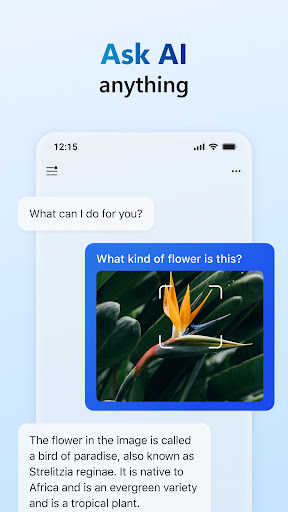
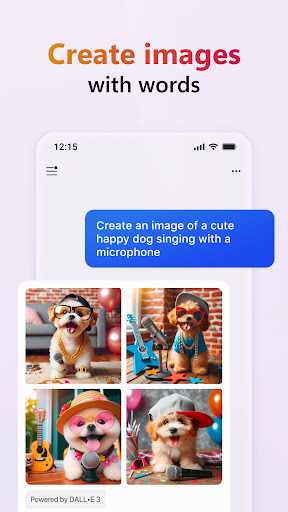
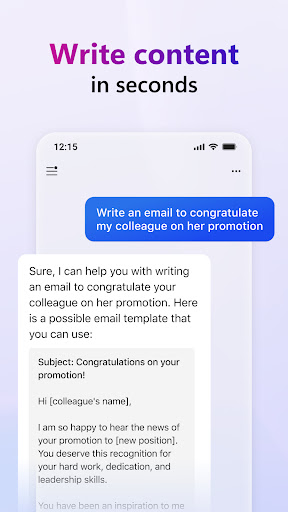
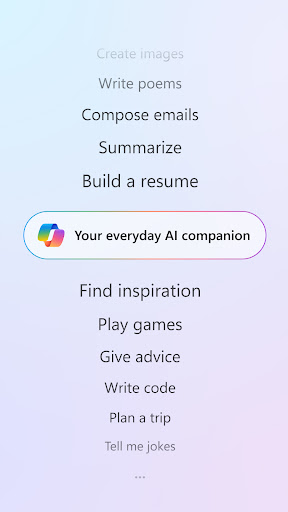
Microsoft Copilot is one of those apps that makes a strong impression within the first few minutes. Open it up, ask a messy real-world question instead of a neat demo prompt, and it quickly shows what kind of product it wants to be: less of a sterile chatbot, more of a daily AI sidekick. After spending real time with it across writing help, quick research, conversational voice use, and idea generation, I came away impressed by how approachable and polished it feels most of the time. The best thing about Copilot is its tone. A lot of AI apps can answer questions, but not all of them feel good to use. Copilot generally does. It responds in a way that feels warm, clear, and unusually fluid, especially in back-and-forth conversations. If you use AI as a brainstorming partner rather than just a fact machine, that matters. I found it particularly good at taking vague prompts and turning them into something practical. Ask for help outlining an email, rewriting a paragraph, organizing notes, or turning scattered thoughts into a cleaner structure, and it usually gets there quickly without making you fight the interface or re-explain yourself over and over. That writing assistance is one of the app’s strongest everyday use cases. Copilot is very good at helping you get unstuck. I used it for rewrites, trimming overly long sentences, polishing casual text into something more professional, and generating first drafts when I didn’t feel like staring at a blank screen. It is not just about grammar correction. It is better thought of as a drafting and shaping tool. When it is working well, it gives you momentum. Students, job seekers, office workers, and anyone who writes a lot on their phone will probably get immediate value out of it. The second major strength is how accessible the app feels. You can chat by text or voice, and the experience is generally fast and intuitive. Voice interaction in particular helps Copilot feel less like a search box and more like an assistant. There is a personality to the exchange, and that makes a difference when you are using it frequently. It is easy to imagine using it while cooking, planning, studying, or working through a problem out loud. It also helps that the app can handle a wide range of tasks without feeling scattered: summaries, explanations, research support, translation, creative prompts, shopping lists, and image generation all fit naturally into the same basic flow. That breadth is the third big advantage. Copilot is useful in small, ordinary moments. I liked it most when using it for practical tasks that sit between search and productivity: comparing options, summarizing topics, generating step-by-step plans, or getting a fast second opinion on an idea. It is especially effective when you want an answer that is more structured than a web search but less formal than a dedicated work app. The included links in search-style responses also help ground the output and make the experience feel more transparent. Still, Copilot is not flawless, and some of its weaknesses show up precisely because it is so easy to trust. The first issue is the oldest AI problem: it can still be wrong. Not wildly wrong all the time, but confidently imperfect often enough that you cannot fully switch your brain off. For research, factual claims, and anything important, you still need to verify. Copilot is at its best as an accelerator, not a final authority. That is a manageable limitation, but it is a real one. The second weakness is that the assistant experience does not feel equally frictionless in every situation. As a standalone app, it is strong. As an always-ready assistant replacement, it can feel less seamless than some people will want. Hands-free access and default assistant behavior are areas where expectations are high, and if your goal is to replace your phone’s built-in voice assistant entirely, Copilot may not always slot into your routine as smoothly as you hope. The third weakness is that some parts of the experience can feel a little constrained during longer or more personal sessions. If you use AI casually for quick tasks, you may never notice. But if you lean on it for extended conversations, deeper creative work, or emotional support, little interruptions or session limitations become more noticeable. The app is clearly designed to be friendly and available, but not every interaction feels completely unrestricted. The image generation side is a nice extra rather than the main reason to install the app. It works well for quick concepting, playful visuals, and turning rough prompts into something you can react to. I would not describe it as the centerpiece of the app, though. Copilot’s real value is still in conversation, writing, and practical assistance. Who is Microsoft Copilot for? It is for people who want an AI companion that feels human enough to talk to regularly and useful enough to justify keeping on the home screen. It is especially good for writers, students, professionals, job hunters, and curious general users who want help thinking through tasks rather than just retrieving facts. It is also a good fit for people who find some AI tools too robotic or too dry. Who is it not for? If you want a perfectly reliable source for factual research, this is not that. If you want a deeply integrated, always-hands-free replacement for every assistant function on your phone, it may fall short depending on your setup. And if you dislike conversational AI that leans personable, Copilot’s friendly tone may feel like a feature you do not need. Overall, Microsoft Copilot is one of the most satisfying AI apps to use day to day. It feels polished, fast, and surprisingly natural in conversation, and it delivers genuine utility across writing, planning, learning, and brainstorming. It is not infallible, and it still has some rough edges around assistant-style convenience and long-session flow, but as a general-purpose AI app, it is easy to recommend. This is one of the few AI tools that consistently feels like it earns its spot on your phone.
Alternative apps