Apps Games Articles
QuickDoc: PDF Reader Tools
Dev Globeg
Rating 4.5star icon
Editor's summary
Editor rating
star icon star icon star icon
half star icon
empty star icon
3.9

One-line summary QuickDoc is an appealing pick if you want a simple all-in-one document viewer with basic PDF markup, but I’d hesitate to recommend it to anyone expecting serious editing depth or a cleaner, less permission-heavy experience.

  • Installs

    500K+

  • Developer

    Dev Globeg

  • Category

    Tools

  • Content Rating

    Everyone

  • Latest version

    1.1.2

  • Package

    com.quickdoc.pdfreader

Screenshots
In-depth review
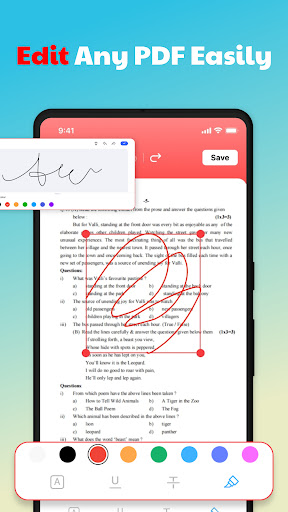
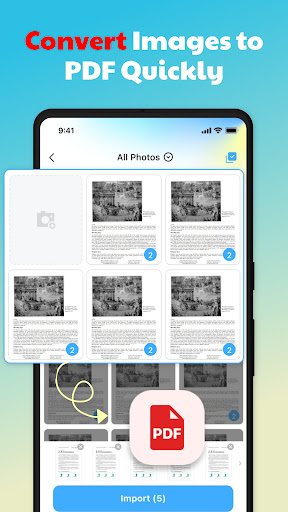
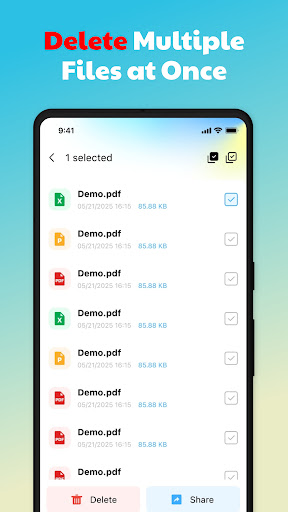
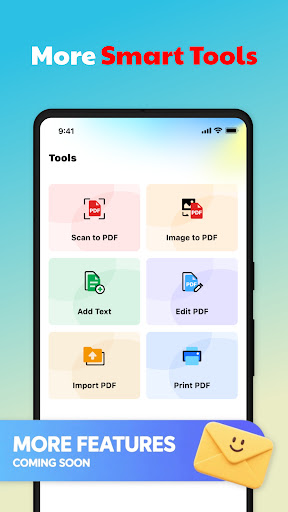
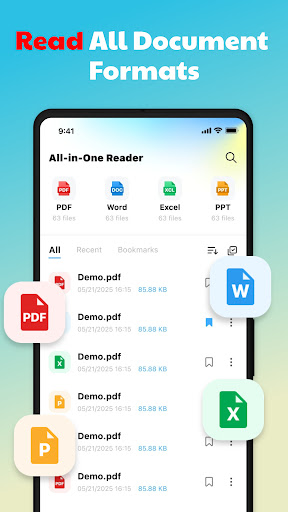
QuickDoc: PDF Reader Tools lands in a very crowded category, and after spending time with it, my reaction is fairly straightforward: this is a practical utility app that gets a surprising amount right for casual document handling, but it also shows its limits quickly once you try to use it as anything more than a lightweight viewer and annotator. The best way to think about QuickDoc is as a document hub for people who mainly need to open files on their phone, keep them organized, and make a few simple marks on PDFs. In day-to-day use, that core experience is reasonably smooth. The app scans local storage, pulls documents into one place, and makes it easier to browse through PDFs, Word files, spreadsheets, and presentations without constantly jumping between apps. That convenience matters more than it sounds on paper. If your phone is full of downloaded bills, forms, slides, and image-based paperwork, having one app that recognizes and surfaces them quickly is genuinely useful. What I liked most during testing was the app’s straightforwardness. The interface doesn’t feel overloaded with niche tools or buried menus. Opening a document is quick, and for basic reading, QuickDoc feels responsive enough to stay out of the way. PDFs display clearly, and common office file types are easy to preview. I also found the document search and file management angle more helpful than I expected. Being able to import, sort, collect, and delete files inside the same app gives it more utility than a barebones PDF reader. This is especially handy for students, office workers, and anyone dealing with a steady stream of attachments and downloaded forms. The second big strength is the built-in PDF markup. QuickDoc does not pretend to be a professional editing suite, and that is actually one of the reasons it works reasonably well. The annotation tools are simple: adding text and drawing with a brush are the kinds of features that cover the most common mobile use cases. If you need to sign off on a draft visually, highlight something by hand, jot a correction, or mark up a form before sending it back, QuickDoc is capable enough. It keeps the barrier low, which is important on a phone screen where overcomplicated editing tools often become more frustrating than useful. The third strength is the image-to-PDF conversion tool. This fits naturally into how many people actually use document apps now. Scanning or saving images and turning them into a single PDF for sharing or storage is one of the most practical features in this category, and QuickDoc makes that process feel accessible rather than technical. For receipts, notes, homework pages, or snapshots of printed paperwork, this feature adds real value. That said, QuickDoc is also the kind of app where the limitations become obvious the longer you stay in it. My first hesitation is right in the name and marketing: it presents itself as a PDF reader and tools app, but the editing side is narrow. You can annotate PDFs, yes, but not deeply edit documents in a way many users might assume. And with Word, Excel, and PPT files, you are limited to viewing only. That is not a flaw if you go in with the right expectations, but it does mean QuickDoc is best seen as a reader-plus-annotation utility, not a full document workstation. The second issue is permissions. QuickDoc asks for broad file access so it can scan and manage local documents, and while that makes functional sense for this type of app, it is still a point where privacy-conscious users may pause. The app says processing is done locally, which is reassuring, but from a user-experience perspective, broad storage access always feels like a tradeoff. If you are the kind of person who prefers tightly scoped permissions and minimal access to your files, this may not be your favorite setup. The third weak point is polish at the edges. In general use, QuickDoc is easy enough to understand, but it does not come across as especially refined or premium. The app includes ads, and in utility apps that can subtly affect the experience even when the core features are useful. Combined with the somewhat generic presentation and the limited editing depth, it can leave the impression of an app that is competent rather than outstanding. It works, but it does not consistently feel elegant. So who is QuickDoc for? It is for people who need a free, approachable document viewer on Android with a few extras: local file organization, searchable document access, simple PDF notes, and image-to-PDF conversion. It is especially suitable for students, office users, and everyday phone users who mostly read files and occasionally annotate them. Who is it not for? It is not for users who need advanced PDF editing, broad document creation tools, or a more tightly permissioned experience. If your workflow involves heavy document revision, form building, spreadsheet editing, or presentation changes, QuickDoc will feel too limited. Likewise, if ads and all-files access are deal breakers, there are more specialized alternatives. Overall, I came away with a mostly positive but measured impression. QuickDoc succeeds at being useful in the everyday moments that matter: opening files fast, keeping them organized, and letting you do just enough with PDFs to avoid reaching for a laptop. That alone makes it worth considering. But it also stops short of feeling like an essential power-user tool. For light document work, it is handy and competent. For anything beyond that, you will likely want something more capable.