Apps Games Articles
Phone Cleaner - Cache Cleaner
Games Tree
Rating 4.5star icon
Editor's summary
Editor rating
star icon star icon star icon star icon empty star icon
4.1

One-line summary Phone Cleaner - Cache Cleaner is easy to recommend if you want a quick, low-effort way to tidy up storage, but I’d hesitate if you’re sensitive to cluttered utility-app design or expect miracles in phone performance.

  • Installs

    50M+

  • Developer

    Games Tree

  • Category

    Tools

  • Content Rating

    Everyone

  • Latest version

    1.0.38

  • Package

    phonecleaner.androidmaster.cleanupspace.phone.booster

Screenshots
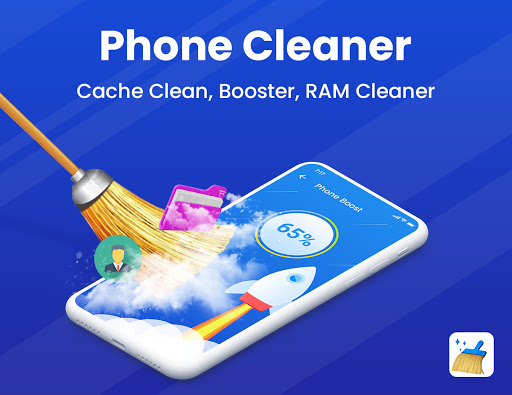
In-depth review
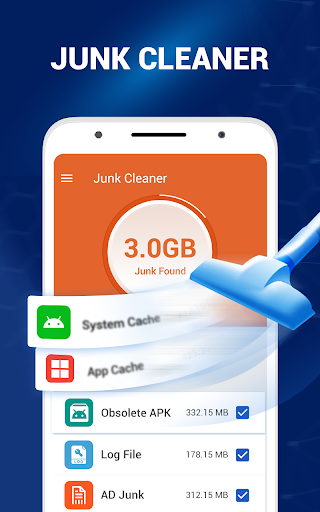
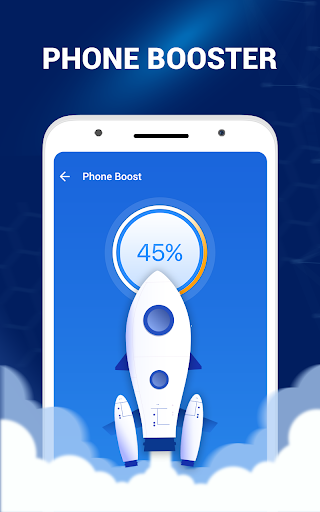
Phone Cleaner - Cache Cleaner is the kind of Android utility that lives or dies by one simple question: does it make your phone feel easier to manage without becoming a nuisance itself? After spending time with it as a practical cleanup tool, my impression is mostly positive. It does a good job delivering the fast, lightweight sense of maintenance that many people want from a cleaner app, but it also comes with the familiar trade-offs that tend to follow this category. The first thing that stood out in day-to-day use was how approachable it feels. This is not the sort of app that demands technical knowledge or asks the user to understand Android storage systems in detail. The experience is built around quick actions, clear prompts, and the basic promise of helping you free up space and cut through junk. For a lot of people, that simplicity is the biggest selling point. You open it because your phone feels crowded, you want some reassurance that hidden clutter can be removed, and you want the app to guide you through the process without making it feel like a system-administration task. On that front, it works. That ease of use is the app’s first major strength. The interface, while not especially elegant, generally pushes you toward obvious actions rather than burying them. In my time with it, the app gave the impression of wanting to move quickly: scan, review, clean, repeat. That kind of flow matters more than flashy visuals in a utility app, and Phone Cleaner - Cache Cleaner mostly gets it right. It feels designed for people who open a cleaner app in short bursts rather than those who want to fine-tune every category of data. The second strength is that it creates a satisfying sense of immediate payoff. Utility apps can sometimes feel abstract, but this one leans into visible results. Even when you know that “cleaning” apps often work in modest increments rather than transformational ones, there is still value in an app that makes routine storage upkeep feel tangible. Used occasionally, it gives the impression of helping you stay ahead of digital mess before it turns into a larger headache. For users who constantly save photos, install a lot of apps, or bounce between social and media apps that leave temporary files behind, that kind of maintenance rhythm is genuinely useful. A third positive is accessibility for less experienced users. Not everyone wants to dig through Android settings menus, app storage breakdowns, and device care screens. Phone Cleaner - Cache Cleaner lowers that barrier. It presents cleanup as a straightforward task rather than a technical one, and that makes it a sensible pick for users who want convenience over deep control. If you often help family members who say things like “my phone is full” but have no idea where to start, this is exactly the kind of app they are likely to understand quickly. That said, this app also runs into the classic weaknesses of the cleaner category. The biggest one is that the experience can feel a little too eager, a little too busy, and a little too promotional in tone. Even when the core cleaning flow is simple, apps like this often try to turn every tap into a bigger optimization story than it really is. In actual use, that can make the app feel more dramatic than necessary. If you prefer calm, minimalist utility software, this style may wear on you. The second weakness is that the value of cleaner apps is inherently uneven. Phone Cleaner - Cache Cleaner can help with routine junk and storage tidying, but it is not a magic fix for a slow or aging phone. That distinction matters. If your device is struggling because of old hardware, too many heavy apps, or broader system issues, an app like this can only do so much. During use, that gap between promise and reality is where some hesitation creeps in. The app feels best when treated as a maintenance shortcut, not as a full rescue plan for poor performance. The third complaint is that utility apps in this space can sometimes create friction by asking for attention more often than you really want. Even if the app itself is not difficult to use, the overall experience can feel slightly repetitive. Cleaner apps tend to encourage regular scans and repeated check-ins, and after the initial satisfaction wears off, you may start to question how often you actually need to open it. In other words, the app is at its best as an occasional assistant, not as something you want constantly in your face. Who is this app for? It is for Android users who want a simple, familiar cleanup tool that helps them manage storage with minimal effort. It is especially suitable for casual users, people with crowded phones, and anyone who values convenience over granular control. It is also a reasonable choice for users who like the psychological comfort of seeing their device “cleaned” in a visible, guided way. Who is it not for? It is not for power users who prefer to manage storage manually through Android settings, nor is it ideal for people who dislike utility apps that can feel aggressive, flashy, or repetitive. It is also not the right fit if you expect a dramatic performance boost from a single tap. Overall, Phone Cleaner - Cache Cleaner lands on the better side of this genre. It is easy to use, practical in short sessions, and genuinely helpful for routine storage cleanup. At the same time, it carries the usual limitations of cleaner apps: a tendency toward overstatement, a somewhat busy feel, and benefits that are real but not revolutionary. If you go in with realistic expectations, it is a solid free option that does enough right to earn a recommendation.