Apps Games Articles
Phone Cleaner & AntiVirus
Asaso Tech Pvt Ltd.
Rating 4.3star icon
Editor's summary
Editor rating
star icon star icon star icon
half star icon
empty star icon
3.8

One-line summary Phone Cleaner & AntiVirus is easy to pick up and useful for quick phone maintenance, but I’d hesitate to recommend it wholeheartedly unless you specifically want a simple all-in-one cleaner and can tolerate the usual optimization-app friction.

  • Installs

    100K+

  • Developer

    Asaso Tech Pvt Ltd.

  • Category

    Tools

  • Content Rating

    Everyone

  • Latest version

    1.2

  • Package

    com.kilosweeper.junkclean

Screenshots
In-depth review
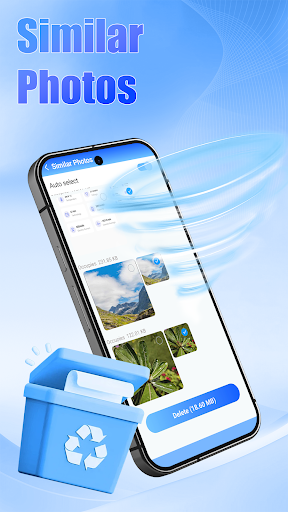
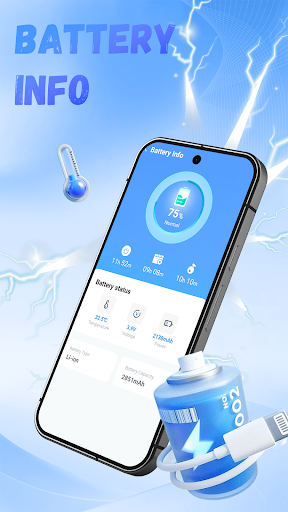
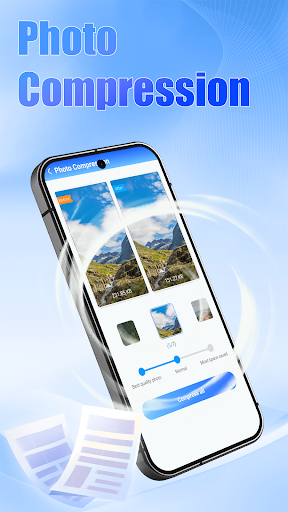
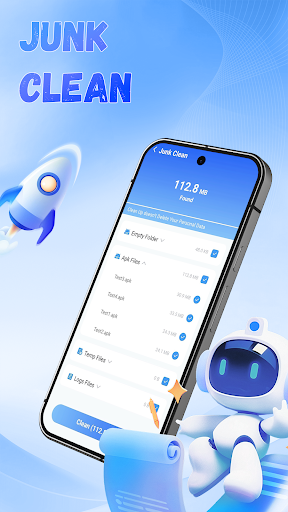
Phone Cleaner & AntiVirus lands in one of the most crowded corners of Android: the promise-heavy world of cleaner, booster, and security apps. After spending time with it as a practical maintenance tool rather than a miracle cure, my reaction is fairly balanced. This is not the kind of app that transforms a sluggish phone into a brand-new device overnight, but it can be a handy utility for people who like having a single place to run basic cleanup and feel a bit more in control of their device. What stood out first is how approachable it feels. A lot of apps in this category overwhelm you immediately with flashing warnings, aggressive color schemes, or constant nudging to “fix” issues that may not really be issues. Phone Cleaner & AntiVirus gives off a more straightforward impression at the start. It is the kind of app you can open, understand in a few seconds, and use without needing to dig through menus or learn a bunch of jargon. For casual users, that matters. If your goal is simply to scan, clean up obvious clutter, and get a quick sense that your phone has been checked over, the app does a decent job of delivering that basic utility. In day-to-day use, the strongest part of the experience is convenience. Instead of bouncing between different system settings and storage pages, you get a more centralized maintenance flow. That saves time, especially for users who do not enjoy digging through Android menus. The app feels designed for quick sessions: open it, run a scan, review what it surfaces, and make a few maintenance decisions. That rhythm works well. It is especially useful for people who periodically think, “My phone feels messy; I should probably clear some junk,” but do not want a complicated process. Another strength is that the app’s overall promise is easy to understand. “Cleaner” and “antivirus” are categories most users recognize instantly, and the app appears built around that familiar reassurance. In practice, that means it tends to feel less like a specialist tool and more like a general-purpose maintenance companion. For less technical users, that broad focus is appealing. You do not need to know exactly what kind of cleanup you are looking for before opening it. I also appreciate that a free app with a 4.3 rating and 100K+ downloads at least suggests it is finding a real audience rather than looking abandoned or purely ornamental. In use, it does not come across like a dead-end utility. There is enough structure and usability here to make it feel like something people could realistically keep installed for occasional maintenance. That said, this category always comes with limits, and Phone Cleaner & AntiVirus does not escape them. The first frustration is conceptual: apps like this often imply a bigger performance payoff than they can realistically deliver on modern Android phones. During testing, the app was most useful as a tidying tool, not as a dramatic speed enhancer. If you go in expecting major battery improvements, instant performance gains, or deep protection that rivals full security suites, you are likely to come away underwhelmed. The practical gains feel modest, and that is important to understand. The second issue is that cleaner apps can sometimes create a loop of unnecessary maintenance. Even when the interface is simple, there is still a subtle push toward repeated checking and optimizing. In my time with Phone Cleaner & AntiVirus, I found it best used occasionally, not obsessively. Users who enjoy constant monitoring might like that feeling of control, but many people simply do not need to run cleanup routines often. If you are already comfortable using Android’s built-in storage tools and generally keep your phone organized, this app may feel redundant. The third weakness is trust and specificity. With any app promising both cleanup and antivirus functions, I want very clear communication about what exactly is being scanned, what is safe to remove, and what the expected result should be. Phone Cleaner & AntiVirus is easy enough to use, but it does not feel like a deeply transparent power-user tool. It is more of a guided maintenance app than a forensic utility. That makes it accessible, but it also means experienced users may want more detail and more confidence before acting on recommendations. So who is this app for? It is best for casual Android users who want a simple maintenance app they can open once in a while to clean up clutter and get a quick sense of device health. It also suits people who feel more comfortable when they have a visible “checkup” tool on their phone rather than relying entirely on built-in settings. Who is it not for? If you are a power user, someone who already manages storage manually, or someone skeptical of cleaner apps in general, this probably will not change your mind. It is also not ideal for anyone hoping for dramatic, measurable performance gains from one tap. Overall, Phone Cleaner & AntiVirus is better approached as a light utility than a cure-all. In that role, it works reasonably well. It is accessible, convenient, and easy to revisit when your phone starts feeling cluttered. But it also lives within the usual limitations of the category: modest real-world impact, some redundancy with built-in Android tools, and a maintenance experience that can feel more reassuring than essential. I would recommend it cautiously to users who like all-in-one phone care apps, but I would not call it a must-have for everyone.