Apps Games Articles
Street View Map and Navigation
GPS Apps Box
Rating 3.6star icon
Editor's summary
Editor rating
star icon star icon star icon empty star icon empty star icon
3.4

One-line summary Street View Map and Navigation is easy to pick up and surprisingly handy for casual map browsing and directions, but I’d hesitate to fully recommend it because the ads, occasional location hiccups, and uneven polish get in the way of trust.

  • Installs

    1M+

  • Developer

    GPS Apps Box

  • Category

  • Content Rating

    Everyone

  • Latest version

    1.2.6

  • Package

    com.gps.maps.navigation.webcam.translator

In-depth review
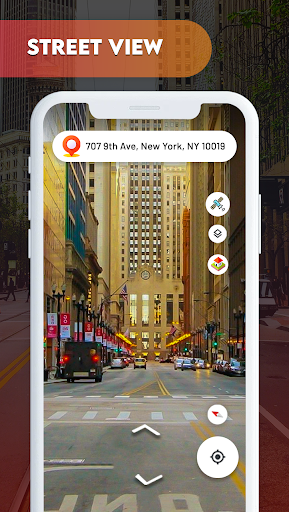
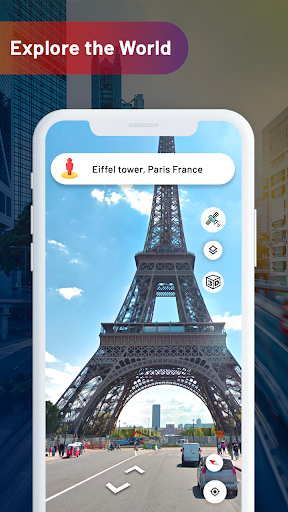
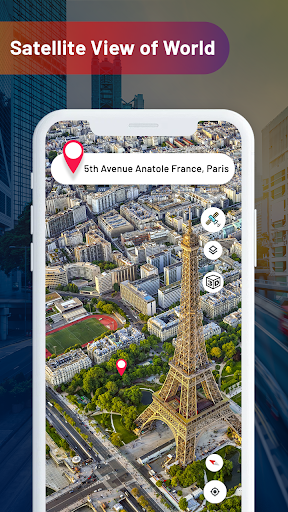
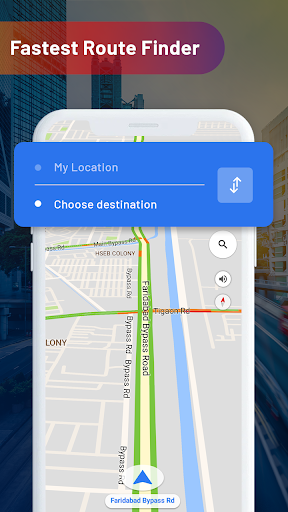
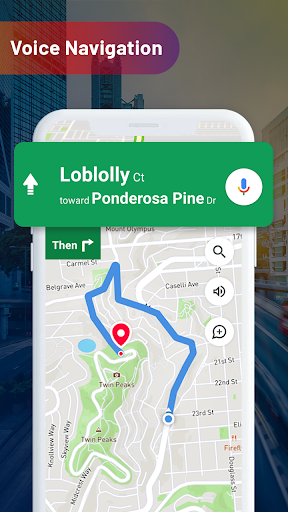
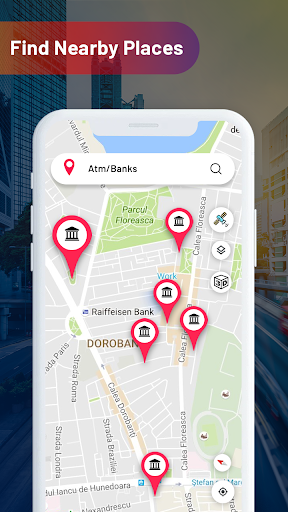
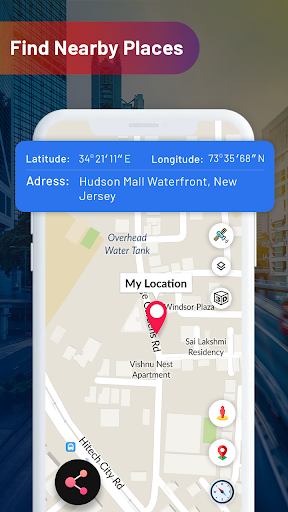
Street View Map and Navigation is the kind of app that tries to be a little bit of everything: directions app, street-view browser, live location tool, satellite map viewer, and a grab bag of travel utilities. After spending time with it, the experience feels exactly like that ambition suggests. There is real usefulness here, especially for someone who wants a free app that bundles multiple map-related tools in one place, but it also carries the rough edges that come with trying to do too much at once. The strongest first impression is accessibility. This is not an app that feels intimidating. You open it, and the core idea is clear enough: find places, look around, and get navigation help without much learning curve. For people who simply want to search a place, check a street-level view, or get a sense of an area before heading out, it is easy to start using. That straightforwardness matters. In day-to-day use, the app works best when approached as a practical, casual travel helper rather than a precision-grade navigation platform. The map and street-view side of the app is where it is most enjoyable. Browsing locations and jumping into visual views of streets and places can be genuinely fun, especially if you like virtually exploring neighborhoods, landmarks, or cities you plan to visit. The app has an almost tourist-friendly appeal: it invites curiosity. Looking around different areas, checking the surrounding roads, and switching perspective from standard map to more visual modes gives it a broader appeal than a plain turn-by-turn utility. That is one of its best strengths. It is not just about reaching a destination; it also gives you a way to preview and explore. Navigation itself is competent in broad strokes. Searching for locations, checking routes, and following directions is generally manageable, and the app does a decent job of packaging these core tools in a way that feels approachable for everyday users. If your needs are simple—finding a place, confirming your route, or sharing where you are—the app can get the job done. It also helps that there are extra tools sprinkled around the experience, which can make it feel more versatile than a basic mapping app. For someone who likes having multiple utility functions in one download, that all-in-one design is another clear advantage. A third positive is that the visuals are often clear enough to make the app feel useful beyond pure navigation. When the imagery and map display line up well, it becomes easy to orient yourself and get a sense of nearby roads or surroundings. That visual clarity is important in an app like this. Even when the interface feels busy, the central map experience still has moments where it feels helpful and intuitive. But the app is not consistently polished, and that is where hesitation comes in. The first big issue is advertising. In the free version, ads are present enough to be noticeable, and they break the flow more than they should. This is especially frustrating in a navigation-related app, where users want speed and focus. If you are opening a map tool because you need information quickly, an intrusive ad at the wrong moment is not just annoying; it actively chips away at the experience. The second issue is reliability. During use, the app can feel slightly uneven when it comes to location behavior. At times, getting the current location recognized or refreshed does not feel as seamless as it should. In a navigation app, trust is everything. If there is any hesitation around whether your position is updating properly or whether the app is locking onto your location fast enough, confidence drops immediately. This does not make the app unusable, but it does make it harder to treat as your first-choice map app when accuracy matters. The third weakness is overall focus. Street View Map and Navigation includes many tools and feature labels, but the experience can feel cluttered as a result. Instead of coming across as a tightly refined navigation product, it sometimes feels like a toolbox assembled from several travel ideas at once. That can be good if you enjoy experimenting, but it can also make the app seem less cohesive. Some people will appreciate the extra options; others will wish the app concentrated on doing fewer things better. Who is this app for? It is best for casual users who want a free, easy-to-understand map app for exploring places, checking routes, and occasionally using street-view style visuals. It also suits people who like all-in-one utility apps and do not mind tapping through a few distractions to get to the features they want. If your main goal is browsing locations, previewing streets, or using basic navigation without overthinking it, there is enough here to like. Who is it not for? If you need dependable, highly polished navigation every day, or if you are very sensitive to ads and interface clutter, this probably will not be your ideal choice. It is also not the app for users who want the cleanest, most confidence-inspiring location performance possible. In the end, Street View Map and Navigation is a decent free app with real appeal, especially in how approachable and visually exploratory it feels. It succeeds as a casual companion for map browsing and simple navigation, but the ad load, occasional location inconsistency, and uneven polish stop it from becoming an easy full-throated recommendation. Useful, yes. Essential, not quite.