Apps Games Articles
Chatdi: AI Chat & Assistant
Generous Tech Inc.
Rating 3.7star icon
Editor's summary
Editor rating
star icon star icon star icon
half star icon
empty star icon
3.6

One-line summary Chatdi is easy to like for its simple all-in-one AI toolkit and approachable creative features, but the ad-heavy, occasionally sluggish experience makes it harder to recommend without reservations.

  • Installs

    10M+

  • Developer

    Generous Tech Inc.

  • Category

    Productivity

  • Content Rating

    Everyone

  • Latest version

    1.3.1

  • Package

    com.chatdi.aichatbot.assistant

In-depth review
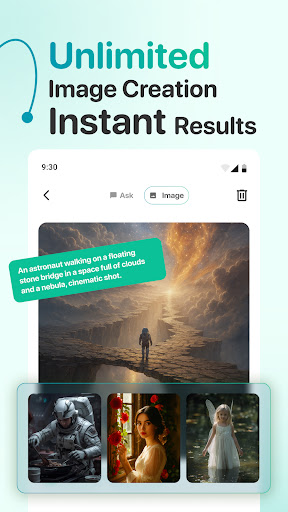
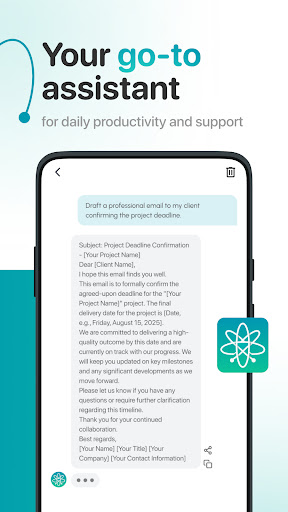
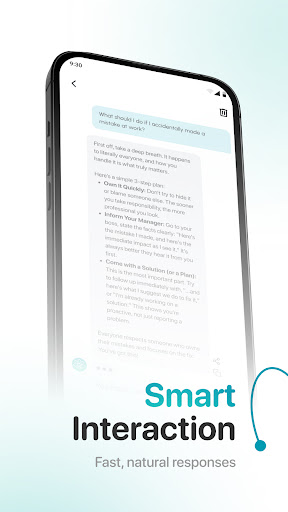
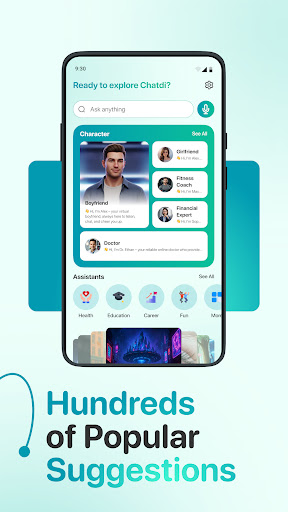
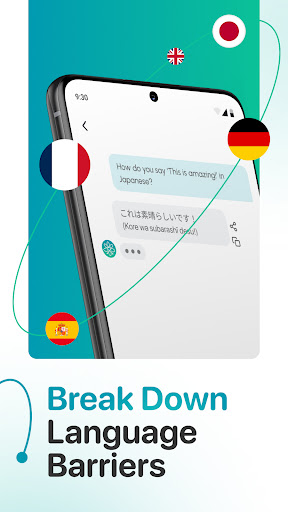
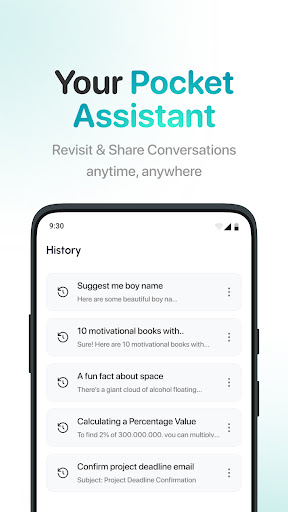
Chatdi: AI Chat & Assistant aims to be the kind of app you open once and keep around for everything: quick answers, writing help, language support, image generation, and playful AI assistants. After spending time with it as a daily-use productivity app rather than a one-minute demo, my reaction was mixed but fairly clear. There is real convenience here, and at its best Chatdi feels like a practical shortcut to a lot of AI functions that normally live across several apps. At the same time, the friction is impossible to ignore. This is one of those apps that can feel impressive in short bursts and irritating in longer sessions. The first thing Chatdi gets right is accessibility. The app is not intimidating, and that matters. A lot of AI apps still feel like they were designed for people who already know exactly what model they want, what prompt style works best, and how to navigate a half-dozen menus. Chatdi goes in the opposite direction. It tries to flatten that learning curve by presenting itself as a general assistant with specialized helpers built in. In practice, that makes it easy to jump from asking for a rewritten email to getting a quick explanation of a school topic or brainstorming a social caption. You do not need to overthink the workflow. Open the app, type what you need, and it pushes you toward an answer quickly. That simplicity is the app’s biggest strength. In everyday use, Chatdi feels most useful when you treat it as a practical utility instead of a miracle machine. I found it reasonably good for short-form writing help, quick summaries, casual idea generation, and basic educational prompts. The specialized assistant angle also helps reduce blank-page syndrome. If you are the kind of user who freezes when staring at an empty chat box, having preset directions and focused assistant categories makes the experience more inviting. Its second strength is breadth. Chatdi is clearly trying to be more than a chatbot, and that broader toolset gives it appeal. The image and video creation side adds a fun, more visual dimension, especially for users who want to experiment without mastering complex prompting. The app’s framing around one-tap styles and fast transformations makes creative play feel less technical and more immediate. Even when I was not looking for serious productivity, it was easy to spend time testing visual ideas just because the app made the process approachable. A third thing it does well is keeping the overall tone friendly and consumer-oriented. This is not an austere, engineer-first AI shell. It feels designed for everyday phone users who want assistance without needing a manual. Multilingual support and conversation history also fit naturally into that goal. Being able to return to prior chats and reuse them as a personal reference point adds practical value, especially if you use AI in small bursts throughout the day. Where Chatdi starts to lose momentum is in performance and polish under repeated use. During longer sessions, the app can feel laggy. The experience is not always consistently smooth, and that matters more in an AI assistant than in many other app categories because the entire value proposition is speed and convenience. When you are asking for quick help with a message, a translation, or a burst of brainstorming, even small pauses or UI sluggishness can make the app feel less trustworthy. I did not find it unusable, but I did find it less fluid than a top-tier assistant should be. The second major drawback is advertising. For a free app, ads are not surprising, but here they can become part of the experience in a way that chips away at momentum. AI apps already involve waiting for outputs, and adding interruptions on top of that can make the app feel more transactional than helpful. If you are a patient user who only checks in occasionally, this may be tolerable. If you want a smooth back-and-forth assistant that feels ready the moment you need it, the ad load can become a real annoyance. The third weakness is resource use. Chatdi is the kind of app that can feel heavier than it should on a phone, especially if you spend time exploring the more creative features. In everyday terms, that means it may contribute to device warmth and battery drain more than you would want from a casual helper app. That does not ruin the app, but it changes who I would recommend it to. On a newer phone, you may shrug it off. On an older or already overworked device, it becomes more noticeable. So who is Chatdi for? It is best for mainstream users who want a simple, broad AI companion with both productivity and creative tools in one place. If you like the idea of chatting, drafting, translating, and casually experimenting with AI-generated visuals without learning a lot of technical details, Chatdi makes a decent case for itself. It is also a reasonable fit for users who value guided prompts and specialized assistants over a bare, open-ended interface. Who is it not for? Power users who are sensitive to ads, demand consistently snappy performance, or want a lightweight app that disappears into the background will probably get frustrated. It is also not ideal for anyone who expects a premium-feeling experience from the free tier alone. Overall, Chatdi is a capable but uneven all-in-one AI app. I enjoyed its ease of use, broad feature mix, and beginner-friendly presentation. I was less impressed by the ad pressure, occasional sluggishness, and heavier-than-expected feel on the phone. If your priority is convenience and variety, it is worth trying. If your priority is speed, smoothness, and a cleaner experience, hesitation is justified.