Apps Games Articles
QR Scanner - Barcode Scanner
Apps Wing
Rating 4.4star icon
Editor's summary
Editor rating
star icon star icon star icon star icon
half star icon
4.5

One-line summary QR Scanner - Barcode Scanner is an impressively fast, reliable scanner with genuinely useful extras like gallery scanning and code creation, but its ad-heavy interruptions and slightly messy first-run flow keep it from feeling truly polished.

  • Installs

    50M+

  • Developer

    Apps Wing

  • Category

    Productivity

  • Content Rating

    Everyone

  • Latest version

    1.8.5

  • Package

    com.appswing.qr.barcodescanner.barcodereader

Screenshots
In-depth review
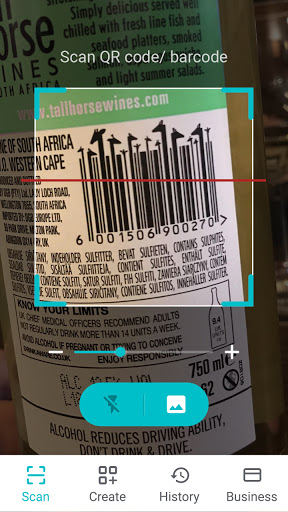
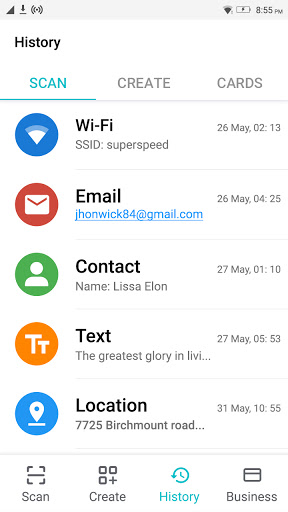
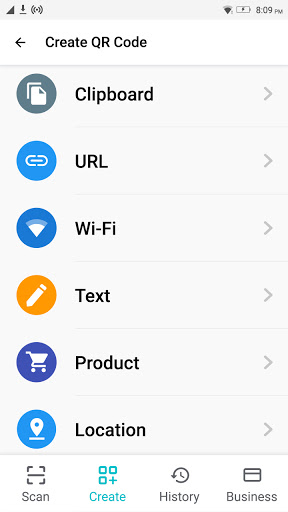
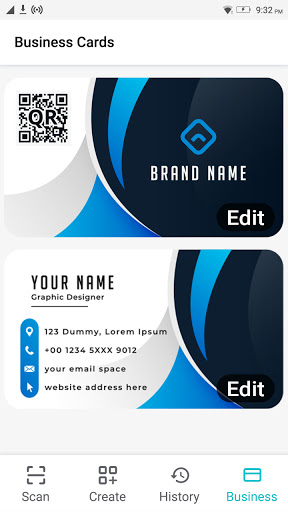
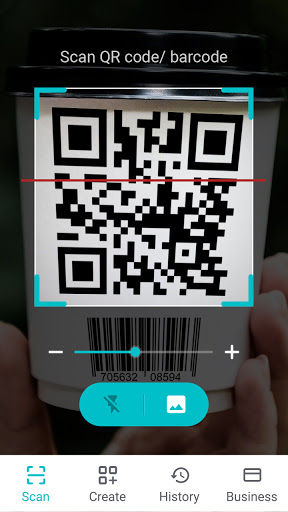
QR Scanner - Barcode Scanner is one of those utility apps that lives or dies on a very simple question: when you point your phone at a code, does it work immediately? After spending time with it in the kind of everyday situations people actually use these apps for—restaurant menus, package labels, Wi-Fi sharing, product barcodes, and codes saved as screenshots—the answer is mostly yes. And that matters more than anything else. The best thing about this app is how little ceremony there is once you get into the scanner itself. Open it, point the camera, and it tends to recognize QR codes quickly without a lot of hunting, zooming, or awkward repositioning. That speed gives the app its strongest argument. Some QR apps feel like they are doing too much in the background and end up hesitating at the exact moment you want instant results. This one feels more direct. In testing, it picked up standard QR codes fast, and it was especially handy with codes that were not perfectly framed or held perfectly still. That made it feel more forgiving than a lot of generic scanner apps. The second thing I liked is that it is not limited to just live camera scanning. The option to scan from gallery images is genuinely useful, and more useful than many people realize until they need it. If someone sends you a screenshot of a Wi-Fi QR code, event code, or login prompt, being able to open that image and extract the data saves time. This is one of the app’s better practical touches because it solves a real problem instead of just adding feature clutter for the store listing. There is also a nice sense of utility beyond basic QR reading. Barcode support broadens its usefulness, and the app’s history makes it easier to revisit something you scanned earlier without scrambling to find it again. The built-in code creation tools add another layer. I would not call this a design-first creation suite, but for making simple shareable QR codes, it is convenient to have in the same app rather than jumping between separate tools. The flashlight support is another small but important quality-of-life feature. In low light, it makes the scanner much more dependable, and that directly improves the real-world experience. That said, this app is not as clean as the best utility apps on Android. The biggest drawback is advertising. Because it is free, ads are expected, but here they can feel more intrusive than ideal. There are moments when the app pushes screens or prompts before you get to the actual scan, and that undermines the simplicity that makes a scanner app good in the first place. A QR tool should feel almost invisible—tap, scan, done. When ads or promotional screens get in the way, even briefly, the experience starts to feel less trustworthy and more cluttered. Another weakness is that the first-run experience can feel a little odd. On initial launch, the app can come across as slightly messy, with screens that are not as straightforward as they should be. Once you push past that and settle into the core scanner, it is much better, but first impressions matter. A cleaner onboarding flow would make the app feel more confident and less like it is trying too hard to upsell or redirect the user before earning trust. The third issue is that while the app offers several extras—batch scanning, QR generation, business card creation, product lookup—it does not always feel elegantly organized. Nothing here is especially hard to use, but the app occasionally strays from the ideal utility-app philosophy of “one job, done brilliantly.” The scanner is the star, and the closer you stay to that core function, the better the app feels. When you wander into some of the surrounding features, it starts to feel more like a Swiss Army knife than a scalpel. Still, the core performance is strong enough that these annoyances do not overshadow the app’s value. In day-to-day use, it is reliable, quick, and easy to understand. It handles QR codes and barcodes with minimal fuss, works well in imperfect lighting thanks to the flash option, and gives you practical extras like image-based scanning and scan history that make it more than a one-trick tool. The interface is simple enough that even less tech-confident users should be able to get what they need without much confusion once they are past the initial clutter. Who is this app for? It is a good fit for Android users who need a dependable all-purpose scanner and do not mind a free app supported by ads. It is especially useful for people whose built-in phone camera scanner is inconsistent, for anyone who scans from screenshots regularly, and for users who want barcode reading and QR generation in one place. It is also well suited to people who want a practical scanner that works quickly without requiring perfect hand stability or perfect lighting. Who is it not for? If you are extremely sensitive to ads, want a completely minimal interface, or only need occasional QR scanning and your phone’s default camera already does that well, this app may feel like more than you need. The extra prompts and promotional friction can be irritating if you are looking for the cleanest possible experience. In the end, QR Scanner - Barcode Scanner earns its place by getting the fundamentals right. It scans fast, handles more than just live QR codes, and includes useful tools that feel relevant instead of random. It falls short of greatness because of the ad friction and slightly untidy presentation, but as a practical scanning app for everyday Android use, it is easy to recommend.