Apps Games Articles
AI Chat: Ask AI Chat Anything
iKame Applications - Begamob Global
Rating 4.7star icon
Editor's summary
Editor rating
star icon star icon star icon star icon
half star icon
4.5

One-line summary AI Chat is a fast, capable everyday AI assistant that feels genuinely useful for study, writing, and quick problem-solving, but the free limits and occasional failed responses make it harder to recommend to heavy users on a budget.

  • Installs

    10M+

  • Developer

    iKame Applications - Begamob Global

  • Category

    Productivity

  • Content Rating

    Everyone

  • Latest version

    34.6.8

  • Package

    com.chatbot.ai.aichat.openaibot.chat

Screenshots
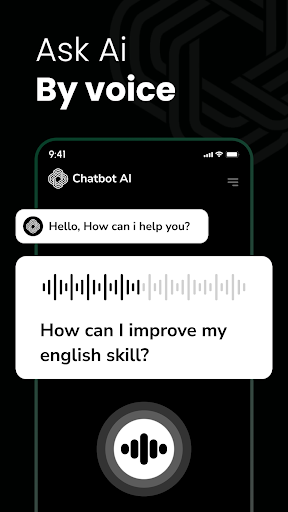
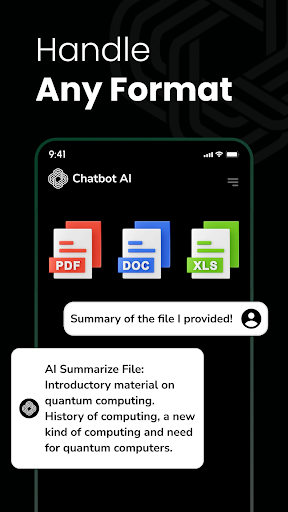
In-depth review
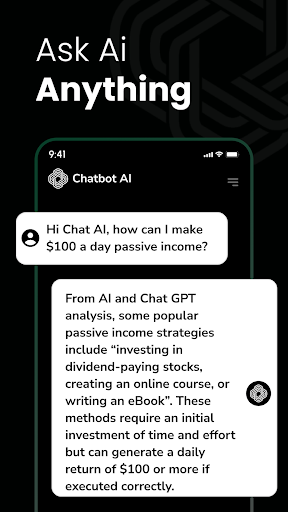
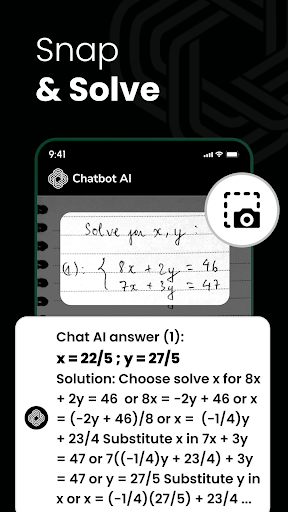
AI Chat: Ask AI Chat Anything is one of those apps that tries to be a general-purpose AI companion for almost everything: homework help, writing support, coding assistance, casual conversation, and quick life questions. After spending time with it as a daily utility rather than a novelty, my takeaway is simple: this app is genuinely handy, surprisingly approachable, and often impressively fast, but it also runs into the same problem many mobile AI apps do—free use feels restricted just when you start to rely on it. What stood out first in testing was how easy it is to get into a flow with the app. The interface is straightforward, and the overall experience is designed to remove friction rather than show off. You open it, ask something, and usually get an answer quickly. That matters more than it sounds. A lot of AI apps on Android try too hard to package the chatbot experience with clutter, gimmicks, or endless menu layers. AI Chat keeps the focus on the actual conversation, which makes it feel accessible even if you are completely new to AI tools. In everyday use, the app is at its best when you treat it as a practical assistant. I found it especially useful for breaking down topics into simpler language, drafting rough text, and generating starting points for ideas that were still half-formed. For students, office workers, or anyone who often stares at a blank page, that alone gives it real value. Ask for a summary, an outline, a rewritten paragraph, or help understanding a concept, and the app generally responds with the kind of neat, readable structure that saves time. It is the sort of tool that makes small tasks feel lighter. That speed is one of its biggest strengths. In use, AI Chat feels responsive enough to support quick back-and-forth prompts instead of making you wait and lose momentum. When an AI app is this immediate, you naturally start using it for more than big questions. It becomes something you reach for to polish a message, organize a thought, or sanity-check an idea before sending it elsewhere. That makes AI Chat feel more like a utility than a demo. A second strength is its broad appeal. This is not an app built only for coders or only for students. It has enough flexibility to handle schoolwork, basic professional writing, brainstorming, creative prompts, and casual conversation without feeling too narrowly optimized for one category. During use, it was easy to see why so many people would keep it around as a general-purpose helper rather than a specialized tool. The third strength is that it does a decent job of keeping the tone conversational. Some mobile AI wrappers feel sterile, like they are just passing through an API response with no thought to flow. Here, the interaction is smoother. It feels like the app wants you to continue the exchange, refine the request, and stay engaged. That makes a difference for brainstorming and exploratory questions, where the first answer is often just the starting point. That said, AI Chat is not friction-free. The biggest issue I ran into is the free-tier limitation. If you are only dipping in for a few questions, the app feels generous enough to prove its value. If you want to use it throughout the day, though, the limits become very noticeable. This is where the app starts to feel less like an assistant and more like a trial. For casual users that may be acceptable, but students and budget-conscious users may find the premium push a little too aggressive if they were hoping for a more sustainable free experience. Another weak point is reliability under certain prompts. Most of the time responses come through quickly, but there are moments when the app fails to generate a result and asks you to rephrase or add more detail. That is not unusual in AI tools, but on mobile it feels more disruptive because the whole appeal is immediacy. If you are in a hurry and have to keep reworking the same request, some of that convenience evaporates. The third complaint is more about trust and consistency than raw functionality. Like many broad AI assistants, it can sound confident very quickly. For drafting, brainstorming, and simplification, that confidence is helpful. For sensitive or factual tasks, it still needs supervision. I would happily use it to prepare a first draft, summarize something, or generate ideas, but I would not treat it as something to follow blindly without checking. The app is useful because it accelerates thinking, not because it replaces judgment. Who is this for? It is a strong fit for students, busy professionals, casual writers, and everyday users who want a fast AI helper on their phone without a complicated learning curve. It is especially good for people who value convenience and want one app that can handle many kinds of prompts reasonably well. Who is it not for? Anyone expecting unlimited free use, flawless reliability, or expert-grade answers without verification may come away frustrated. Overall, AI Chat: Ask AI Chat Anything succeeds because it makes AI feel practical. It is fast, friendly, and useful often enough to earn a place on your home screen. Its best moments are the ones where it helps you move forward quickly—turning confusion into a summary, a rough thought into a cleaner sentence, or a vague idea into something you can work with. Its worst moments come when limits interrupt that flow or when the app stumbles on a request that feels like it should have been easy. Even so, I came away with a positive impression. This is not a perfect AI app, and it does not escape the familiar problems of token limits and occasional response failures, but in day-to-day use it feels more helpful than gimmicky. If you want a mobile AI assistant that is easy to use and often genuinely productive, AI Chat is easy to like. You just need to be comfortable with the fact that its most enthusiastic use case may eventually push you toward paying for more access.
Alternative apps