Apps Games Articles
Rocket Money - Bills & Budgets
Rating 4.6star icon
Editor's summary
Editor rating
star icon star icon star icon star icon
half star icon
4.5

One-line summary Rocket Money is one of the most useful finance apps on Android because it turns messy accounts, subscriptions, and budgets into something you can actually act on—though some premium-leaning features and account-sync quirks may still put off hands-on budget purists.

  • Installs

    10M+

  • Developer

    Rocket Money - Bills & Budgets

  • Category

    Finance

  • Content Rating

    Everyone

  • Latest version

    12.8.0

  • Package

    com.truebill

In-depth review
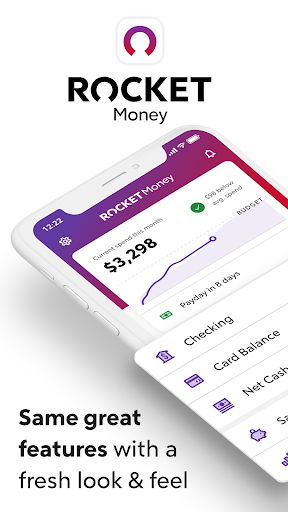
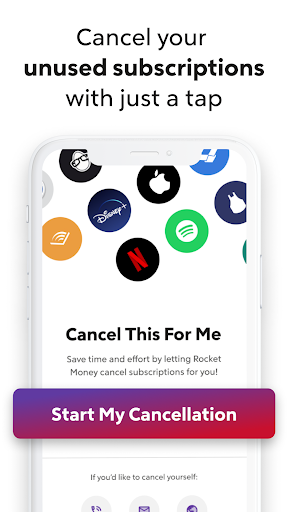
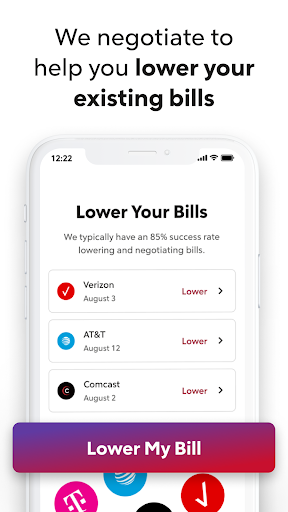
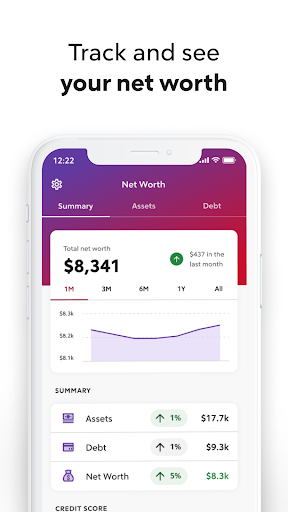
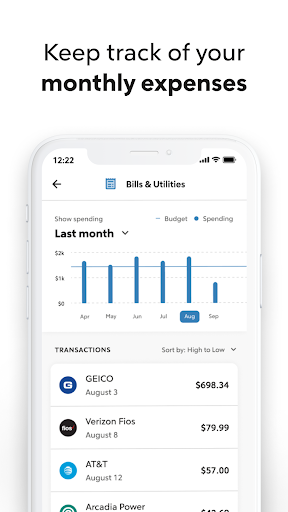
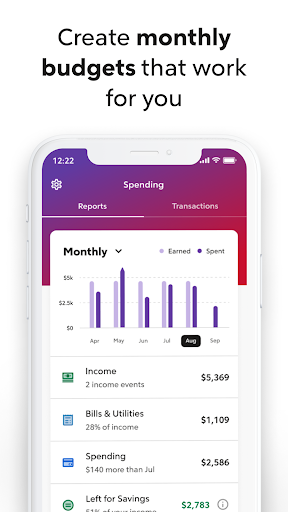
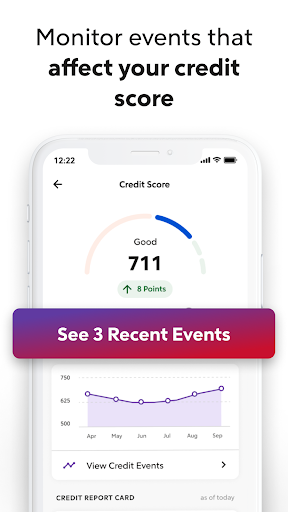
Rocket Money - Bills & Budgets succeeds at something a lot of personal finance apps promise and then fail to deliver: it makes financial housekeeping feel manageable instead of punishing. After spending real time with it as a daily money dashboard, the app comes across less like a spreadsheet replacement and more like a practical command center for people who want to stop losing money to autopilot spending. The first thing that stands out is how quickly Rocket Money gets useful once accounts are connected. This is not the kind of budgeting app where you spend an hour building categories, entering balances, and manually maintaining every expense before you see any value. Its core appeal is automation. Once linked, it starts surfacing subscriptions, recurring bills, and transaction history in a way that feels immediately readable. That matters. Personal finance software often collapses under its own seriousness; Rocket Money is much better at translating raw transaction data into something visually digestible. In everyday use, the app’s strongest feature is not any single tool but the way everything is stitched together. Subscription tracking, spending categories, bill monitoring, budgeting, savings, net worth, and credit-related visibility are all presented as parts of the same financial picture. Instead of hopping between separate apps for budgeting and subscription cleanup, you can see where your money is going and then do something about it from the same interface. That sense of continuity is Rocket Money’s first major strength. The second strength is how action-oriented the app feels. Plenty of finance apps are good at informing you that you have a problem. Rocket Money is at its best when it helps remove friction. Finding forgotten subscriptions is useful; making cancellation easier is what turns it into a meaningful feature. During testing, this was the part that felt most compelling because it delivers the most immediate payoff. Likewise, budgeting is not treated as an abstract exercise. The app keeps spending categories front and center and makes it easy to understand where money is drifting month to month. If you are the kind of person who knows you overspend but can never quite pinpoint where the leak is, Rocket Money makes that diagnosis much easier. Its third major strength is presentation. The interface is polished, modern, and generally no-nonsense. Transactions are easier to scan than in many legacy finance apps, and the dashboard does a good job of putting useful information within reach without making the experience feel cluttered. It feels built for regular check-ins, not occasional accounting sessions. That difference is important because a finance app only works if you keep opening it. That said, Rocket Money is not perfect, and the app does reveal a few rough edges once the honeymoon period fades. The first weakness is that it still depends heavily on clean account syncing and clean categorization, and those systems are never flawless in the real world. If an account connection is missing, delayed, or inconsistent, the entire experience loses some of its magic. Rocket Money works best when your financial institutions play nicely with it. When they do not, you can run into the familiar frustrations of duplicated-looking activity, mislabeled merchants, or transfers that need manual correction. The app gives you tools to clean some of this up, but this is still a finance aggregator, which means a little maintenance is sometimes unavoidable. The second weakness is the learning curve around all the available features. Rocket Money is easy to start, but not every part of it is instantly intuitive. The main dashboard is approachable, yet once you move deeper into budgeting, recurring expenses, goals, and other tools, there is a fair bit to explore. None of it is disastrously designed, but this is not an ultra-minimal app for someone who wants only a single-screen ledger and nothing more. It rewards engagement, which is good for committed users and a little overwhelming for casual ones. The third weakness is philosophical as much as functional: some people will love the app’s guided, concierge-like approach, while others will prefer more manual control and less emphasis on paid value-adds. Rocket Money clearly wants to help you optimize your finances, not just observe them. For many users, that is exactly the point. But if you are a spreadsheet-first budget enthusiast who enjoys full granular control and does not care about subscription cleanup, negotiation help, or extra financial tools, parts of the app may feel less essential than they do for the average user. Who is this app for? It is best for busy people who want a clearer picture of their money without turning budgeting into a part-time job. It is especially strong for anyone juggling multiple subscriptions, recurring bills, checking and credit accounts, or inconsistent spending habits. If you tend to forget recurring charges, want to spot waste quickly, or need a visual system that encourages frequent check-ins, Rocket Money is easy to recommend. Who is it not for? If you want a purely manual budgeting method, dislike linking financial accounts, or expect every institution to sync flawlessly at all times, this may frustrate you. It is also not ideal for users who want a bare-bones free tracker and nothing else. Overall, Rocket Money feels like one of the more complete and genuinely practical finance apps on Google Play. It is polished, useful, and often immediately money-saving in a way many budget apps are not. The best version of the app is a quiet financial assistant that catches waste, organizes chaos, and nudges you toward better habits. The worst version is still a little dependent on account connections and your willingness to engage with a broader feature set than simple budgeting. Even with those caveats, it is an impressively usable finance tool—and one of the few that feels like it can earn a place in your daily routine.