Apps Games Articles
Google One
Google LLC
Rating 4.3star icon
Editor's summary
Editor rating
star icon star icon star icon star icon
half star icon
4.5

One-line summary Google One is an easy recommendation for anyone living in Google’s ecosystem who wants painless backup and extra storage, but it’s less compelling if you expect a full file-management app rather than a subscription hub for your cloud life.

  • Installs

    1B+

  • Developer

    Google LLC

  • Category

    Productivity

  • Content Rating

    Everyone

  • Latest version

    VARY

  • Package

    com.google.android.apps.subscriptions.red

Screenshots
In-depth review
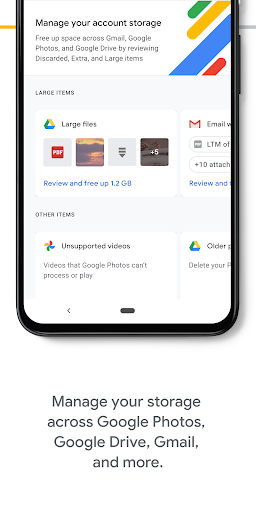
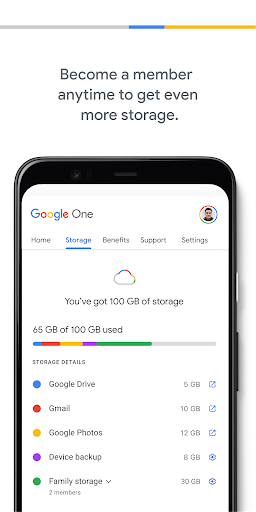
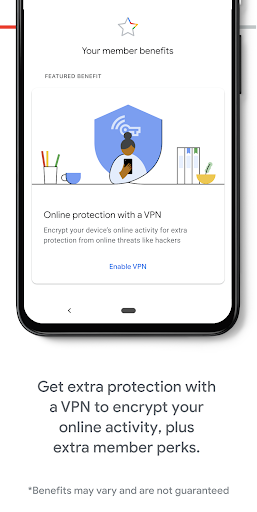
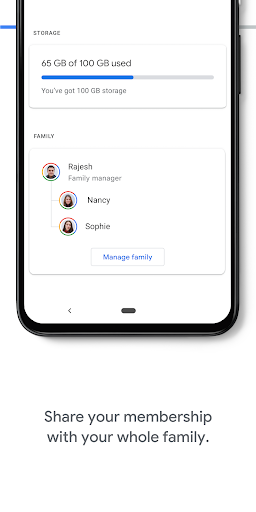
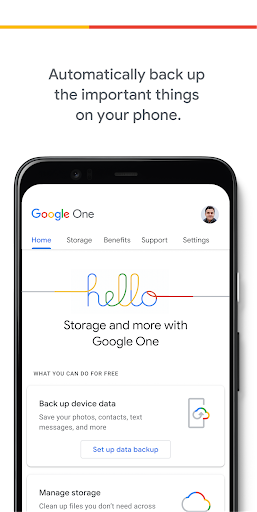
Google One is one of those apps that makes the most sense after you stop thinking about it as an app and start thinking about it as a safety net. In day-to-day use, that is really its value. I installed it expecting a fairly dry storage dashboard, and to be fair, part of it is exactly that: a place to check how much space is being used across Drive, Gmail, and Photos. But after spending time with it, the experience that stood out most was not staring at charts or account totals. It was the quiet relief of knowing my phone was backing up the things I actually care about, and that I would not be one accident, broken screen, or rushed phone upgrade away from losing them. The best thing about Google One is how little effort it asks from you once it is set up. Backup is the headline feature, and it works in the background in a way that feels reassuring rather than noisy. Photos, messages, contacts, and other key bits of phone life are folded into a system that largely stays out of the way. That matters because backup apps often fail for one of two reasons: they are too technical, or they demand too much babysitting. Google One avoids both. The setup process is straightforward, the interface is clean, and the language is understandable even if you are not the sort of person who enjoys sorting out cloud storage plans. That ease of use is the first major strength. The second is how naturally Google One fits into the broader Google experience. If you already use Gmail, Google Drive, and Google Photos, the app feels less like an extra utility and more like the control room for storage you were already consuming without thinking about it. Seeing everything in one place is genuinely useful. It quickly becomes obvious what is eating space, and that alone can save a lot of frustration. On a phone that is constantly throwing low-storage warnings, adding more room through Google One feels like taking off a tight pair of shoes. The third strength is that the app’s value goes beyond raw gigabytes. Depending on your plan, there are extra perks that can make the subscription feel more substantial than simple cloud storage. In use, these extras help Google One feel like a service bundle instead of a bare monthly fee for more space. Some of those benefits are genuinely practical, and the family-sharing angle especially gives the service a more everyday usefulness if multiple people are leaning on the same storage pool. Still, Google One is not flawless, and its limitations become clearer the longer you use it. The biggest frustration is that the app can feel thinner than its importance suggests. For something that acts as the front door to your backup and storage life, it does not always feel like a powerful destination app. At times it is more of an account manager than a robust tool. You can check usage, tweak backup settings, and view benefits, but if you are hoping for a deep, hands-on file browser or a richly featured storage workspace, this is not really that. There is a mild disconnect between how essential the service is and how lightweight the app itself sometimes feels. The second weakness is that cloud convenience does not erase the reality of storage creep. Once backups are running smoothly, it is easy to become less disciplined about what you keep. Photos and especially edited media can swell in size faster than expected, and the app does not magically solve that behavior. It removes pressure, but it can also encourage accumulation. That is not exactly a bug, but it is part of the lived experience: your storage anxiety can disappear for a while, only to return later at a larger scale. The third issue is that some premium features feel a little dependent on your habits rather than universally valuable. If you are deeply invested in Google services, the package feels coherent. If you are not, parts of Google One can seem abstract or unnecessary. There were moments during testing when I appreciated the backup protection but had less reason to open the app itself. In other words, the service can be excellent while the app remains merely decent. In everyday use, though, Google One gets the fundamentals right. Restoring confidence in your phone is not glamorous, but it is important. If your device is older, if you constantly juggle photos and videos, or if you hate deleting things just to install an app update, Google One feels genuinely helpful. It is particularly well suited to Android users who want a simple, integrated way to protect their data without learning a whole new system. It also makes sense for families that want shared storage and for people who treat Google Photos as their main memory archive. Who is it not for? If you want a traditional file-management experience, or if you rarely use Google services beyond the basics, Google One may feel too narrow. It is also not the kind of app that delivers daily excitement. Its best moments are invisible ones: successful backups, quiet restores, and the absence of panic. That may sound unglamorous, but it is exactly why I came away positive on it. Google One is polished where it counts, unobtrusive in daily use, and genuinely useful for reducing one of the most common smartphone headaches: running out of space and worrying about losing data. It is not a thrilling app, and it is not as feature-rich inside the app shell as some people may expect. But as a practical service wrapped in a simple interface, it does its job very well. For the right user, that is more than enough.
Alternative apps