Apps Games Articles
Microsoft OneDrive
Microsoft Corporation
Rating 4.6star icon
Editor's summary
Editor rating
star icon star icon star icon star icon
half star icon
4.5

One-line summary Microsoft OneDrive is easy to recommend for its seamless cross-device syncing and excellent Microsoft integration, but I’d hesitate if you want flawless large-file sync behavior or more intuitive control over what stays local versus cloud-only.

  • Installs

    1B+

  • Developer

    Microsoft Corporation

  • Category

    Productivity

  • Content Rating

    Everyone

  • Latest version

    6.58

  • Package

    com.microsoft.skydrive

Screenshots
In-depth review
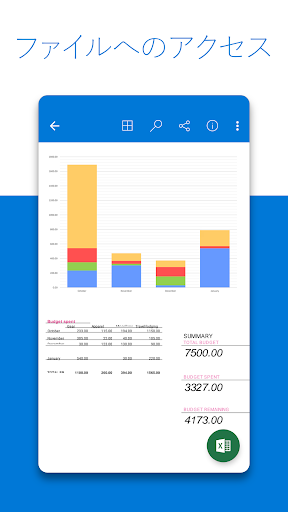
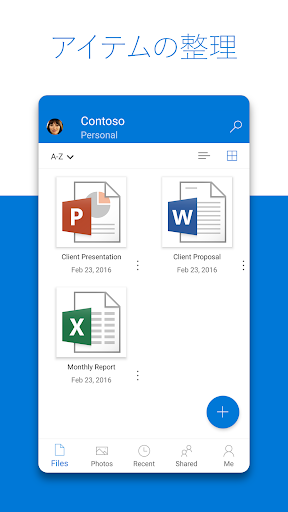
Microsoft OneDrive is one of those apps that can quietly become essential if it fits the way you work. After spending real time with it on Android as both a photo backup tool and a general file locker, my biggest takeaway is simple: when OneDrive is in its groove, it feels almost invisible, and that is a compliment. Files appear where you expect them, photos back up without drama, and documents stored in the cloud feel genuinely close at hand rather than buried behind a clumsy mobile interface. The first thing OneDrive gets right is setup and everyday usability. On Android, the app is clean, familiar, and mostly free of friction. Turning on camera backup is straightforward, and once it is running, the app does a good job of making your photo library feel safer. That matters more than any flashy feature. A cloud storage app earns trust by quietly doing the job day after day, and OneDrive generally succeeds here. I liked being able to open the app and immediately understand where my photos, recent files, shared folders, and offline content lived. It is not the most visually exciting app in the category, but it is practical in a way that works. That same practicality extends to file access. OneDrive is especially strong if your digital life already touches Microsoft products. Opening Word, Excel, PowerPoint, and OneNote files from OneDrive feels natural rather than bolted on. On a phone, that matters because every extra tap or handoff between apps becomes noticeable. Here, editing and sharing documents feels coherent. If you store work documents, school files, scans, and personal photos in one place, OneDrive handles that mixed lifestyle well. Another real strength is how broadly useful it is across devices. This is not just a phone backup app. It feels more like a bridge between your phone, tablet, laptop, and browser. I found that especially valuable with photos and quick documents: snap something on the phone, and before long it is available elsewhere without needing to email yourself files or fuss with manual transfers. That convenience is the core reason to use OneDrive. It reduces digital housekeeping. I also came away impressed by the sharing tools. Sharing a link is easy, but what makes OneDrive more practical than some cloud apps is that it feels designed for normal people, not just IT-minded users. Sending a folder of photos, passing along a document, or keeping a set of files available for someone else is generally simple. The app also includes more security-minded sharing options and protection features, which add peace of mind without turning the experience into a maze. That said, OneDrive is not perfect, and its weaknesses show up in exactly the places where a cloud service should be bulletproof. The biggest issue I ran into was sync reliability at the margins. For routine files and photo uploads, it behaved well. But with certain uploads or file updates, there were moments where syncing felt less transparent than it should. Progress can occasionally seem vague, and when something does not move as expected, the app does not always make it crystal clear why. For a cloud storage app, even intermittent uncertainty around syncing is frustrating because trust is the whole product. The second weak point is local-versus-cloud control. OneDrive gives you ways to keep files available offline and helps free space on your device, which is useful, but the mobile experience could still be more intuitive about what is stored where and for how long. If you are the kind of user who wants fine-grained control over which photos remain on-device and which older ones should live only in the cloud, the current approach can feel a bit blunt. It works, but it does not always feel tailored. The third annoyance is discoverability. The app is mostly easy to use, but some functions and folder controls are tucked away in places that are not immediately obvious on mobile. This is especially true if you are doing more than basic backup and download tasks. Trash, folder management, scan actions, vault-related items, and sharing details are all there, but now and then the interface makes you hunt more than you should. Power users will adapt quickly; casual users may need a little patience. OneDrive’s document scanning tools are a nice extra, and they fit the app’s personality well. Being able to scan, mark up, sign, and store documents from the same app that already holds your files is genuinely convenient. It means OneDrive is not just a passive storage bin. It can be part of your everyday workflow, especially for students, families, and anyone managing forms, IDs, notes, or receipts from a phone. Security is another area where OneDrive makes a good impression. Features like encrypted storage, identity-protected vault space, version history, and file recovery give the app a sense of maturity. Even if you never think about these features daily, they contribute to the feeling that your files are not just uploaded, but looked after. So who is OneDrive for? It is an excellent fit for people already using Microsoft services, anyone who wants automatic photo backup with easy access on other devices, and users who need one place for documents, scans, and personal files. It is especially good for people who value convenience and cross-device continuity over endless customization. Who is it not for? If you are highly particular about manual sync control, demand absolute transparency on every upload task, or prefer a storage app with a more simplified mobile-first interface for file management, OneDrive can occasionally feel a little too cloud-abstracted. Overall, OneDrive remains one of the most practical cloud storage apps on Android. It is not flawless, but it gets the important things right often enough that it becomes easy to rely on. In daily use, that reliability, strong Microsoft integration, and smooth cross-device access make it a genuinely valuable app rather than just another backup utility.
Alternative apps