Apps Games Articles
Find My Phone by Clap Launcher
AtomApplications
Rating 4.2star icon
Editor's summary
Editor rating
star icon star icon star icon star icon empty star icon
4.2

One-line summary It’s a genuinely handy clap-or-whistle phone finder that works better than expected, but the launcher takeover and ad-supported experience make it easier to like than to love.

  • Installs

    1M+

  • Developer

    AtomApplications

  • Category

    Tools

  • Content Rating

    Everyone

  • Latest version

    1.10.4

  • Package

    com.find.phone.device.locate.lostphone.android

Screenshots
In-depth review
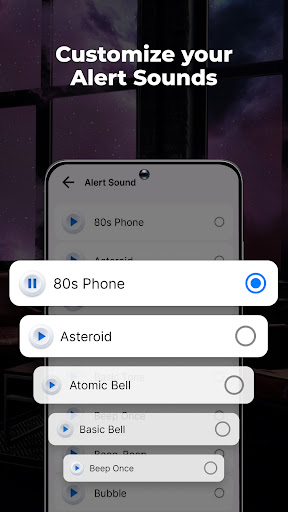
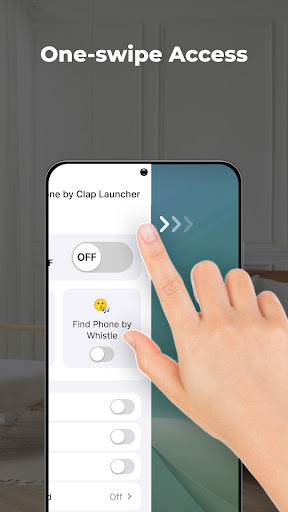
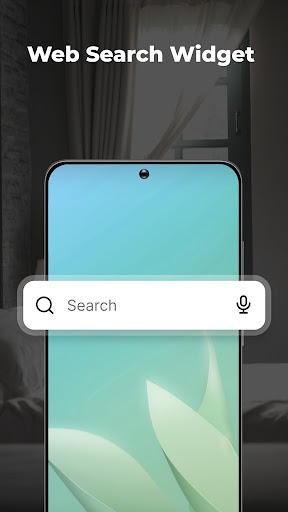
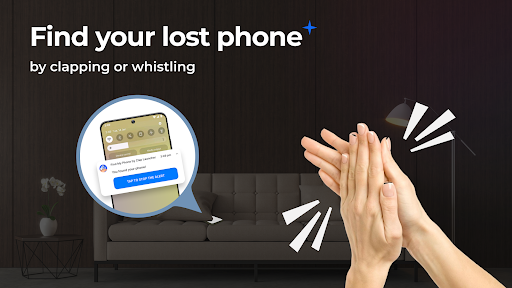
Find My Phone by Clap Launcher solves a very specific problem, and after spending time with it, I can say it does that job surprisingly well. If you are the kind of person who constantly leaves your phone in couch cushions, under a blanket, in a tote bag, or somewhere on a cluttered desk, this app can feel like a tiny daily rescue button. Clap, whistle, and your phone starts making itself known with sound, vibration, and flash. That core trick is the reason to install it, and thankfully it is not just marketing fluff. In normal home use, it is effective. What stood out immediately in testing was how easy it is to understand. The setup is not especially technical, and the main feature is simple enough that you can get from install to first successful “find” in just a few minutes. Once enabled, the app listens for a clap or whistle and then triggers an alert. That alert can be loud, bright, and hard to ignore, which is exactly what you want when your phone has slipped into a dark corner or vanished into bedding. I tried it in a few common real-world situations: under a pillow, inside a bag, and on a messy table. In each case, the combination of ringtone, vibration, and flash made the phone much easier to track down than relying on sound alone. The biggest strength here is responsiveness. The clap detection works reliably enough that it feels practical rather than gimmicky, and whistle detection is a nice bonus for anyone who would rather not clap or needs an option when their hands are full. It also seems flexible about how perfect your whistle has to be. That makes the app feel more forgiving than many novelty-style sound-triggered tools. When an app like this misses the cue, it becomes useless very quickly. This one generally does not. A second strength is customization. You can adjust the alert sound and duration, which matters more than it might seem at first. Some alert tones are easier to distinguish from your normal ringtone, and that helps avoid the momentary confusion of thinking you are getting a call when really you are just summoning your missing phone. Being able to choose how long the alert lasts is also practical. A short burst may be enough in a quiet room, while a longer alert is helpful if the phone is buried somewhere awkward. The third thing I liked is that the app understands the problem it is trying to solve. This is not a complicated utility pretending to be a lifestyle platform. In everyday use, the appeal is immediate: lose phone, make noise, phone answers back. For people with hectic routines, messy bags, distracted workdays, or attention-related forgetfulness, that simple loop can remove a surprising amount of friction. That said, Find My Phone by Clap Launcher comes with baggage, and the word “Launcher” in the title is not incidental. This is not just a small utility living quietly in the background. It wants to become part of your home screen experience, and that will be the breaking point for some users. During setup, the app makes it clear that it functions as a launcher, which means your home screen layout may change. Even if everything is still technically on your phone, many people do not want a phone finder app rearranging how they interact with Android. If you are very particular about your current launcher, icon placement, or home screen habits, this app asks for more compromise than you may be willing to give. That launcher integration leads into the second weakness: feature creep. There are extras here like widgets, wallpapers, and search tools, but they feel secondary to the main attraction. I understand why they are included, but they also make the app feel less focused than it should be. When I test an app whose primary mission is helping me find my phone, I want the experience centered on that function, not wrapped in a broader home screen replacement package. The third downside is ads. They are not unusual in a free app, and this one is far from the worst offender, but they do add a bit of friction to an otherwise straightforward experience. Combined with the launcher aspect, the ad-supported model gives the app a slightly more intrusive personality than a minimalist utility would have. There are also a couple of practical limitations to keep in mind. The app appears designed to work when the phone is not actively in use, which makes sense, but it is still worth noting. And while the sound-based trigger is handy, any app of this kind can occasionally react to surrounding noise or to situations you did not intend. In day-to-day use that did not ruin the experience, but it is part of living with a clap- or whistle-activated finder. So who is this for? It is for people who misplace their phone at home, in the office, or in small everyday spaces and want a fast, low-effort way to locate it without asking someone else to call them. It is especially good for users who often keep their phone on silent and still need a simple recovery method. It is not for Android purists who hate changing their launcher, users who want an invisible no-frills utility, or anyone sensitive to ads and interface takeover. Overall, Find My Phone by Clap Launcher is better than its slightly clunky branding suggests. The central feature works, it is easy to use, and it can genuinely save time and frustration. I just wish it were packaged as a cleaner standalone tool instead of a broader launcher experience. If you can accept that trade-off, this is one of those small utility apps that can earn a permanent place on your phone simply by solving a common problem well.
Alternative apps