Apps Games Articles
Rain Proxy
NGP Developer Studio
Rating 4.0star icon
Editor's summary
Editor rating
star icon star icon star icon
half star icon
empty star icon
3.8

One-line summary Rain Proxy is easy to pick up and useful when you just want a quick, low-friction proxy app, but I’d hesitate to recommend it without reservation if you care about transparency, fine-grained control, or a clearly premium-feeling experience.

  • Installs

    5M+

  • Developer

    NGP Developer Studio

  • Category

    Tools

  • Content Rating

    Everyone

  • Latest version

    1.1.9

  • Package

    com.rain.android.rainproxy

Screenshots
In-depth review
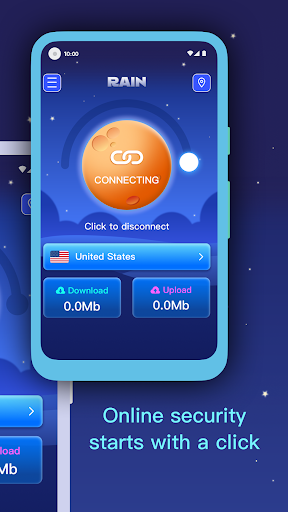
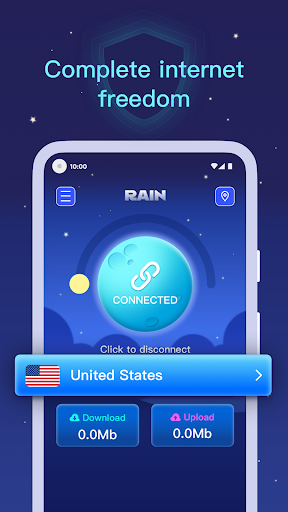
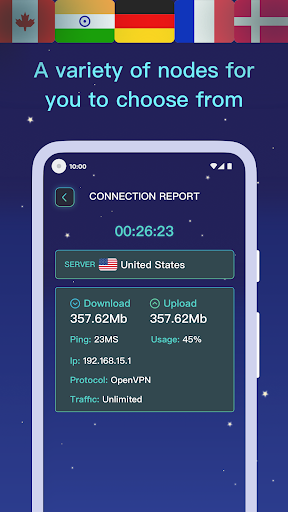
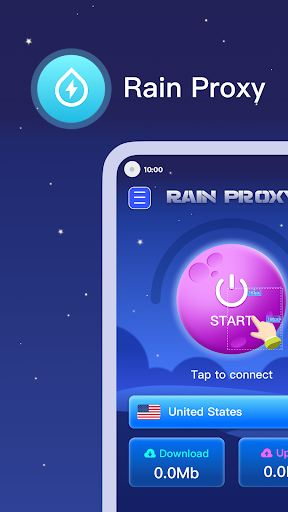
Rain Proxy lands in a crowded category where most apps are judged in the first few minutes: does it get you connected quickly, does it stay out of the way, and does it feel trustworthy enough to keep installed? After spending time with it as a practical everyday utility rather than a novelty download, my reaction is that Rain Proxy gets a surprising amount right for a free app, even if it stops short of feeling like the most polished or confidence-inspiring option in its class. The first thing that stands out is approachability. Rain Proxy does not feel designed only for power users. It is the kind of app you can open, understand, and start using without needing to decode a wall of jargon. That matters more than it sounds. Proxy and VPN-style tools often lose people immediately by burying basic actions behind too many menus or too much terminology. Rain Proxy feels simpler than that. In regular use, that simplicity becomes one of its strongest assets. If your goal is straightforward access and you do not want to micromanage every setting, the app is much easier to live with than more technical alternatives. That ease of use also helps the app in day-to-day routines. Launching it, connecting, and moving on with whatever you were doing feels reasonably streamlined. I never got the sense that the app was fighting me. For casual use, that low-friction experience is exactly what many people want. It is the kind of app that suits someone who just wants a connection tool available when needed, not a hobby project to constantly tweak. Another positive is that Rain Proxy feels broadly accessible. Being free removes the usual hesitation people have with this category, where many apps ask for commitment before they have earned trust. Here, the barrier to entry is low, and that alone makes it easy to recommend to curious users who want to try a proxy app without immediately paying for it. Combined with its broad install base and a respectable 4.0 rating, the overall impression is of an app that has worked well enough for a lot of people to keep it relevant. A third strength is that the app generally keeps its purpose front and center. In use, it does not feel overloaded with unnecessary complexity. There is value in software that remembers what it is supposed to do. Rain Proxy appears built around getting people connected with minimal ceremony, and for many users that will be enough. If you are the sort of person who opens a utility app with one intention and wants to be done in seconds, Rain Proxy has an appealing directness. That said, the app’s simplicity is also where some of the cracks begin to show. My biggest hesitation with Rain Proxy is not that it is hard to use, but that it can feel a little too opaque. In this category, trust is part of the product. Even if an app works, I want to feel clearly informed about what it is doing, what level of control I have, and how confidently I can rely on it over time. Rain Proxy did not always give me that reassuring sense of transparency. It feels functional, but not especially communicative. For users who are privacy-conscious, detail-oriented, or simply like to know exactly what is happening under the hood, that can leave some unanswered questions. The second weakness is polish. While the app is usable, it does not consistently project the kind of refined, premium-caliber experience that makes you forget you are using a free utility. There is a difference between clean and truly polished, and Rain Proxy sits somewhere in the middle. Nothing about it felt disastrously rough, but there were moments where the experience came across as merely adequate rather than elegant. In a category where confidence and clarity matter, a more polished interface would go a long way. The third complaint is that Rain Proxy feels best suited to basic, lightweight expectations. That is not automatically a flaw, but it does limit who should choose it. If you are a more advanced user who wants granular control, extensive configuration options, or a deep sense of customization, this app may feel a bit thin. It works better as a practical convenience tool than as a robust enthusiast-grade solution. There is a ceiling here, and you can feel it once you start expecting more than quick access and simplicity. So who is Rain Proxy for? It is for casual users, first-timers, and anyone who values convenience over complexity. If you want a free app that appears easy to understand and quick to use, Rain Proxy makes a solid first impression and remains fairly comfortable in everyday use. It is also a sensible choice for people who dislike cluttered interfaces and would rather have a straightforward utility than a dashboard full of knobs and switches. Who is it not for? I would steer cautious, highly privacy-focused, or technically demanding users toward apps that provide clearer transparency and more advanced control. If you are the kind of person who reads every setting, compares protocols, or wants a highly polished premium feel, Rain Proxy may come across as good enough rather than genuinely convincing. Overall, Rain Proxy is a capable free utility with a strong emphasis on accessibility and ease of use. Its biggest strengths are its approachable design, low-friction day-to-day experience, and simple value proposition. Its biggest drawbacks are limited transparency, only middling polish, and an experience that feels more basic than robust. I can recommend it for casual use, especially if your priority is getting started quickly, but it is not the app I would point to as the definitive choice for users who want maximum confidence and control.