Apps Games Articles
Privacy Applock & Easy Link
Juicy Avocado
Rating 4.0star icon
Editor's summary
Editor rating
star icon star icon star icon
half star icon
empty star icon
3.8

One-line summary Privacy Applock & Easy Link is worth a look if you want a simple way to add another layer of privacy to everyday apps, but I’d hesitate to fully recommend it if you’re sensitive to friction, because tools like this can quickly become annoying when the lock flow isn’t perfectly smooth.

  • Installs

    5M+

  • Developer

    Juicy Avocado

  • Category

    Tools

  • Content Rating

    Everyone

  • Latest version

    1.0.3

  • Package

    com.privacy.applock.unlimited

Screenshots
In-depth review
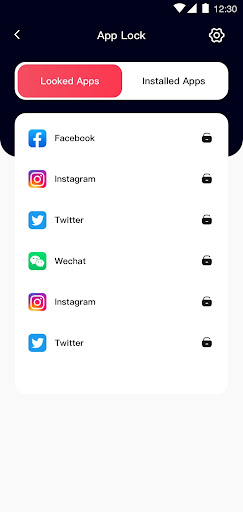
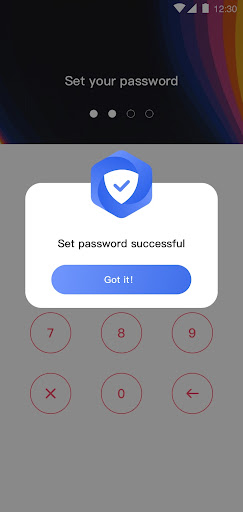
Privacy Applock & Easy Link lands in a category where the basics matter more than flashy promises. An app lock either makes your phone feel safer without getting in the way, or it becomes one more nuisance you tolerate for a few days and then uninstall. After spending time with it as a day-to-day privacy tool, my overall impression is that this app gets a lot of the core experience right, but it also carries the usual trade-offs that come with any Android locking utility. The first thing that stood out in use was the app’s straightforward purpose. This is the kind of utility people install for a very practical reason: to put a barrier between curious eyes and personal apps. In that role, Privacy Applock & Easy Link feels immediately understandable. You launch it, look for the apps you care about, and set up protection in a way that does not feel overly technical. That simplicity is one of its biggest strengths. It does not demand a long learning curve, and it does not feel like it is trying to turn a basic privacy tool into a complicated security suite. For many users, that alone will be enough to make it useful. In everyday use, the second strength is the sense of control it gives over a shared or frequently handled phone. If you occasionally hand your device to a friend, family member, or child, an app like this can reduce that low-level anxiety around messaging apps, photos, or other private spaces. Privacy Applock & Easy Link does a solid job of supporting that feeling. There is a real comfort in knowing that not every tap leads straight into your personal content. Even if Android itself already offers some privacy protections, there is still value in having app-level locking for specific situations. The third thing I liked is that the concept remains lightweight from a user perspective. It is a free app, and that matters here because app lockers are often utility installs, not apps people want to invest heavily in. The barrier to trying it is low, and if your needs are modest, the app can fit into your routine without asking for much emotional buy-in. That makes it approachable for casual users who simply want a bit more privacy on top of their normal phone habits. That said, the weaknesses are just as important, because this category lives and dies on smoothness. The biggest issue with any app lock is friction, and Privacy Applock & Easy Link is not immune to that. Even when the idea is useful, being prompted to unlock apps again and again can become tiresome over the course of a day. If you check the same few apps constantly, the convenience cost is real. This is not a flaw unique to this app, but it affects the experience directly, and users expecting invisible protection may find the routine more intrusive than they anticipated. A second weakness is that app lockers generally need broad permissions and background access to function reliably, and that naturally creates a trust hurdle. During setup and use, you are reminded that this kind of app needs to sit fairly close to the core of your phone experience. For privacy-conscious users, that can feel a little ironic: you are installing a privacy app that itself needs significant access. Privacy Applock & Easy Link does not escape that tension. If you are comfortable granting utility apps a deeper level of control, this will be fine. If not, you may never fully relax while using it. The third complaint is that polish matters enormously here, and even small interruptions stand out. In a category where success means blending into the background, any moment that feels slow, repetitive, or clunky becomes more noticeable than it would in a game or social app. Privacy Applock & Easy Link generally feels serviceable rather than premium. That is not necessarily a deal-breaker for a free utility, but it does shape the experience. You are using it for function first, not because it feels especially refined or elegant. Who is this app for? It is best suited to Android users who want a simple, accessible privacy layer for selected apps and who understand the everyday compromise involved. If you share your phone, worry about casual snooping, or just want a more controlled boundary around personal apps, this app makes sense. It is also a reasonable fit for users who prefer free utilities and do not need a deeply advanced security experience. Who is it not for? If you hate repetitive unlock steps, want something that feels completely invisible once installed, or are deeply uncomfortable granting a utility app the permissions it typically requires, you will probably bounce off this quickly. It is also not the right choice for someone expecting a complete privacy overhaul. This is a focused convenience-and-protection tool, not a magical fix for every mobile security concern. My takeaway after using Privacy Applock & Easy Link is that it succeeds best when approached with realistic expectations. As a practical layer of app privacy, it does what many people want: it adds one more obstacle between your private apps and anyone else holding your phone. That alone gives it value. But it also lives with the familiar compromises of its category, especially around convenience and trust. I would recommend it to users who specifically need app-level locking and are willing to accept a bit of friction in exchange. I would not recommend it to people who want a totally seamless or highly polished experience, because once an app lock starts to feel like a speed bump, even a useful one can become easy to abandon.
Alternative apps