Apps Games Articles
Cleaning Toolbox & Launcher
YINHEE LIMITED
Rating 3.8star icon
Editor's summary
Editor rating
star icon star icon star icon empty star icon empty star icon
3.4

One-line summary Cleaning Toolbox & Launcher is appealing if you want a simple all-in-one cleaner plus launcher in one place, but I’d hesitate to recommend it wholeheartedly because the convenience is offset by a somewhat uneven, utility-first experience.

  • Installs

    100K+

  • Developer

    YINHEE LIMITED

  • Category

    Tools

  • Content Rating

    Everyone

  • Latest version

    VARY

  • Package

    com.cleaning.toolbox.bitapiper

Screenshots
In-depth review
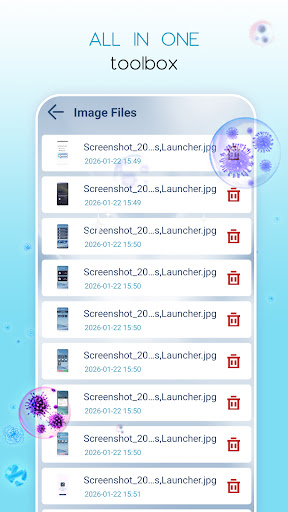
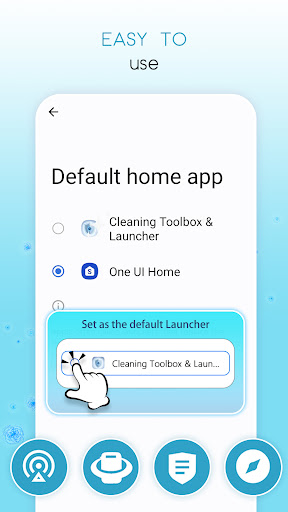
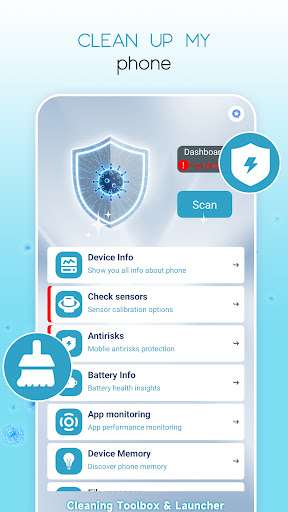
Cleaning Toolbox & Launcher is one of those Android apps that tries to solve several small annoyances at once: low storage warnings, cluttered files, battery monitoring, and a home screen that feels a bit dull. After spending time with it, the app comes across as practical rather than elegant. It is clearly built for people who want a toolbox they can open, tap through quickly, and use to tidy up both their phone storage and their day-to-day interface. In that role, it does some things well. But it also feels like a bundle of utilities loosely tied together instead of a deeply polished flagship app. The first thing that stood out in use was the app’s broad scope. Instead of focusing only on junk cleanup, it also folds in file management, launcher-style customization, app hiding, battery temperature monitoring, and some device testing tools. That makes it feel useful right away, especially for users who like utility apps that put several functions behind one icon. I appreciated not having to bounce between multiple separate apps just to clear some space, glance at battery status, and poke around with basic customization. For an everyday Android user who prefers convenience over specialization, that all-in-one approach is a real strength. The cleanup side feels straightforward, which is the app at its best. The scan-and-remove flow is easy to understand, and the interface pushes you toward fast maintenance rather than making every action feel technical. When I used it as a quick checkup tool, it worked best as a lightweight routine: open the app, run a scan, review what it found, and clean up the obvious clutter. The large-file finder is especially useful because that is often where real storage problems hide. It is one thing for a cleaner app to wave around a “junk removed” badge; it is more genuinely helpful when it points you toward the files that actually matter. In practical use, that part gave the app more credibility than flashy cleaning language alone. Another positive is that the launcher component gives the app a bit more personality than a standard phone maintenance tool. If you like tweaking your home screen, changing themes, and organizing your app drawer, Cleaning Toolbox & Launcher offers a more personal angle than a pure cleaner does. I liked that the app tries to connect maintenance and customization into one experience: clean your phone, then make it feel a bit fresher visually too. The hide-apps and drawer layout options also suggest that the app is thinking about everyday privacy and organization, not just cleanup numbers. That said, the app’s biggest weakness is also tied to its biggest idea. Because it tries to be a cleaner, file tool, battery monitor, launcher, and hardware checker all at once, it can feel a little scattered. As I moved between sections, the experience was functional but not especially cohesive. The cleaning tools make sense together, and the launcher tools make sense together, but the bridge between them is not always smooth. Rather than feeling like one refined product with a clear identity, it sometimes feels like a toolbox assembled from several useful parts. Nothing is disastrously wrong with that, but it does make the app less focused than the best single-purpose utilities. The second issue is that the app’s polish only goes so far. In everyday use, I found it serviceable, but not especially refined. The design and flow are more about getting from feature to feature than about making the whole experience feel modern or premium. That is not necessarily a deal-breaker in a free tools app, yet it affects how often I would want to return to it. For routine maintenance, utility matters most, but when an app also wants to be your launcher, visual and navigational polish start to matter more. Here, the app is competent without ever feeling especially sharp. Ads are another factor to keep in mind. Since the app contains ads, they naturally become part of the experience, and in an app centered on quick cleanup and utility, even small interruptions can make the flow feel less smooth. I would not call the app unusable because of this, but it does reduce the sense of trust and calm that the best maintenance apps create. A launcher in particular is something you interact with often, so any friction becomes more noticeable over time. I also found that some of the app’s claims feel stronger in concept than in daily impact. Battery temperature alerts and device testing are nice extras, but they are not the kind of features most people use constantly. They help round out the toolbox idea, yet they do not carry the experience. The real value here remains cleanup, file management, and to a lesser extent the launcher customization. If you install it expecting every section to feel equally essential, you may come away thinking some tools are occasional bonuses rather than core reasons to stay. So who is this app for? It is best for casual Android users who want one free utility app that can clean up storage, help manage large files, and offer some launcher customization without requiring much learning. If your phone tends to fill up, and you also enjoy changing your home screen look now and then, this app makes a reasonable case for itself. It is also a decent fit for users who prefer practical features over fancy presentation. Who is it not for? If you want a deeply polished launcher, a highly trusted file manager, or a cleaner app with a laser-focused experience, this probably will not be your ideal choice. Power users may find the bundle approach too broad, while minimalist users may prefer separate apps that each do one thing really well. In the end, Cleaning Toolbox & Launcher is useful more often than it is impressive. It offers genuine convenience, especially with cleanup and large-file discovery, and the launcher features make it more versatile than a typical cleaner. But the tradeoff is a somewhat uneven experience, some ad-related friction, and a product identity that feels broader than it feels refined. I can see why someone would enjoy it for everyday upkeep, and I had enough useful moments with it to say it earns a place on the shortlist for casual utility seekers. I just would not call it a must-install unless its mix of cleaning and launcher features is exactly what you have been looking for.