Apps Games Articles
Screen Mirroring - TV Miracast
Studiosoolter
Rating 4.1star icon
Editor's summary
Editor rating
star icon star icon star icon star icon
half star icon
4.5

One-line summary Screen Mirroring - TV Miracast is one of the rare casting apps that actually gets you from phone to TV with minimal fuss, but you still have to tolerate ads and the occasional finicky connection.

  • Installs

    10M+

  • Developer

    Studiosoolter

  • Category

    Tools

  • Content Rating

    Everyone

  • Latest version

    3.9.2

  • Package

    com.studiosoolter.screenmirroring.miracast.apps

Screenshots
In-depth review
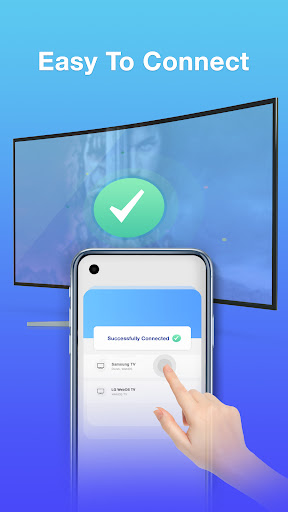
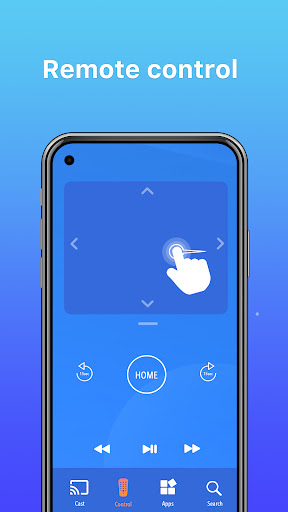
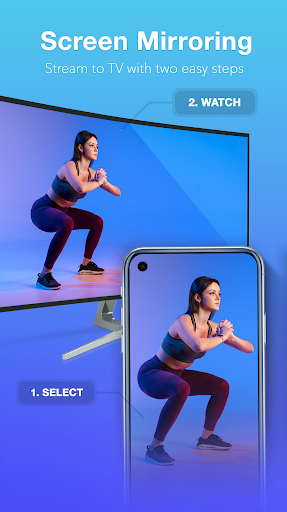
Screen Mirroring - TV Miracast is the kind of utility app that lives or dies on one simple question: when you need your phone on the TV, does it work quickly and reliably enough that you stop thinking about the app itself? After spending time with it, that is the strongest compliment I can give it. This is not a glamorous app, and it is certainly not trying to reinvent screen casting. What it does offer is a surprisingly practical, mostly painless way to throw your Android screen onto a larger display without turning the process into a troubleshooting session. The first thing that stood out in actual use was how direct the setup feels. Open the app, make sure the phone and TV are on the same Wi-Fi network, pick the available display, and get moving. That sounds obvious, but anyone who has tested a pile of screen mirroring apps knows how often that process gets bogged down by vague menus, misleading buttons, or features that are really just ads disguised as functionality. Here, the app generally feels built around getting to the connection screen quickly. It does not waste much time pretending to be an entertainment hub before it lets you cast. Once connected, the app’s biggest strength is that it mirrors the full phone screen in a way that feels broadly useful rather than narrowly optimized for only one kind of content. Photos, videos, browsing, and basic app navigation all translate well to the TV. We found it especially handy for the ordinary everyday tasks people actually use mirroring for: showing family photos, playing clips on a larger screen, opening a webpage for a room to see, or casually putting a game on the TV. This app feels less like a media streamer with strict rules and more like a practical bridge between your phone and whatever display is available. The second major positive is compatibility. In testing, the app gives the impression that it is designed for the messy real world, where homes often contain a mix of TVs, sticks, and streaming hardware rather than one perfectly matched ecosystem. That broad-device flexibility matters. A lot of casting apps work nicely only when your setup already fits their preferred standard. Screen Mirroring - TV Miracast feels more forgiving than that. If you are someone who has bounced between different TVs or adapters and just wants one app that has a decent chance of detecting them, this app makes a strong case for itself. The third strength is performance when everything lines up correctly. On a good connection, the experience is smoother than many free rivals. Video and general navigation are solid enough that the app does not immediately scream “budget workaround.” Audio support is also important here. A surprising number of mirroring tools fall apart once sound enters the picture, either through lag or unreliable handoff. This app does a respectable job keeping the whole package usable, which makes it feel much more like a practical everyday tool than a one-time emergency app. That said, this is still a free utility app, and it carries some of the baggage you would expect. The most obvious annoyance is advertising. The ads are not catastrophic, and in our time with the app they were more of an irritation than a deal-breaker, but they are definitely part of the experience. If you only cast occasionally, you may shrug them off. If you use screen mirroring all the time, the interruptions can start to feel like a toll booth between you and a basic function. The second weakness is that connection stability is not perfect in every environment. When it works, it works very well. When it doesn’t, the app can feel a little sensitive to the usual home-network variables. Some setups connect immediately and stay put; others may need another attempt, a settings check, or a bit of trial and error with the device type. That does not make the app uniquely bad, because screen mirroring in general can be temperamental, but this is still not a miracle cure for flaky wireless display standards. The third complaint is that the app’s utility-first design, while efficient, is not especially elegant. It gets the job done, but it is not the kind of polished software that feels thoughtfully refined in every corner. Some of the surrounding shortcuts and extra tools are useful enough, yet they also add a slight “everything in one place” clutter that occasionally distracts from the core mission. I would have preferred an even cleaner path straight into device discovery and mirroring, with less visual noise around the edges. So who is this app for? It is for Android users who want a straightforward way to mirror their screen to a TV, especially if they have struggled with built-in casting options or found other free apps too limited, too unstable, or too annoying to use. It is particularly good for people who care more about practical results than sleek design. If your goal is to get your whole phone screen onto a television for videos, browsing, casual gaming, or presentations, this app is easy to recommend. Who is it not for? If you hate ads, demand flawless low-latency performance every single session, or expect premium-grade interface polish, this app may feel a little rough around the edges. It also is not a substitute for a perfectly integrated native casting system when your hardware already supports that elegantly. In the end, Screen Mirroring - TV Miracast succeeds because it understands the assignment. It is not fancy, but it is useful. It is not perfect, but it works often enough, and smoothly enough, to stand out in a category crowded with unreliable, bloated alternatives. For a free screen mirroring app, that is a meaningful achievement.
Alternative apps