Apps Games Articles
Real Piano
Bilkon
Rating 3.8star icon
Editor's summary
Editor rating
star icon star icon star icon star icon empty star icon
4.1

One-line summary Real Piano is an easy, genuinely useful pocket keyboard with flexible controls and solid sound, but ads, rough recording behavior, and a lack of structured learning features keep it from feeling essential.

  • Installs

    100M+

  • Developer

    Bilkon

  • Category

    Music

  • Content Rating

    Everyone

  • Latest version

    1.21

  • Package

    com.bilkon.easypiano

Screenshots
In-depth review
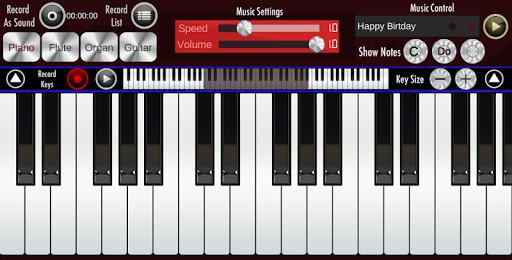
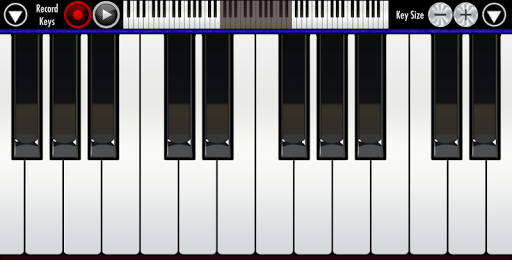
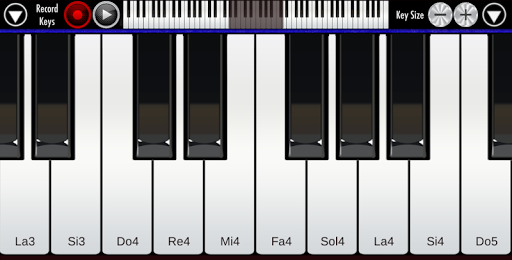
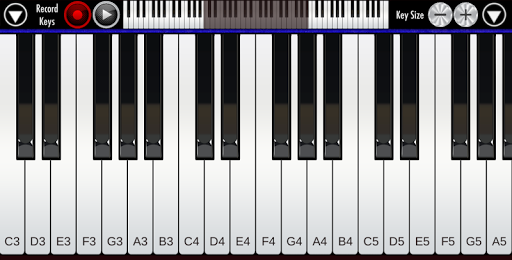
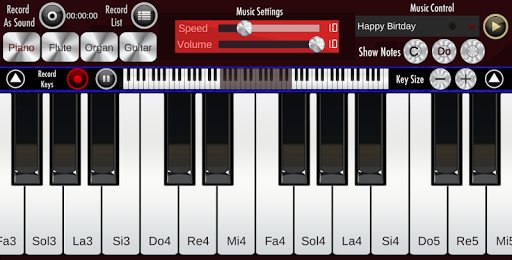
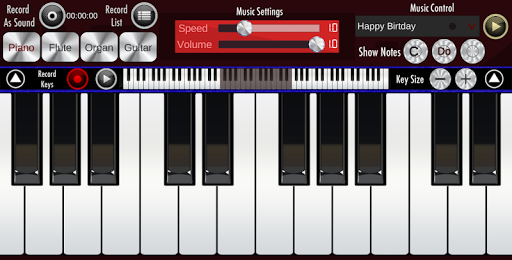
Real Piano is one of those Android music apps that wins you over not with flashy design or ambitious promises, but by being immediately usable. Open it up and the appeal is obvious: you get a full on-screen keyboard, responsive multitouch play, a few instrument options, and enough flexibility to make the app useful for everything from basic note-finding to casual songwriting. After spending time with it as both a practice tool and a quick sketchpad for melodies, I came away thinking this is less of a game and more of a practical musical utility. The best thing about Real Piano is how quickly it gets out of your way. You do not need to study menus or sit through a tutorial to understand it. Tap a key and it responds. Slide across the keyboard and the movement feels natural. Resize the keys and the app becomes much easier to use depending on whether you are trying to pick out a melody with one hand or reach around for bigger intervals on a small phone screen. That adjustable layout is not a gimmick; it meaningfully changes how playable the app feels. On a cramped display, many piano apps become frustrating almost immediately, but this one gives you enough control to find a comfortable middle ground. A second strength is that it works well as a practical music companion, especially for singers, students, and hobbyists. In use, it feels ideal for checking pitches, working out harmonies, identifying notes, or following along with a tutorial video. If you are learning a vocal line, testing chord shapes, or trying to remember a melody before it disappears from your head, Real Piano is surprisingly handy. I found it especially good for short practice sessions: the kind where you just need a reference keyboard nearby, not a full-blown production tool. There is real value in an app that lets you carry a usable keyboard in your pocket and launch it in seconds. The sound is also better than the bare minimum. It is not going to fool anyone into thinking they are hearing a concert instrument, but the tones are clear enough to make practice enjoyable. The inclusion of multiple instrument voices helps keep things from getting stale. Switching away from the default piano to something like organ, flute, synth, or guitar gives the app a little extra personality and broadens its appeal for casual experimentation. For children, beginners, and non-pianists who simply want to make music without overthinking it, that variety adds fun without complexity. That said, Real Piano starts to show its limits the longer you use it. The first weakness is the ad placement. Because this is a free app, ads are not surprising, but here they can feel awkwardly close to the playing area. During relaxed use it is only mildly annoying, yet in the middle of an actual performance or a practice run, the lower-screen ad space can become a distraction. This is especially noticeable on smaller phones where every bit of vertical space matters. The app remains usable, but the interruption is hard to ignore once you notice it. The second issue is recording, which sounds better on paper than it always feels in practice. Real Piano does let you record your playing, and that is one of the features that makes it more than a toy. But the experience can be inconsistent. Short recordings are straightforward enough, while longer takes can feel less dependable, particularly when reviewing them inside the app. It gives you a way to capture ideas, but not a polished environment for seriously managing them. If your goal is to jot down melodic sketches, it works. If you expect clean, reliable playback and a refined archive of performances, it falls short. The third weakness is that Real Piano does not do much to teach you beyond providing the instrument itself. There are key labels and enough visual clarity for self-guided learning, but this is not a structured lesson app. It will help you practice what you already know or figure things out manually, but it will not hold your hand through songs, technique, or music theory in a meaningful way. That makes it approachable, but also limited. Beginners with patience can absolutely use it, especially for note recognition and simple scales, yet complete newcomers looking for a guided path may lose interest quickly. In day-to-day use, the app’s overall feel is pleasantly old-school: simple, direct, and focused on one job. It does not overwhelm you with features, and in a strange way that is part of its charm. For choir practice, school music tasks, songwriting ideas, offline noodling, or learning melodies from videos, it delivers more value than its plain presentation suggests. I also appreciated that it can be enjoyed in very short bursts. You can open it for thirty seconds, confirm a note, and close it again. Many music apps forget how useful that kind of frictionless utility can be. Real Piano is best for casual players, singers, students, hobby composers, and anyone who wants a convenient keyboard on their phone or tablet. It is also a good fit for people who cannot keep a real instrument nearby but still want something tactile enough to explore melodies and chords. It is not the right app for serious pianists wanting expressive realism, for users who need advanced recording and editing, or for beginners who want a guided curriculum instead of a blank keyboard. Overall, I liked using Real Piano more than I expected to. It is accessible, flexible, and genuinely helpful in everyday music situations. At the same time, it never fully escapes the limitations of being a free, ad-supported, lightweight keyboard app. If you want a straightforward digital piano that is easy to carry and easy to understand, it is an easy recommendation. If you need polish, deep learning tools, or dependable recording features, this one will start to feel basic fairly quickly.