Apps Games Articles
LED Keyboard: Emoji, Fonts
Zayzik : LED Keyboard Studio
Rating 4.7star icon
Editor's summary
Editor rating
star icon star icon star icon star icon empty star icon
4.4

One-line summary Pick LED Keyboard if you want a wildly customizable, genuinely usable keyboard with RGB flair; skip it if you’re picky about ad-free tweaking, polished autocorrect, or perfectly refined utility features.

  • Installs

    50M+

  • Developer

    Zayzik : LED Keyboard Studio

  • Category

    Personalization

  • Content Rating

    Everyone

  • Latest version

    16.3.16

  • Package

    com.flashkeyboard.leds

In-depth review
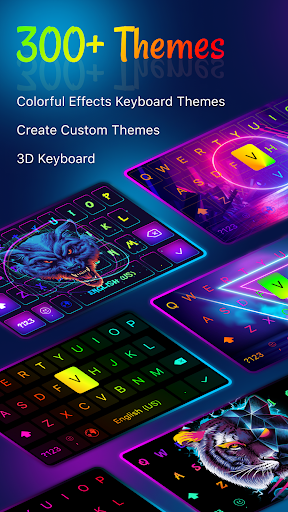
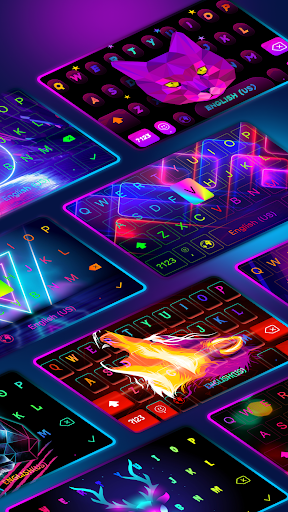
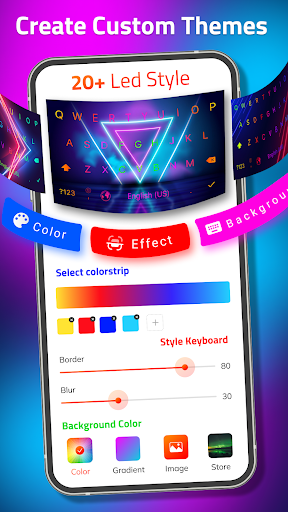
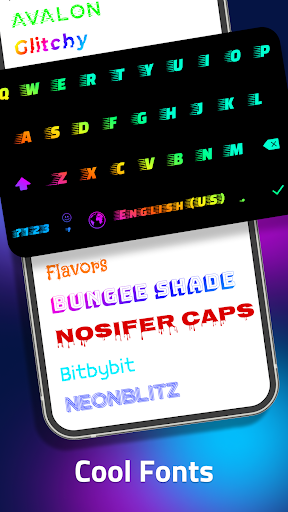
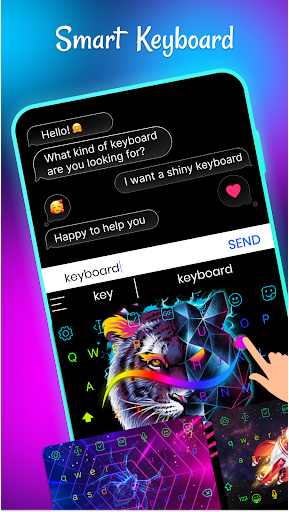
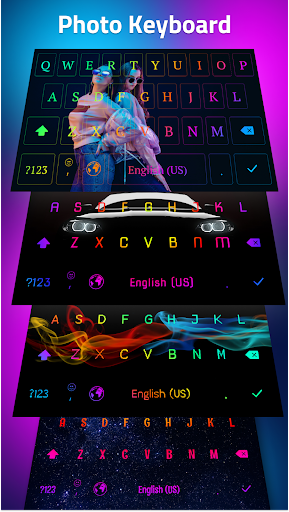
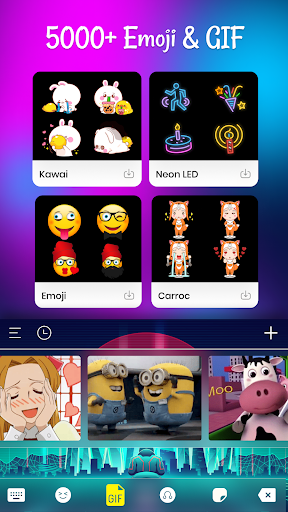
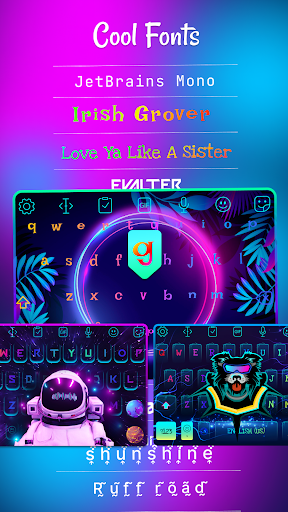
LED Keyboard: Emoji, Fonts knows exactly what kind of keyboard app it wants to be. This is not a minimalist tool for people who want their phone to disappear into the background. It is a personality keyboard: glowing RGB effects, neon accents, custom photos, themed layouts, fonts, emoji extras, and enough visual options to keep tinkerers busy for a long time. The surprise is that beneath all that flash, it is also a fairly competent everyday keyboard. After spending time with it as a daily input method, the first thing that stands out is how much freedom it gives you. You can go all-in on the “gaming keyboard for your phone” aesthetic, or tone it down into something much simpler and cleaner. That flexibility matters. A lot of flashy keyboard apps feel fun for five minutes and exhausting after a day, but LED Keyboard lets you rein in the effects, adjust the look, and shape it into something that fits your tolerance for visual noise. I ended up appreciating that more than the RGB itself. The app’s best feature is not any one theme; it is the sense that nearly every part of the keyboard can be nudged toward your own style. The second pleasant surprise is that it generally works well enough to justify staying installed. Swipe typing is available, word suggestions are present, and basic typing never felt like the app was sacrificing usability just to show off animations. In normal chatting and note-taking, it was responsive and easy to settle into. The keys are readable in most built-in themes, the layout is familiar, and there is enough adjustability in size and presentation to make it comfortable on different screens. This is important because many novelty keyboards fail at the one job that matters most: letting you type without thinking about the keyboard. LED Keyboard mostly clears that bar. Customization is also deeper than just swapping wallpapers. Using your own image as a background gives the app a more personal feel than the usual theme marketplace approach. If you enjoy changing your setup often, LED Keyboard is the kind of app you can revisit instead of configure once and forget. Fonts add another layer of playful expression, and the app leans hard into making text feel decorative rather than merely functional. For social users who care about how messages, captions, or bios look, that appeal is obvious. That said, the app is not polished in every corner, and the rough edges show up pretty quickly once the honeymoon period is over. The most obvious irritation is ads. They do not ruin the typing experience itself, which is the right place to draw the line, but they appear often enough while adjusting settings and exploring themes that the app can feel a bit pushy. If you like to experiment with different looks, those interruptions add friction to what should be the app’s most enjoyable activity. There does appear to be a paid route to remove ads, but the free experience makes you aware of monetization more often than ideal. The second weakness is that smart typing is good, not great. Autocorrect and prediction are usable, and for some people they may be perfectly fine, but this is not the most refined text engine I’ve used. Occasionally the corrections feel quirky, and I wanted better handling of learned words and personal typing habits. If you are the kind of user who expects your keyboard to remember unusual names, slang, or preferred spellings without a fight, LED Keyboard may feel a little less intelligent than the very best keyboards in this category. It gets the job done, but it does not always feel deeply tuned to you. The third issue is that some of the app’s extra features feel more exciting in the menu than in practice. Emoji browsing can feel more cumbersome than it should, especially when you are looking for something quickly. GIF and sticker support is present in the interface, but as with many Android keyboards, actual use can depend heavily on whether the destination app supports that kind of insertion. In day-to-day messaging, that means some expressive tools feel inconsistent rather than seamless. There are also small interface annoyances here and there, like certain settings that could be clearer or options that don’t always behave exactly the way you expect. None of this is catastrophic, but it keeps the app from feeling truly premium. Another thing to watch is visibility when you start heavily customizing your own layout. The app gives you freedom, but freedom can create legibility problems. If you choose a bright or busy background, key labels can become harder to read, and the keyboard stops being fun the moment you have to squint at it. The built-in themes generally avoid that trap better than some DIY combinations. So who is this app for? It is for Android users who are bored with default keyboards, enjoy visual personalization, and still want something practical enough for daily texting. It is especially appealing if you like changing themes often, want custom backgrounds, or enjoy decorative fonts and a more expressive typing setup. It is not the best choice for people who prioritize absolute typing efficiency above all else, want the most dependable autocorrect possible, or hate seeing ads while configuring an app. It is also not ideal for users who prefer a completely plain, distraction-free keyboard and never intend to touch themes or effects. In the end, LED Keyboard succeeds because it is more than a gimmick. It absolutely leans into style, and sometimes too hard, but it does not forget that a keyboard has to be usable first. The app’s strongest qualities are its excellent visual customization, its surprisingly solid everyday typing experience, and its ability to balance flashy themes with calmer setups if you take the time to tweak it. Its biggest drawbacks are ad-heavy customization, only middling smart text behavior, and a few undercooked extras that don’t always feel as smooth as the core keyboard. If that trade-off sounds fair to you, LED Keyboard is easy to like and easier than expected to keep using.