Apps Games Articles
Facemoji AI Emoji Keyboard
EKATOX APPS
Rating 4.6star icon
Editor's summary
Editor rating
star icon star icon star icon star icon
half star icon
4.5

One-line summary Facemoji is an easy recommendation if you want a wildly customizable, genuinely fun keyboard, but power typists may hesitate because some flashy extras and occasional quirks get in the way of pure efficiency.

  • Installs

    100M+

  • Developer

    EKATOX APPS

  • Category

    Personalization

  • Content Rating

    Teen

  • Latest version

    3.3.8

  • Package

    com.simejikeyboard

In-depth review
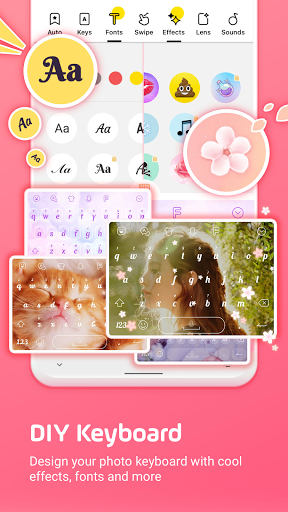
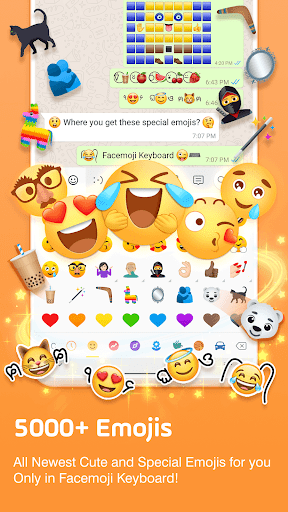
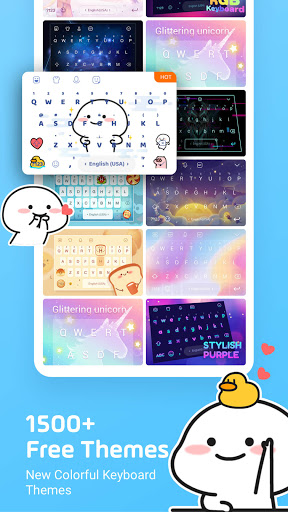
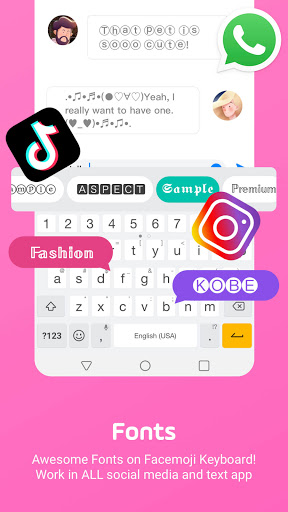
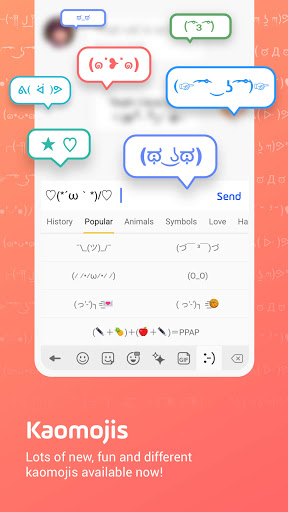
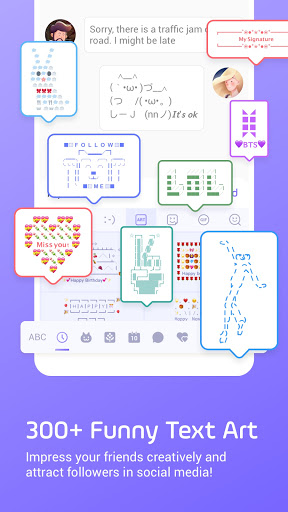
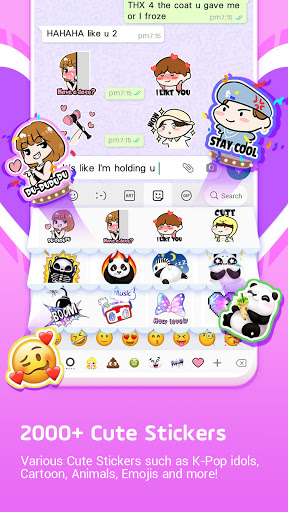
Facemoji AI Emoji Keyboard is one of those apps that makes a strong first impression almost immediately. The moment I started setting it up, it was clear that this is not trying to be a plain utility keyboard. It wants your keyboard to be part typing tool, part decoration, part emoji launcher, and part social toy box. In practice, that sounds like it could become chaotic, but Facemoji works better than I expected because the core experience is still recognizably usable underneath all the glitter. The biggest strength here is customization. I spent a good amount of time switching between prebuilt themes and building my own, and Facemoji gives you a surprising amount of control without making the process feel technical. You can swap in your own background image, tweak colors, adjust fonts, add effects, and even play with keypress sounds. That last bit could easily have been a gimmick, but it is fun for a while, and it helps sell the sense that this is your keyboard rather than just another reskin. There are also enough themes that you never feel boxed into one style. Cute, neon, anime-inspired, colorful, minimal-ish, loud, silly: the app clearly understands that for many people the point is self-expression first, utility second. What impressed me more is that Facemoji is not only about visual flair. In day-to-day typing, it feels fairly smooth. The keyboard is responsive, autocorrect is present, gesture typing is available, and suggestions keep it from feeling like a toy app pretending to be a serious input method. I would not call it the most clinical, speed-first keyboard experience on Android, but I also never felt like I was sacrificing basic usability just to get a cute background and extra stickers. There is a nice balance here: flashy enough to stand out, stable enough that I could actually leave it on for regular messaging. The second major strength is the sheer breadth of content packed into it. If your texting life includes emojis, GIFs, stickers, kaomoji, decorative text, symbols, or social-media-friendly fonts, Facemoji leans all the way in. It is very easy to make chats feel more playful with this keyboard. That may sound superficial, but there is real convenience in having so many expressive tools accessible from one place instead of bouncing between apps or copy-paste websites. For people who like dressing up messages, bios, captions, or status posts, this app feels generous. The third strength is that much of what makes Facemoji fun does not feel aggressively locked down. The app does have ads and in-app purchases, and you will notice some watch-an-ad unlocking behavior, but in actual use I never got the sense that it was strangling the free experience. There is a lot to do here before you hit a wall, and that matters in an app category where some alternatives over-monetize every theme pack and cosmetic extra. That said, Facemoji is not perfect, and its weaknesses become more noticeable the longer you use it as your main keyboard rather than as a novelty. My first complaint is that the app occasionally feels too eager to pile on features. AI tools, decorative extras, toolbar elements, stickers, and visual options can make the interface feel busier than it needs to be. If you are the sort of person who wants a keyboard to disappear into the background and simply type fast, Facemoji can feel a little cluttered. It is at its best when you engage with its personality; it is less convincing when judged as a pure minimalist productivity tool. The second issue is that some smaller interaction details still lag behind the best keyboards. Text editing, cursor placement, and a few workflow shortcuts do not always feel as polished as they should. During longer messages, I found myself wishing for more refined control when jumping back into a sentence to make a correction. That does not ruin the app, but it is one of those things that separates a fun keyboard from a truly elite daily driver. My third complaint is consistency. Facemoji offers a huge amount of customization, but with that flexibility comes the occasional oddity: a font behaving unexpectedly, a visual element not looking quite right, a setting taking a moment to apply, or language-related behavior being less reliable than expected in some situations. None of this made the app unusable in my testing, but it does mean the experience can feel a bit uneven around the edges. When you offer this many moving parts, polish becomes harder to maintain, and you can feel that here. So who is Facemoji for? It is a great pick for Android users who are bored with stock keyboards, love changing themes, enjoy emojis and stickers, and want their keyboard to feel personal. It is especially appealing for younger users, social chat heavy users, and anyone who treats their phone interface as an extension of their style. If you like custom backgrounds, decorative fonts, and playful extras, Facemoji is easy to enjoy. Who is it not for? If you want the cleanest possible typing environment, rely heavily on precision text editing, or prefer a sober, distraction-free keyboard with no visual noise, this probably is not your ideal match. Facemoji can be practical, but practicality is not really its identity. Its identity is fun. Overall, I came away liking it more than I expected. Facemoji succeeds because it understands what its audience wants and mostly delivers it without sacrificing the fundamentals. It is vibrant, expressive, easy to personalize, and surprisingly comfortable to use for everyday chatting. The rough edges are real, and the extra features can sometimes crowd the experience, but for the right user this is one of the most enjoyable keyboard apps on Android.