Apps Games Articles
ScreenKit- App Icons & Widgets
Twinstar Creatives
Rating 1.9star icon
Editor's summary
Editor rating
star icon star icon empty star icon empty star icon empty star icon
2.1

One-line summary ScreenKit can make your phone look more stylish, but the rough execution and low-friction usability issues make it hard to recommend unless visual customization matters more to you than convenience.

  • Installs

    500K+

  • Developer

    Twinstar Creatives

  • Category

    Personalization

  • Content Rating

    Everyone

  • Latest version

    1.0.2

  • Package

    com.screenkit.screenkit

In-depth review
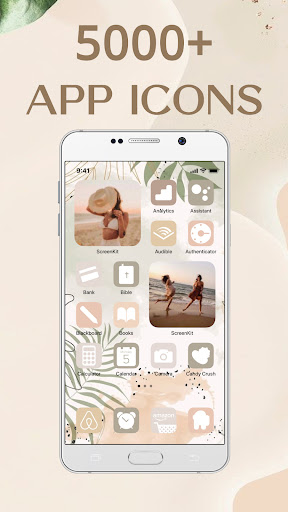
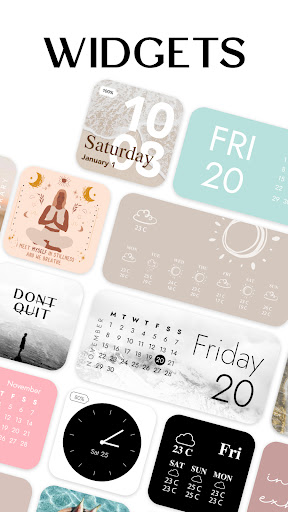
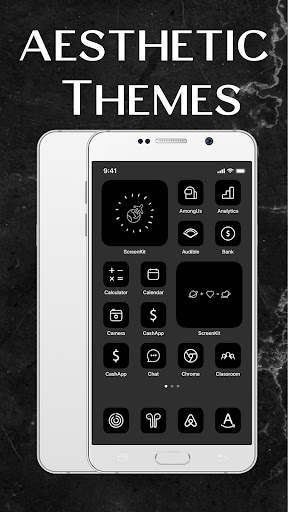
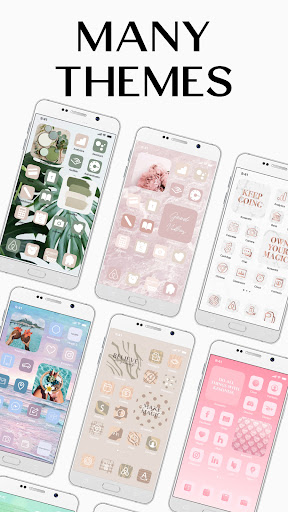
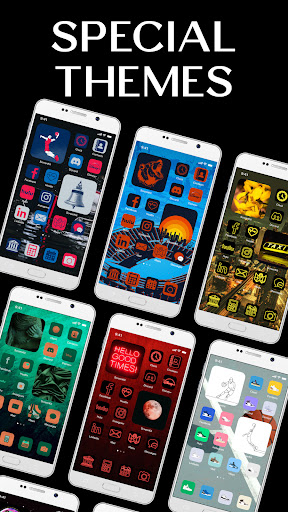
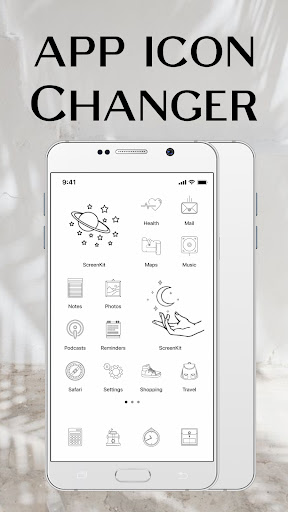
ScreenKit- App Icons & Widgets is the kind of app that immediately sells a fantasy: open it, pick a theme, give your phone a dramatic visual refresh, and end up with a home screen that feels far more personal than the default Android setup. After spending time with it from that practical, everyday point of view, my reaction was mixed. There is a real appeal here, and I can see exactly why someone would install it. But there is also a frustrating gap between the look the app promises and the experience it actually delivers in regular use. The best part of ScreenKit is the obvious one: it is built for people who care about aesthetics. If your home screen feels generic and you enjoy changing wallpapers, icons, and widgets to create a more coordinated look, ScreenKit taps directly into that impulse. On first launch, the app presents itself as a styling tool rather than a utility, and that matters. It is not trying to be essential software; it is trying to make your phone feel more like yours. In that sense, it gets the core idea right. Browsing through visual options is the most enjoyable part of the experience, and even without going deep into customization, it is easy to understand the appeal of a one-stop app for visual polish. Another strength is accessibility. This is a free app, and that lowers the barrier for curious users who just want to experiment. You do not need to be an Android power user to understand what the app is for. Even if you have never themed a phone before, ScreenKit’s general concept is easy to grasp: choose a style, apply matching elements, and aim for a cleaner or more expressive home screen. That beginner-friendly positioning gives it some value. For users who are motivated more by visual inspiration than by technical control, ScreenKit is easier to approach than many more utilitarian customization apps. I also appreciated that the app focuses on a category of customization that can make a phone feel fresh without changing how Android fundamentally works. Small cosmetic changes can have an outsized emotional effect. A coordinated icon and widget setup can genuinely make your device feel less cluttered and more intentional. When ScreenKit works as intended, that makeover effect is satisfying. It is the kind of app that can make you spend a few extra minutes arranging your home screen because the end result actually looks nicer than before. That said, the problems start once you move from inspiration to daily use. The biggest issue is that ScreenKit does not feel dependable enough. An app in this category needs to be smooth, clear, and low-maintenance, because home screen customization quickly becomes annoying if the process feels awkward. In my time with it, the overall experience felt less polished than it needed to be. There is a difference between an app that helps you personalize your device and one that makes personalization feel like extra work. ScreenKit too often falls into the second category. A second weakness is that the app’s practical value does not consistently match its visual promise. Styling apps live and die by execution. It is not enough to look appealing in screenshots or menus; the process of applying and living with those changes has to be frictionless. Here, I often came away with the sense that the app was better at selling the idea of a themed phone than at making the themed phone feel effortless. That disconnect matters more than it might in other app categories, because customization is supposed to feel fun. The moment it starts to feel fiddly, the magic wears off quickly. The third issue is trust, and in this category trust comes from polish. With a rating this low, I went in looking for signs that the app had overcome a rough reputation through strong design or clear usability. I did not find enough of that reassurance. Nothing about ScreenKit struck me as completely without merit, but I also never reached the point where I felt confident recommending it broadly to casual users who just want a clean, painless upgrade to their home screen. The app feels like it has the right concept but not the consistent refinement needed to make that concept easy to live with. Who is this app for? It is for users who enjoy visual customization enough to tolerate some friction. If you love experimenting with your home screen, changing the mood of your device, and browsing style-first tools just to see what design combinations you can create, there is something here for you. You may be willing to put up with the bumps because the payoff is a better-looking setup. Who is it not for? If you want a customization app that feels seamless, dependable, and effortless from the start, ScreenKit is a tougher sell. It is also not a great pick for people who value convenience over appearance. If the idea of spending time managing your home screen sounds like chores rather than fun, this app will probably test your patience faster than it rewards your effort. In the end, ScreenKit- App Icons & Widgets is not a bad idea at all. In fact, the idea is the only reason it remains interesting. The visual customization angle is appealing, the free entry point makes trying it easy, and there is genuine satisfaction in giving your phone a new look. But the app does not deliver that experience with enough grace or reliability to earn a strong recommendation. I would not dismiss it outright if home screen styling is your hobby, but I would hesitate to point mainstream users toward it. It offers inspiration more readily than it delivers polish, and in a category built around convenience and delight, that is a significant drawback.
Alternative apps