Apps Games Articles
Shield: Antivirus Home Screen
Bacchus Media
Rating 4.3star icon
Editor's summary
Editor rating
star icon star icon star icon
half star icon
empty star icon
3.9

One-line summary Shield: Antivirus Home Screen stands out if you want basic phone-cleanup and security tools folded into your launcher, but that same all-in-one approach can feel cluttered if you prefer a simple, distraction-free home screen.

  • Installs

    1M+

  • Developer

    Bacchus Media

  • Category

    Personalization

  • Content Rating

    Everyone

  • Latest version

    3.1.28

  • Package

    com.applock.launcher

Screenshots
In-depth review
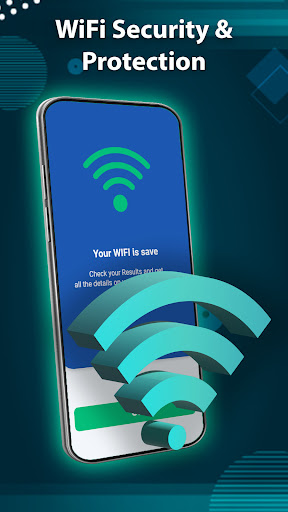
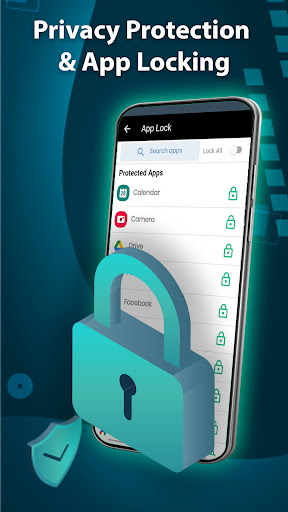
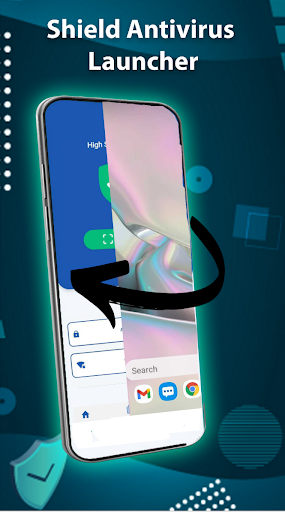
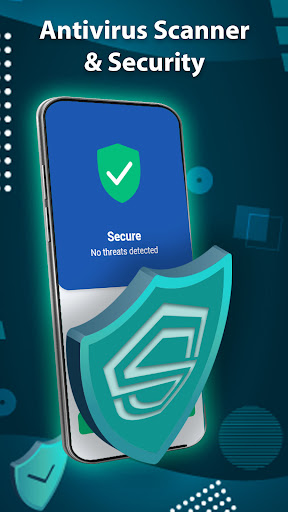
Shield: Antivirus Home Screen is one of those Android apps that immediately tells you what kind of experience it wants to deliver: not just an antivirus utility, but a full front-door takeover of your phone. After spending time with it, that identity is both its biggest strength and its biggest complication. This is not a quiet background security app. It wants to be where you start your day, where you organize apps, and where you check on the health of your phone. For some people, that will feel convenient. For others, it will feel like too much app trying to do too many jobs at once. The first thing that stood out in daily use was how strongly the app lepositions security as a visible part of the home screen experience rather than a hidden maintenance tool. That actually works better than I expected. A lot of security apps only get opened when something feels wrong, which means they are easy to ignore. By tying the idea of protection to the launcher layer, Shield makes phone upkeep feel more present and more routine. If you like having quick access to scan, clean, or optimize-style controls without digging through menus, this setup is practical. It gives the app a sense of immediacy that many utility apps lack. That said, using a launcher-based security app always comes with a tradeoff: your home screen stops being neutral space. In practice, Shield felt more opinionated than a standard antivirus app, and whether that is good or bad depends on what you want from your phone. I found the core idea easy enough to understand, and the app generally presents itself in a way that feels approachable rather than technical. You do not need to be deeply familiar with mobile security concepts to make sense of it. That is a real advantage. The app seems aimed at everyday users who want reassurance and one-tap tools, not power users looking for fine-grained control. In everyday use, one of the stronger aspects is convenience. There is value in combining home screen organization with security-focused utility. Instead of treating protection as a separate chore, Shield turns it into something you can manage while already interacting with your device. For less technical users, especially people who often worry that their phone is getting slow, cluttered, or unsafe, this all-in-one framing is easy to appreciate. It reduces friction. That is the app at its best: helpful without requiring much learning. Another plus is that the app feels clearly designed for broad accessibility. The 4.3 rating makes sense in that context. It gives off the impression of an app built to be immediately understandable by mainstream Android users. There is very little about the concept that feels niche. Security, cleaning, and home screen customization are all familiar categories, and bundling them together creates an app that is easy to pitch and, more importantly, easy to start using. During testing, that translated into a generally straightforward experience. You are not wrestling with a complicated setup philosophy. The app wants to get you into its ecosystem quickly. But convenience is also where the rough edges begin. The biggest weakness is that the app can feel crowded simply because it is trying to wear too many hats. A launcher should make your phone feel calmer and easier to navigate. A security tool should make your phone feel safer and more trustworthy. When both are fused together, the result can feel busy. Even if the individual tools are useful, the overall experience risks becoming visually and mentally noisy. I often found myself thinking that the home screen should be the place where friction disappears, and Shield does not always manage that. At times, it feels like the app is constantly reminding you that it exists. A second weakness is that this style of app asks for a bigger commitment than a normal utility app. Installing an antivirus app is easy; replacing your launcher is a different level of change. That means Shield is not something I would casually recommend to everyone just because it has a decent rating and large install base. If you are happy with your current launcher and only want lightweight protection in the background, this app may feel intrusive relative to your needs. The antivirus angle sounds reassuring, but the home screen component changes the relationship entirely. You are not just adding a tool; you are changing how your phone feels every time you unlock it. The third weakness is trust and focus. Security apps work best when they communicate clarity and restraint. Launcher apps work best when they feel smooth and personal. Put together, the app has to balance two different expectations, and it does not always feel perfectly focused. There were moments where I wanted a more streamlined experience with fewer competing priorities on screen. Nothing about the app’s concept is inherently bad, but the blend can create a sense that it is trying to solve security, performance, and personalization all at once, when some users really only want one of those things. Still, there is a good reason this app has crossed the 1M+ download mark. It speaks directly to a very common Android mindset: people who want a phone that feels protected, cleaned up, and organized without installing a half-dozen separate apps. For that audience, Shield makes sense. If you hand your phone habits over to it and like the idea of security being front and center, it can feel usefully proactive. That is its clearest strength. Who is it for? I would point this toward casual Android users, especially those who like all-in-one utility apps and do not mind a home screen experience built around phone maintenance and protection. It is also a reasonable fit for someone who feels overwhelmed by separate security and cleanup tools and would prefer one app to bring those functions together. Who is it not for? Anyone who values a minimal launcher, already likes their current home screen setup, or prefers security apps to stay in the background should probably skip it. If you want clean design, low interference, and a more traditional antivirus experience, Shield may feel heavier than necessary. Overall, Shield: Antivirus Home Screen is a capable, accessible, and fairly appealing hybrid utility, but it is not universally easy to recommend. Its strongest feature is the way it makes security feel immediate and convenient. Its biggest drawback is that it asks you to give up some simplicity in return. If that trade sounds acceptable, it is worth a try. If not, a standalone launcher or a standalone security app will likely fit better.