Apps Games Articles
Crown Editor - Heart Filters for Pictures
PDF Reader & PDF Scanner - Snap Photo Editor
Rating 4.2star icon
Editor's summary
Editor rating
star icon star icon star icon
half star icon
empty star icon
3.8

One-line summary Crown Editor is an easy, playful sticker-and-filter app that makes cute selfies fast, but the ad-heavy flow and occasionally awkward save/share experience keep it from feeling truly polished.

  • Installs

    10M+

  • Developer

    PDF Reader & PDF Scanner - Snap Photo Editor

  • Category

  • Content Rating

    Teen

  • Latest version

    1.3.6

  • Package

    heart.crown.camera.effect.snap.photoeditor.heartcrowncamera.stickers

Screenshots

In-depth review
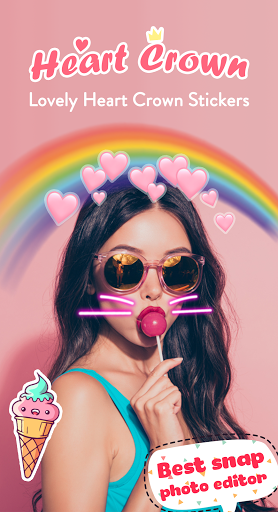
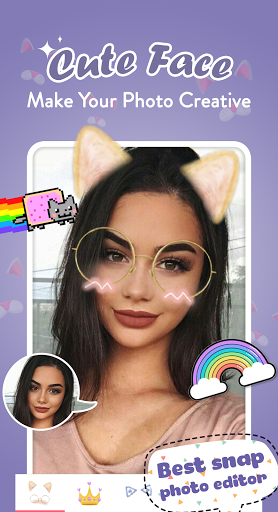
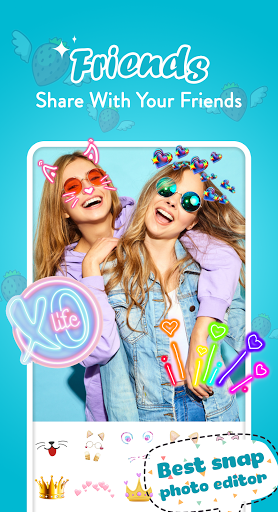
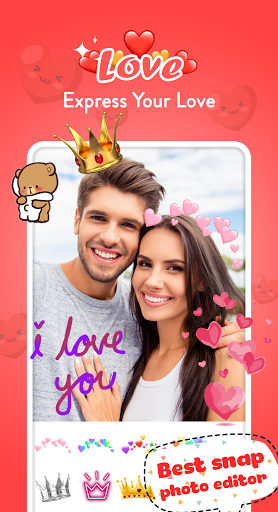
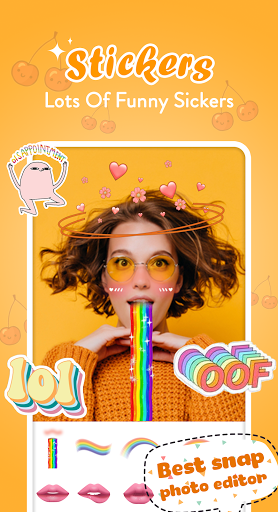
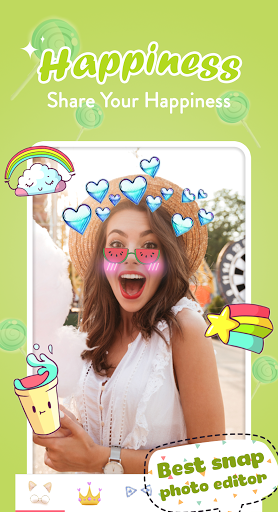
Crown Editor - Heart Filters for Pictures is the kind of Android app you install when you want instant, low-effort fun rather than serious photo editing. After spending time with it, that identity comes through clearly: this is not a precision editor for creators who want fine control over tone curves, masking, or retouching. It is a lightweight selfie decoration app built around crowns, hearts, animal stickers, beauty touches, and cheerful filters that aim to make photos look sweeter, brighter, and more social-media-ready in a matter of seconds. The first thing that stands out in use is how approachable it is. You can open a photo from your gallery, jump into editing quickly, and start placing stickers without much learning curve. That simplicity is one of the app’s biggest strengths. The editing flow is easy to understand even if you have never used a sticker editor before: choose a photo, tap into edit mode, browse stickers or effects, drag them onto the image, resize with gestures, and move on. For younger users, casual selfie fans, or anyone making playful edits for chats and status posts, that accessibility matters more than advanced tools. The second clear strength is the style library itself. Crown Editor knows exactly what kind of visual mood it is chasing. If you like heart crowns, flower crowns, bunny ears, cat faces, dog stickers, bright “cute girl” aesthetics, and decorative overlays, there is enough here to keep you entertained for a while. The app does not feel subtle, but it is not trying to be. It leans hard into kawaii-style embellishment, and when you embrace that, it can be genuinely fun. Some effects look especially good when used lightly: a simple heart accent or crown can lift an otherwise plain selfie without demanding much effort. A third positive is speed. On a basic level, the app does what this category needs to do: it gets you from original photo to decorated result quickly. I never got the impression that this was meant to be a long-form editing workspace. It feels more like a quick booth for visual accessories. If your goal is to make a cute edit in under a minute, Crown Editor is often more convenient than opening a larger, more feature-packed photo app. That said, the app’s biggest problems also show up quickly. The first weakness is advertising. Crown Editor is free, and it feels free in the most familiar way: ads are part of the experience. They interrupt the otherwise light editing flow and make the app feel less elegant than its visual results suggest. If you are only making one quick image, you can tolerate it. If you are experimenting with several photos in a row, the friction starts to wear on you. The second weakness is polish, especially around saving and sharing. The basic functions are there, but the process does not always feel as straightforward as it should. For an app aimed at fast, casual creation, that matters a lot. There is a difference between simple and clumsy, and Crown Editor occasionally drifts into the latter. Once you learn its flow, it becomes manageable, but it does not feel as seamless as the best lightweight editors. The third weakness is the overall quality ceiling. While the app can absolutely produce cute pictures, it is limited by its own design philosophy. Many of the stickers and effects are built for impact rather than refinement. If you want tasteful edits, natural beauty adjustments, or professional-looking enhancements, this app starts to feel repetitive and a little dated. It works best when you want obvious, decorative edits. It works less well when you want something elegant or modern. In everyday use, that means Crown Editor is at its best with a very specific audience. It is for users who want quick selfie decoration, playful heart-and-crown effects, cheerful sticker packs, and easy edits for messaging apps or casual posting. It also makes sense for younger users and hobby editors who enjoy dressing up photos rather than carefully retouching them. If you are creating cute profile pictures, fun gacha-style edits, or stylized images for friends, the app can be a good time. It is not for photographers, serious mobile editors, or anyone who wants a streamlined ad-light experience with cleaner visual design and more reliable export flow. It is also not ideal for people who dislike exaggerated overlays or who prefer subtle filters over obvious themed stickers. What kept me using Crown Editor longer than expected was its low-pressure charm. There is something satisfying about an app that does not pretend to be an all-in-one professional suite and instead just offers quick visual fun. When it works, it delivers exactly the kind of cute, colorful transformation it promises. What stopped me from fully recommending it without hesitation is that the app never quite escapes the rough edges common to older, ad-supported casual editors. My takeaway is fairly simple: Crown Editor is enjoyable within its lane. It is easy to use, full of playful effects, and fast enough to make spontaneous edits feel worthwhile. But it is also cluttered by ads, a little awkward in execution, and limited if your tastes go beyond decorative sticker-heavy selfies. If that cute, maximalist style is exactly what you want, you will likely have fun with it. If you want polish, restraint, or deeper editing control, you should keep looking.
Alternative apps