Apps Games Articles
UKG Workforce Central
Kronos Incorporated
Rating 2.4star icon
Editor's summary
Editor rating
star icon star icon empty star icon empty star icon empty star icon
2.4

One-line summary UKG Workforce Central is genuinely useful when your workplace depends on it for punching in and checking schedules, but its clunky, uneven mobile experience makes it hard to recommend on merit alone.

  • Installs

    1M+

  • Developer

    Kronos Incorporated

  • Category

    Business

  • Content Rating

    Everyone

  • Latest version

    6.08.02.022

  • Package

    com.kronos.mobile.android

Screenshots
In-depth review
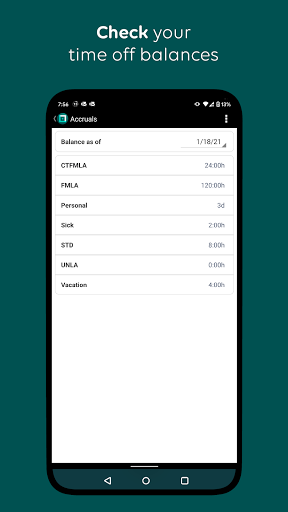
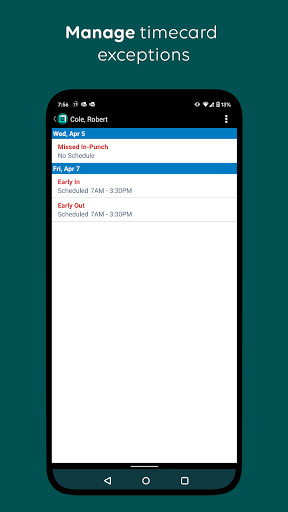
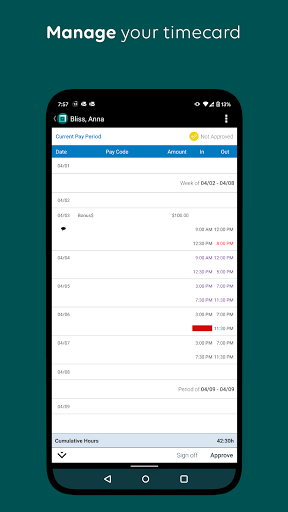
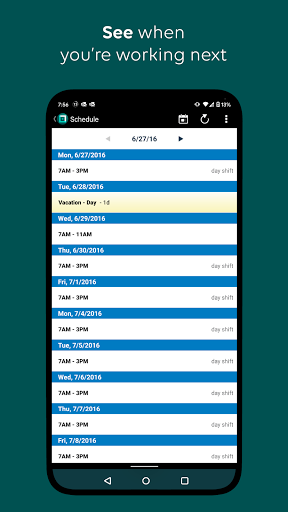
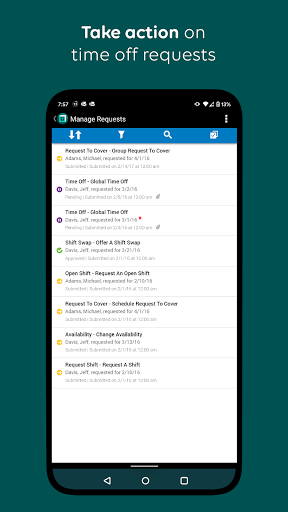
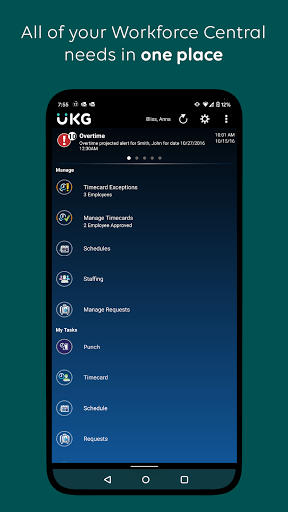
UKG Workforce Central is one of those apps many people do not really choose so much as inherit from their employer. That matters, because the way you judge it is very different from how you judge a typical productivity app. You are not here looking for delight, experimentation, or clever extras. You want to clock in, confirm your shift, maybe request time off, and get out. After spending time with the app in that exact mindset, my impression is pretty clear: it can handle the basics, but it rarely feels smooth, modern, or especially pleasant to use. The app’s core purpose is straightforward, and to its credit, that purpose comes through quickly. If your organization has it set up properly, the main employee tasks are all conceptually in the right place: punch in and out, view schedules, check time-off information, and look at pay-related details. For managers, there are also tools for staffing, exceptions, and approvals. In day-to-day use, that focus is one of the app’s biggest strengths. It is not trying to be a social network, a wellness portal, and a messaging app all at once. It is a work utility, and when all you need is a work utility, that simplicity is appreciated. The second thing I liked is that the app addresses a real-world problem many workforce apps ignore: not every job happens at a desk with perfect connectivity. The offline punch support is practical. Knowing that a punch can be stored and sent when you reconnect is the kind of feature that matters far more than visual polish. In testing the app from a practical user mindset, that idea makes sense immediately. If you are on the move, in a weak-signal area, or just dealing with inconsistent service, this is exactly the kind of safety net you want in a timekeeping app. A third positive is that once you understand your company’s setup, the app can become a functional daily shortcut. Checking whether you work tomorrow, confirming a shift time, or quickly reviewing basic work info is faster than going through a desktop portal. There is value in having those essentials on your phone, and for employees whose schedules change often, that convenience is real. That said, UKG Workforce Central also feels like an app that has been built around enterprise requirements first and mobile ease second. The most obvious issue is that the experience can feel dated and unintuitive. Navigation is not always as clear or fluid as it should be, and some workflows feel more like they were adapted from a desktop system than designed for a phone. You can usually get where you need to go, but not always elegantly. For an app people may need multiple times a week, that friction adds up. The second weakness is that the app’s usefulness depends heavily on how well your employer has configured it. That is not entirely the app’s fault, but it absolutely affects the user experience. If mobile access is not enabled correctly, if certain modules are missing, or if your organization has a confusing setup, the app can feel limited or even broken from the employee’s point of view. In practice, that means the app does not always inspire confidence. You may open it expecting a quick task and end up wondering whether the problem is the app, your account, or your company’s settings. The third complaint is performance and reliability confidence. Even when an app technically offers the right features, a workforce app lives or dies on trust. If you are clocking in for a shift, you should feel absolute certainty that the action went through properly. Workforce Central does not always create that reassuring sense of crisp, immediate feedback. Some enterprise apps get away with being visually plain if they feel rock-solid; this one often lands in a less comfortable middle ground where it is functional, but not consistently reassuring. Visually, the app is serviceable rather than inviting. I would not call it ugly, but it does not feel especially polished by current mobile standards either. Buttons, menus, and screen flows appear designed to do a job, not to reduce mental load. For some users that will be acceptable. For others, especially anyone used to cleaner consumer-grade apps, it can feel stiff and old-fashioned. Who is this app for? Primarily employees and managers at organizations already invested in UKG Workforce Central who need mobile access to timekeeping and scheduling. If your workplace has it configured well, and if your needs are basic and repetitive, the app can be a useful extension of the desktop system. It is especially relevant for shift-based work where punching in and checking schedules on the go matter more than aesthetics. Who is it not for? Anyone hoping for a polished standalone workforce app experience, or anyone expecting intuitive setup without employer involvement. This is not an app you casually download and start using on your own. It is tied to your organization’s backend and administrative setup, which means your experience may vary widely depending on factors outside your control. My overall take is that UKG Workforce Central earns points for being practical, focused, and built around real workplace needs like mobile punching and offline support. But it loses just as many for a cumbersome interface, inconsistent usability confidence, and the feeling that the mobile experience is still secondary to the enterprise system behind it. If your employer requires it, you will probably use it because it solves real tasks. If you are asking whether it is a genuinely good app in its own right, I would say only in a limited, utilitarian sense. It works best when judged as a mandatory work tool, not as a well-crafted mobile product.