Apps Games Articles
Scanner App to PDF -TapScanner
Tap-Mobile
Rating 4.6star icon
Editor's summary
Editor rating
star icon star icon star icon star icon
half star icon
4.5

One-line summary TapScanner is easy to recommend for its excellent auto-cropping and polished scan quality, but the subscription-first upsell and ads make it a less comfortable choice for occasional users.

  • Installs

    50M+

  • Developer

    Tap-Mobile

  • Category

    Business

  • Content Rating

    Everyone

  • Latest version

    -

  • Package

    pdf.tap.scanner

In-depth review
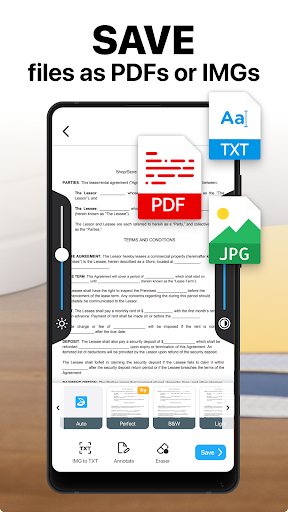
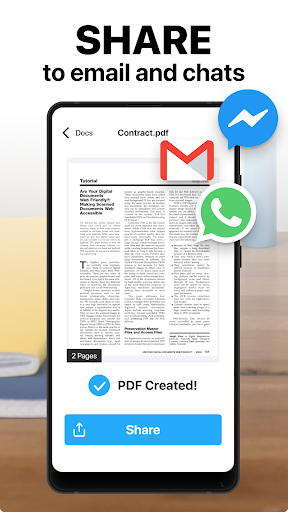
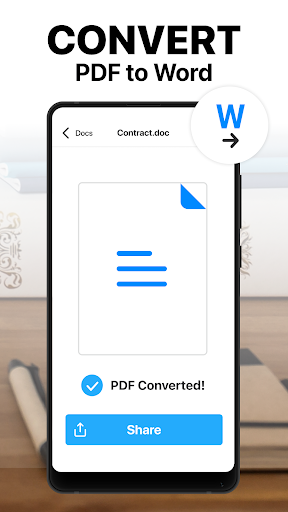
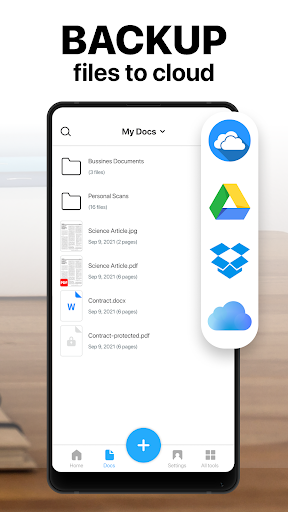
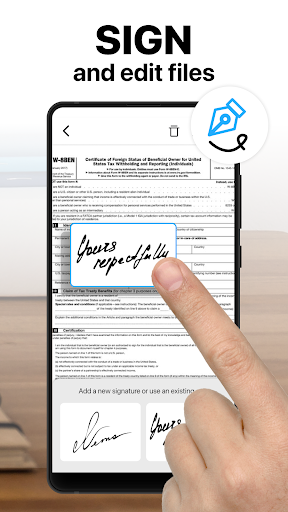
TapScanner makes a very strong first impression because it understands the core job of a mobile scanner app: take a messy real-world photo and turn it into something that looks clean, flat, readable, and ready to send. In day-to-day use, that is exactly what it does well. We used it for receipts, printed letters, multi-page forms, and a few awkwardly lit documents on a table, and the app consistently produced results that looked far closer to a dedicated scanner than a casual phone snapshot. The best part of the experience is how little friction there is between opening the app and getting a usable PDF. TapScanner feels built for people who need to scan something now, not for people who want to spend ten minutes learning a workflow. Point the camera, capture the page, and the app does a solid job of identifying the document edges without forcing you to fight with contrast-heavy outlines or repeatedly retake the image. That auto-detection is one of the app's biggest strengths. It often gets the page boundary right even when the background is imperfect, and when it does miss slightly, the correction tools are simple enough that adjusting the crop does not become a chore. Image cleanup is another area where TapScanner feels more polished than many utility apps. Filters, brightness adjustments, and general enhancement tools are not buried or overly technical. In practice, that means you can rescue a shadowy page, make a washed-out receipt more readable, or choose between color and black-and-white output depending on what you need to submit. For government forms, schoolwork, invoices, or contracts, this matters more than flashy extras. The app understands that legibility is the product. A second major strength is how well it handles practical document workflows beyond single-page scans. Multi-page capture is smooth, and turning a stack of pages into one PDF feels straightforward rather than clumsy. We also found the editing tools useful in the kind of real situations where scanner apps either become lifesavers or dead weight. Reordering pages, splitting a PDF, and sharing files quickly all help the app feel like more than just a camera with a PDF export button. If your goal is to scan a packet of forms, trim it down, and send it off from your phone without touching a desktop computer, TapScanner gets very close to that ideal. The third big advantage is accessibility for non-technical users. A lot of document apps are technically capable but intimidating in layout. TapScanner generally avoids that trap. Its interface is clean, and most actions are where you would expect them to be. Even when the app offers advanced tools like OCR, annotation, signing, or file organization, the basic scanning path remains understandable. That makes it a good fit for students, freelancers, remote workers, apartment hunters, and anyone who occasionally has to upload paperwork under time pressure. That said, TapScanner is not friction-free, and its biggest weakness is how quickly the app reminds you that the full experience lives behind a subscription. This is not unusual for the category, but it is still noticeable. The app can be used for free, and importantly, it can still be genuinely useful without paying. But the premium prompts are part of the experience, and if you are the kind of user who only scans a few pages every couple of months, the subscription model feels heavier than the task itself. The app makes most sense if scanning is a recurring part of your life, not an emergency one-off. The second drawback is advertising. Ads are common in free utility apps, and TapScanner is far from the worst offender, but they do interrupt the otherwise professional feel. When you are trying to scan and send an urgent document, any extra pause stands out. For users who value a clean, no-nonsense workflow, that free-tier clutter can be the difference between “helpful tool” and “slightly annoying necessity.” A third weakness is that while the app is easy to start using, some parts of the interface could explain themselves better. The core features are intuitive, but once you move beyond capture into organizing, editing, and exporting, there are moments where a brief tutorial or a bit more guidance would make the experience smoother. We never found the app confusing in a serious way, but we did hit the occasional point where it felt like TapScanner assumes you will figure out the rest by tapping around. Performance-wise, though, the app largely earns its reputation. The scans look sharp, page cleanup is effective, and the final documents are professional enough for official use. That is ultimately the test for this kind of app, and TapScanner passes it. It is particularly good for people who need fast, reliable document capture from their phone and want enough editing power to avoid moving files into another app later. Who is it for? TapScanner is for people who regularly deal with paperwork on the go: students submitting handwritten assignments, professionals handling contracts or receipts, gig workers sending forms, and everyday users who want their phone to stand in for a desktop scanner. It is also a good fit for anyone who values clean auto-cropping and quick PDF creation over fiddly manual controls. Who is it not for? If you only scan rarely and strongly dislike subscriptions, you may hesitate here. If you want a totally distraction-free free version with no ads or upsell pressure, TapScanner will probably feel a little too eager to convert you. Overall, our time with TapScanner was positive because it gets the fundamentals right. It is fast, dependable, and produces convincingly polished scans with very little effort. The monetization is the main compromise, but the scanning quality and practical PDF tools are good enough that the app remains one of the more recommendable options in this category.