Apps Games Articles
LinkedIn: Community & Network
LinkedIn
Rating 4.1star icon
Editor's summary
Editor rating
star icon star icon star icon star icon
half star icon
4.5

One-line summary LinkedIn remains the best all-in-one mobile hub for professional networking and job hunting, but its noisy notifications, occasional messaging quirks, and constant Premium nudges can wear down anyone who just wants a cleaner career tool.

  • Installs

    1B+

  • Developer

    LinkedIn

  • Category

    Business

  • Content Rating

    Everyone

  • Latest version

    4.1.1176

  • Package

    com.linkedin.android

In-depth review
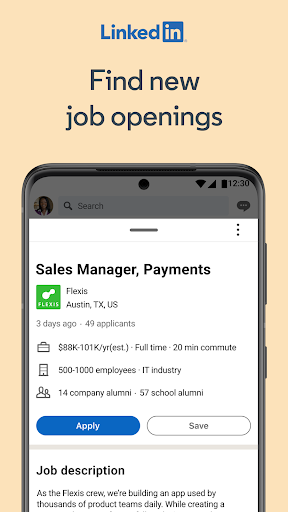
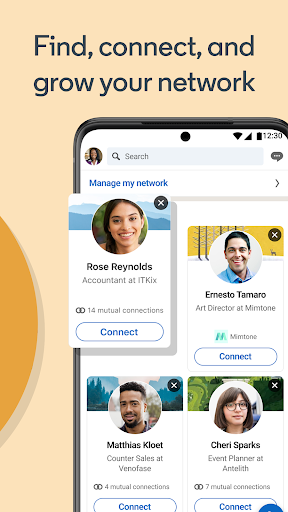
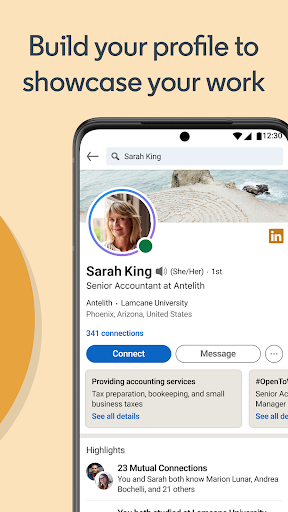
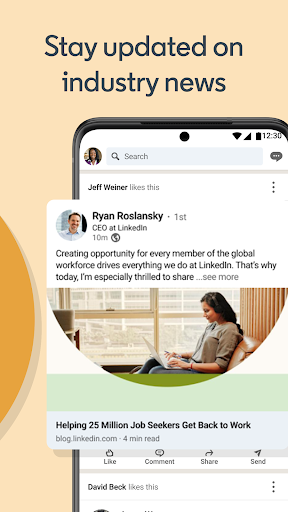
LinkedIn on Android feels like one of those apps that has grown beyond its original purpose without losing sight of what made it useful in the first place. After spending real time with it as a day-to-day professional tool, my main takeaway is simple: if you want one app that lets you maintain a public professional identity, keep tabs on your industry, and react quickly to job opportunities, LinkedIn still does that better than almost anything else on mobile. The first thing that stands out is how familiar and approachable the app feels. Even if you have used LinkedIn mostly on desktop, the mobile version translates the core experience surprisingly well. Profile editing, browsing jobs, checking notifications, replying to messages, and scrolling the feed all feel logically organized. The design is not flashy, but it is clean enough that you rarely have to guess where something lives. That matters more than it sounds, because this is an app people often use in small pockets of time: while commuting, between meetings, or when following up after making a new contact. In that context, LinkedIn works well. It opens quickly, navigation is straightforward, and for the most part it stays out of its own way. Its biggest strength is still the combination of networking and job discovery in one place. Many apps are good at one or the other. LinkedIn’s advantage is that your profile, your visible activity, your connections, and your job applications are all tied together. In practice, that makes the app feel more useful than a plain listings board. We found it especially convenient to move from reading a company update, to checking a recruiter’s profile, to browsing openings, to sending a quick message, all without leaving the app. That seamlessness is where LinkedIn earns its reputation. For students, job seekers, freelancers, consultants, recruiters, and anyone whose work depends on professional visibility, the app gives you a practical way to stay present in your field even when you are away from a laptop. A second major strength is how effectively LinkedIn encourages low-friction professional upkeep. Updating a headline, adding a role, sharing a post, commenting on an industry thread, or saving a job can all be done in moments. That makes the app genuinely useful for keeping your profile active rather than letting it become a static online resume. It is also a good place to absorb business and industry content in short bursts. The feed can be insightful when it surfaces relevant voices, collaborative articles, and hiring signals tied to your interests. The third strength is reliability. During regular use, the Android app feels mature. Core actions generally work the way they should, and it largely avoids the rough, unfinished feel that many large social apps suffer from. It is not perfect, but it feels established rather than experimental. That polish matters because LinkedIn is often used in higher-stakes moments: applying for a role, responding to a recruiter, or making a first impression with a new connection. That said, the app is not free of friction, and its biggest weakness is that it can become noisy. Notifications are useful when they tell you about a meaningful message, a job match, or an important profile interaction. But LinkedIn frequently pushes beyond that line. Depending on your tolerance, the stream of prompts, updates, and engagement nudges can start to feel less like a professional assistant and more like a social platform chasing your attention. The settings do allow you to tame some of this, but it takes effort, and the default experience can feel busier than it should. The second weakness is that messaging, while functional, is not always as clean as the rest of the app. It works well enough for basic professional conversations, but it does not always feel elegant. There are moments where starting or continuing a conversation feels more awkward than it should, especially compared with the otherwise polished profile and job-search experience. Promotional messages and outreach can also make the inbox feel less personal and more transactional. The third weakness is that LinkedIn’s Premium layer is never far from view. The free app is genuinely useful, and many people can get plenty from it without paying. But the app does remind you, often, that there is another tier with more data, visibility tools, and messaging options. Those nudges are not unusual for a free app, but they can make the experience feel slightly pushy, especially if you are already using LinkedIn mainly as a lightweight networking and job-search tool. There is also a more subtle limitation to the overall experience: the content culture can be tiring. LinkedIn is at its best when it is helping you discover work, learn from experts, or maintain real professional connections. It is less appealing when the feed drifts into formulaic self-branding and overly polished personal narratives. That is not a technical flaw, exactly, but it does shape how enjoyable the app feels over longer sessions. So who is this app for? It is absolutely for active professionals, job seekers, students building a career identity, freelancers looking for visibility, and anyone who wants an easy mobile way to maintain a professional presence. If your work benefits from being discoverable, connected, and informed, LinkedIn is close to essential. It is not for people who dislike social feeds, do not want frequent engagement prompts, or prefer a pure, minimal job board with no networking layer attached. Overall, LinkedIn: Community & Network succeeds because it turns professional maintenance into something you can actually do from your phone without compromise. It is polished, useful, and often genuinely valuable. Its annoyances are real, especially around notifications, inbox clutter, and Premium upselling, but they do not erase the fact that this is still one of the most practical career apps you can install.
Alternative apps