Apps Games Articles
Cisco Secure Client-AnyConnect
Cisco Systems, Inc.
Rating 4.0star icon
Editor's summary
Editor rating
star icon star icon star icon
half star icon
empty star icon
3.8

One-line summary Cisco Secure Client-AnyConnect is easy to trust when your workplace already runs Cisco infrastructure, but it’s hard to warmly recommend beyond that because the app feels built for IT policy first and everyday convenience second.

  • Installs

    5M+

  • Developer

    Cisco Systems, Inc.

  • Category

    Business

  • Content Rating

    Everyone

  • Latest version

    5.0.00247

  • Package

    com.cisco.anyconnect.vpn.android.avf

In-depth review
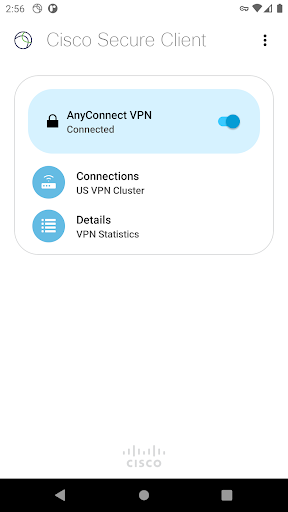
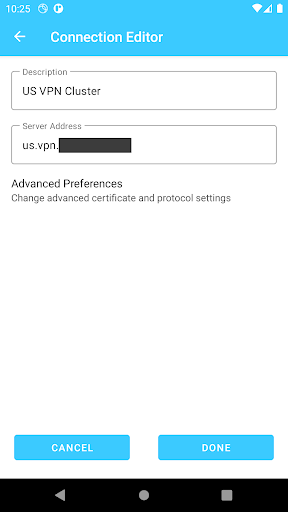
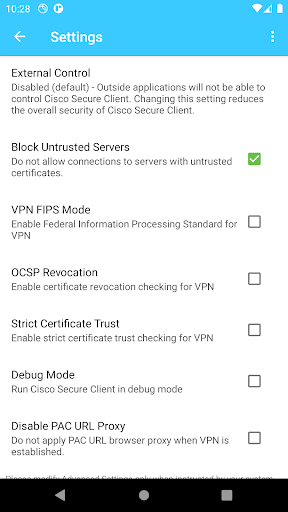
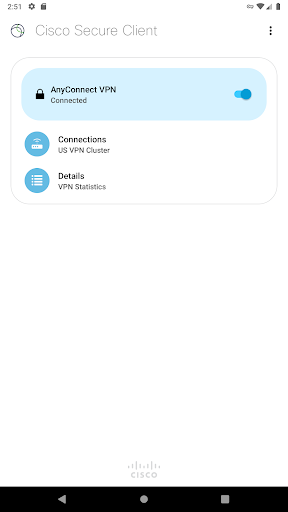
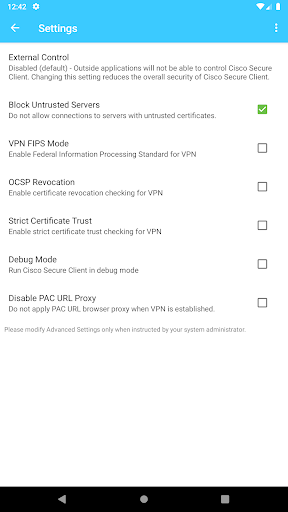
Cisco Secure Client-AnyConnect is one of those apps that makes the most sense once you stop judging it like a consumer VPN and start using it for what it actually is: a corporate access tool. After spending time with it in regular work-style use, that distinction becomes obvious almost immediately. This is not an app trying to charm you with flashy design, map screens, or one-tap privacy promises. It is a serious, security-first client built to connect Android devices to an organization’s network, and in that role it is mostly dependable, sometimes clunky, and very clearly shaped by enterprise priorities. The first thing that stands out is how little hand-holding there is. If your organization has already provided a server address, login flow, certificates, or onboarding instructions, getting connected is usually straightforward. You launch the app, import or enter what IT gave you, and the client gets down to business. Once configured, the core connection experience is solid. In day-to-day use, the app generally feels stable while tunneling traffic, and the underlying connection management inspires confidence. It reconnects sensibly when network conditions change, and it gives the impression that reliability matters more here than visual polish. That is exactly what many enterprise users need. The best part of Cisco Secure Client is that it feels serious in a good way. It does not encourage casual or insecure shortcuts just for the sake of convenience. That can be irritating if you are used to consumer-grade simplicity, but it also reflects the type of environment this app is designed for. In practice, that means it fits naturally into workplaces that require strict authentication, certificates, controlled tunnel behavior, and centrally managed settings. If your company already lives in the Cisco ecosystem, the app feels like a proper extension of that environment rather than a generic mobile add-on. A second strength is that the app keeps the essentials fairly clean. The interface is not beautiful, but it is not chaotic either. The main connection controls are easy enough to find, status information is readable, and once you are set up, using the app becomes routine. You open it, connect, authenticate, and move on. That simplicity matters because a work VPN should not demand attention all day. In our use, the app was at its best when it faded into the background and simply kept access alive for email, internal resources, and other secured work tasks. A third genuine positive is the breadth of enterprise-ready networking support implied by the app’s design. Even if average users never think about protocol options or policy handling, the product clearly benefits from being part of a mature corporate security stack. The experience feels more like using a managed access client than a stripped-down mobile utility. For organizations that need that depth, this is a feature, not a flaw. That said, Cisco Secure Client is not especially pleasant in the way great Android apps are pleasant. Its biggest weakness is that the app often feels utilitarian to a fault. There is very little warmth in the user experience. Menus and options read like they were arranged by infrastructure teams rather than by UX writers, and the app assumes a level of familiarity with enterprise networking that many ordinary employees simply do not have. If something goes wrong during setup, the app is not always great at translating that failure into plain-English guidance. It can leave less technical users feeling like they need to call IT before they even understand what the problem is. The second weakness is that convenience clearly takes a back seat to policy and security. Again, this is understandable, but it still affects the everyday experience. Depending on how your organization configures access, the login process can feel more formal than frictionless. That is acceptable for a business tool, but it means this is not an app you would describe as friendly. It asks the user to adapt to the organization’s rules, not the other way around. The third issue is that some platform and app limitations are hard to ignore. Cisco itself notes feature gaps on Android, and during use the app gives off the sense that mobile support is capable but not always feature-complete compared with what admins might expect from desktop environments. The mention of freezes on the Diagnostics screen also fits the overall feel of the app: the core VPN function is the priority, while secondary areas can feel less polished. I would not call it broken, but I would call it uneven. This leads to the key question: who is this app for? It is for employees, students, contractors, and administrators who need secure access to a Cisco-backed organization network and already have the necessary credentials and instructions. In that scenario, Cisco Secure Client does what it is supposed to do and generally does it with the seriousness you want from a security tool. It is not for people looking for a casual VPN, a privacy product for public Wi-Fi, or an app that explains everything in beginner-friendly language. If you do not have a Cisco-compatible environment behind it, the app will feel inaccessible and unnecessary. In the end, Cisco Secure Client-AnyConnect earns respect more than affection. I came away trusting its intent and its core reliability, but not loving the actual app experience. It works best when deployed into a well-managed environment where the user’s job is simply to sign in and stay connected. In that context, it is a strong tool. Outside that context, it feels cold, technical, and more demanding than many Android users will tolerate. For the right audience, that trade-off is perfectly acceptable. For everyone else, it is a reminder that enterprise software often values control and security far above comfort.
Alternative apps