Apps Games Articles
Music Player & MP3 - MMusic
ICC Tech
Rating 4.7star icon
Editor's summary
Editor rating
star icon star icon star icon star icon empty star icon
4.3

One-line summary MMusic is easy to recommend for its punchy sound, attractive interface, and genuinely pleasant offline playback experience, but the ad load and a few rough edges keep it from feeling like the undisputed king of local music players.

  • Installs

    10M+

  • Developer

    ICC Tech

  • Category

    Audio

  • Content Rating

    Teen

  • Latest version

    1.8.6

  • Package

    com.musicplayer.mp3.audio.mymusic.player

In-depth review
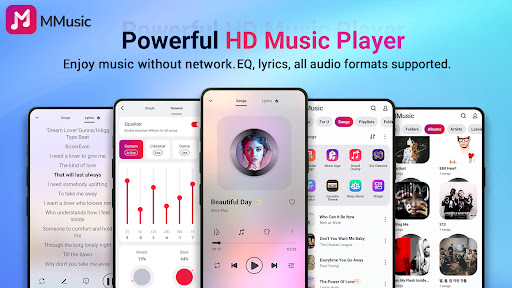
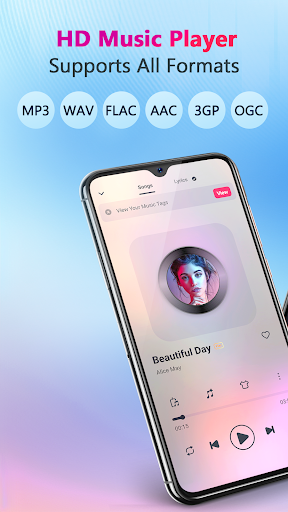
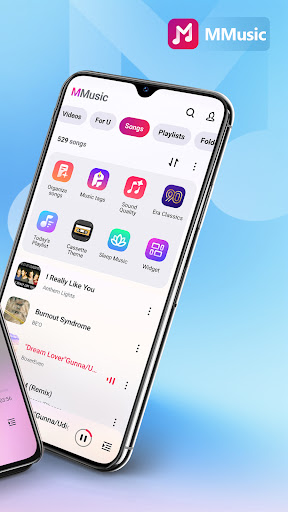
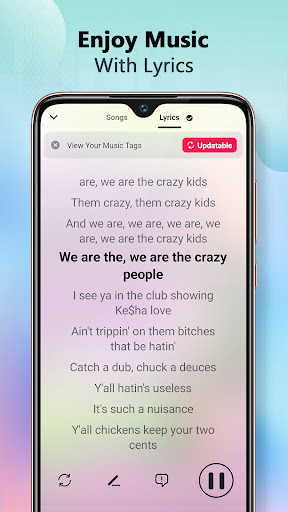
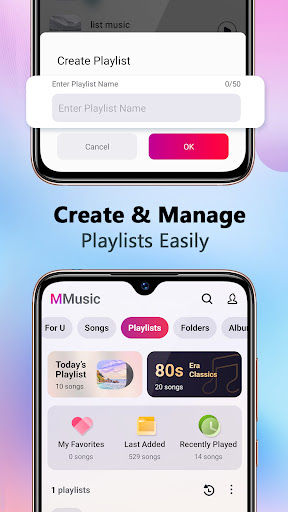
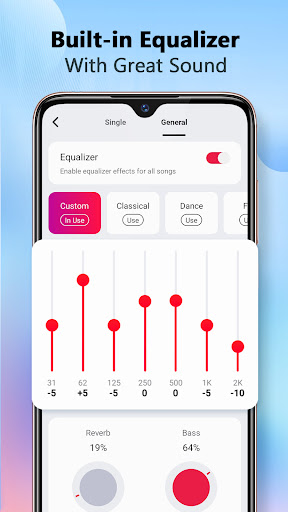
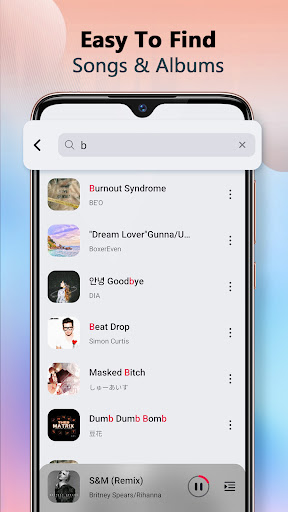
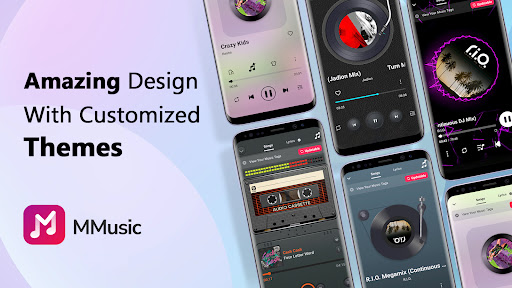
Music Player & MP3 - MMusic is the kind of app that tries to make local music playback feel exciting again. That may sound like a low bar in 2025, but anyone who still keeps a personal library of MP3s, FLAC files, or assorted audio downloads on their phone knows how uneven this category can be. Plenty of offline players either look dated, bury useful controls, or overcomplicate the simple act of pressing play. MMusic, to its credit, gets a lot of the fundamentals right from the moment you launch it. In day-to-day use, the app feels built for people who actually listen to stored music rather than treat it as a backup plan. It scans the device library quickly, sorts tracks into the expected views like songs, artists, albums, folders, and playlists, and makes it easy to jump back into whatever you were playing before. That organizational layer matters more than flashy claims, and MMusic generally handles it well. I never had the sense that I was fighting the app just to find an album or queue up a folder of tracks. For an offline player, that is half the battle. The first thing that stands out, though, is the presentation. MMusic clearly wants to be more than a bland file browser with a play button, and the visual design gives it some personality. The themed player views, including the retro-inspired tape and vinyl styling mentioned in the app profile, make the experience feel livelier than the average music app. Thankfully, this is not style at the expense of usability. Controls remain straightforward, and the interface is easy to read at a glance. It has a polished, consumer-friendly feel instead of the hobbyist look that some local players still have. The second big win is audio tuning. The built-in equalizer and effects are not just a box-ticking feature tossed onto the spec sheet; they are front and center in the experience. With the right headphones, MMusic sounds impressively full, and even casual listeners will notice that it gives tracks more punch and presence than a barebones player. Bass boost, presets, and sound shaping options add welcome flexibility, especially if your library jumps between older low-bitrate files, modern pop masters, and cleaner lossless tracks. I would not overstate it as some magical audiophile breakthrough, but it absolutely has that satisfying “this sounds better than expected” quality when you start tweaking. The third strength is that MMusic does a nice job making offline listening feel modern rather than compromised. Lyrics support adds some extra life to the player, and features like smart playlists and auto-sorting help the library feel active instead of static. If you spend a lot of time listening on commutes, at work, or in places where streaming is unreliable or simply unnecessary, this app makes a strong case for returning to a downloaded-music routine. That said, MMusic does not stay out of its own way all the time. The biggest annoyance is ads. On a free app, ads are not surprising, but here they can become intrusive enough to break the mood, especially in an app whose entire purpose is relaxed, uninterrupted listening. The core playback is usable without paying, but the ad pressure is noticeable, and it undermines some of the goodwill created by the otherwise polished interface. This is the main reason I hesitate to call it an instant recommendation for everyone. A second issue is that not every advanced feature feels equally smooth. The app offers a lot beyond simple playback, but once you go deeper into customization and sound controls, some parts feel less refined than the core player. You can sense where the app is ambitious, yet not every extra layer lands with the same consistency as the basic browsing-and-playing experience. Most users will be perfectly happy sticking to the main functions, but tinkerers may run into the occasional moment where a feature feels clunkier than it should. The third weakness is that playback flow can occasionally feel a bit uneven when you expect the app to be invisible. A good music player should fade into the background and let the music take over. MMusic mostly does that, but small interruptions, whether from ads or from occasional friction in playlist handling and song progression, remind you that this is still a free utility app trying to do a lot at once. So who is this app for? It is for Android users with a real local music collection, people who care about sound shaping, and anyone who wants an offline player that feels modern and attractive rather than purely functional. It is especially appealing if you like tweaking EQ settings, browsing by folders or albums, and using a player that gives your library some visual flair. Who is it not for? If you are extremely sensitive to ads, want a totally minimalist experience, or expect every extra feature to feel premium and flawless, MMusic may irritate you over time. It is also not really aimed at people who live entirely inside streaming services and only occasionally open a local file. After spending time with it, my impression is that MMusic earns its popularity. It sounds good, looks better than most rivals, and handles the essentials of offline playback with confidence. It is not perfect, and the monetization can be distracting, but as a free Android music player for local files, it is one of the more enjoyable options I have used. If your priority is making your downloaded music library feel fun and full-bodied again, MMusic is well worth trying.