Apps Games Articles
Shazam: Find Music & Concerts
Apple Inc.
Rating 4.8star icon
Editor's summary
Editor rating
star icon star icon star icon star icon
half star icon
4.8

One-line summary Shazam remains the easiest music-ID app to recommend because it is absurdly fast and frictionless, though heavy users may still wish its song-history management and occasional edge-case matching were smarter.

  • Installs

    500M+

  • Developer

    Apple Inc.

  • Category

    Audio

  • Content Rating

    Teen

  • Latest version

    VARY

  • Package

    com.shazam.android

In-depth review
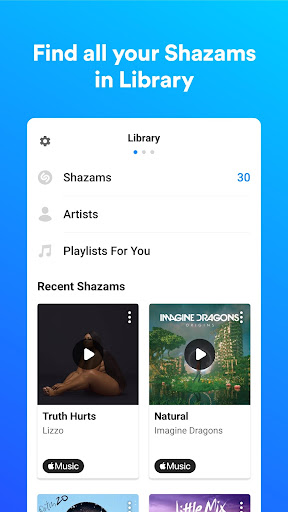
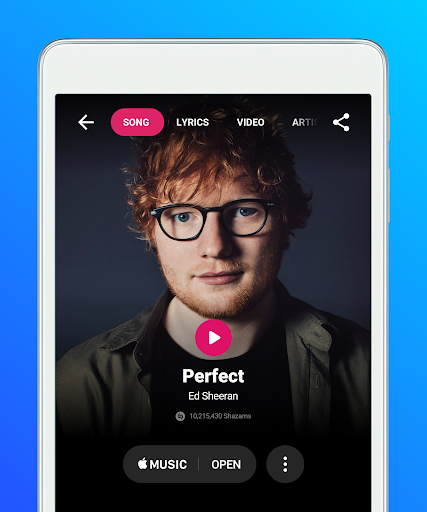
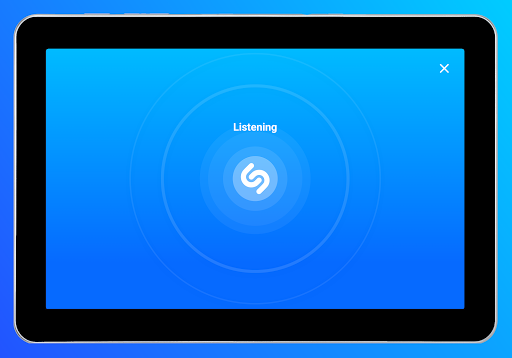
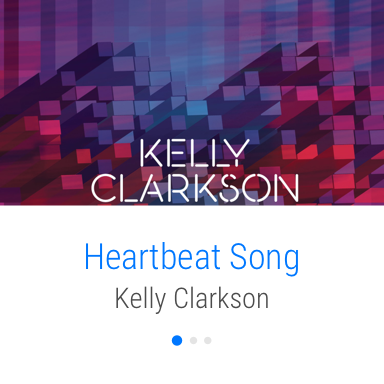
Shazam is one of those rare apps that still feels a little magical even after you know exactly what it does. I spent time using it the way most people actually would: hearing a song in a café, catching a track in a social video, trying to identify background music from a TV show, and using it while juggling other apps at the same time. In daily use, the biggest thing that stands out is not just that it works, but how little effort it asks from you. Open the app, tap the giant Shazam button, and within seconds you usually have an answer. That speed matters more than it sounds on paper. Songs in the real world do not wait for you. They fade out in a store, get drowned by conversation, or vanish when someone swipes to the next clip. Shazam is at its best in exactly those moments. It launches quickly, the core action is obvious, and it gets to recognition fast enough that you do not feel like you are wrestling with the app while the music slips away. That is the first major strength here: ease of use. Shazam has been polished to the point where almost anyone can use it immediately. The interface is clean, the main action is unmistakable, and useful extras like the notification shortcut and widget make it even faster to trigger when you hear something unexpectedly. I especially liked using it from the notification area while other audio-heavy apps were open. That makes Shazam feel less like a destination app and more like a utility you keep on standby. The second strength is recognition quality. During testing, it reliably picked up mainstream songs, dance tracks, and even some less obvious material with very little waiting. It also handled imperfect conditions better than I expected. A song playing softly in the background of a room, music under dialogue, and tracks nearing the end all still had a good chance of being identified. It is not invincible, and I did hit moments where it either took longer than expected or failed to lock onto something especially obscure or noisy, but the hit rate is high enough that when it misses, it feels like an exception rather than the rule. The third strength is that the app does something useful after the recognition. Many apps are good at the “aha” moment and then dump you at a dead end. Shazam gives you a practical next step. Once it finds a song, you can jump to streaming services, view lyrics, and often use that result as the start of a deeper rabbit hole. In practice, this makes it great not just for settling “what song is this?” but for actually building playlists and saving discoveries before they disappear from memory. Your history becomes a running log of songs you encountered in real life, and that history is one of the app’s quietest but best features. There are also thoughtful touches that make it feel dependable rather than flashy. Offline support is genuinely useful. If you are somewhere with poor connectivity, Shazam can still capture the request and resolve it later when you are back online. Auto Shazam is another feature that can be very handy in the right context, especially when you are watching something with multiple songs or want to keep identifying tracks over a longer stretch without constantly tapping. That said, Shazam is not perfect, and its weaknesses mostly show up once you move beyond the core one-tap recognition. The first annoyance is that song history can get messy over time. If you Shazam often, duplicates pile up quickly, and managing a large library of past results is not as elegant as the app’s main recognition experience. The app is wonderful at capturing songs in the moment, but less wonderful at helping heavy users clean up and organize that archive later. The second weakness is that accuracy, while excellent overall, is not flawless in difficult scenarios. In loud environments, with multiple overlapping audio sources, or with particularly obscure tracks, Shazam can hesitate or occasionally latch onto the wrong result. That is understandable given the problem it is solving, but it is worth noting because the app feels so good so often that any miss stands out sharply. The third weak point is that some convenience features can be a little inconsistent or dependent on settings behaving nicely. Background access and notification-based use are part of what makes the app so seamless, but depending on your phone and how aggressively it handles permissions or battery management, those shortcuts may need occasional attention. It is not enough to ruin the experience, but it does slightly chip away at the “it just works” ideal. Who is this app for? Almost anyone who loves music, watches a lot of short-form video, hears songs in public and wants to save them instantly, or likes building playlists from everyday discoveries. It is also excellent for people who do not want a learning curve. If all you want is “hear song, identify song, save song,” Shazam is still the standard. Who is it not for? If you want a deeply organized music cataloging tool, or if you expect 100 percent perfect recognition in chaotic real-world audio, you may run into its limits. And if you rarely care what is playing around you, the app may sit mostly idle on your phone. Still, after using it extensively, the verdict is easy. Shazam succeeds because it nails the moment that matters most: curiosity interrupted by a great song. It is fast, polished, and genuinely useful, with just enough extra depth to turn recognition into discovery. Even now, years into its life, it remains one of the simplest and most satisfying utility apps you can install.