Apps Games Articles
Webex Meetings
Cisco Systems, Inc.
Rating 4.5star icon
Editor's summary
Editor rating
star icon star icon star icon star icon
half star icon
4.5

One-line summary Webex Meetings is easy to recommend for its consistently strong call quality and dependable mobile experience, but I’d hesitate if you want the lightest, slickest interface or the most forgiving app on weak data and older phones.

  • Installs

    50M+

  • Developer

    Cisco Systems, Inc.

  • Category

    Business

  • Content Rating

    Everyone

  • Latest version

    VARY

  • Package

    com.cisco.webex.meetings

In-depth review
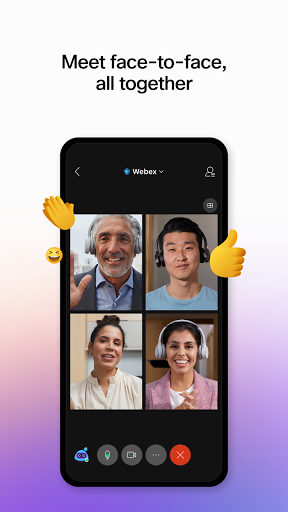
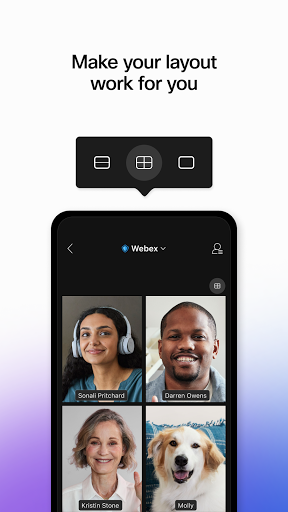
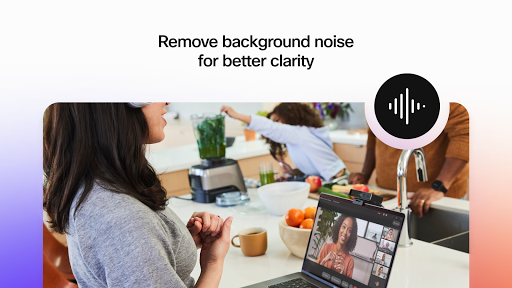
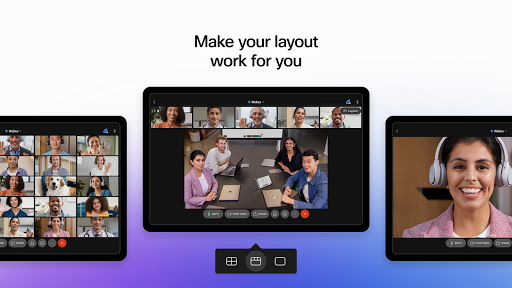
Webex Meetings feels like an app built by people who care more about making the meeting actually work than about dazzling you with visual flair, and after spending time with it on Android, that approach mostly pays off. This is not the most playful or trendiest meeting app on Google Play, but it is one of the more dependable ones. In daily use, that matters more. Getting into a meeting is straightforward. The app does a good job of reducing the usual friction that comes with mobile conferencing: install, tap the link or enter the meeting details, grant permissions, and you are in. I never felt like I had to fight the app just to join a call, which is still the single most important test for software like this. Webex passes that test well. For occasional users joining a class, a work call, a telehealth session, or a hearing, the learning curve is refreshingly low. Once inside a meeting, the strongest thing about Webex is the fundamentals. Audio quality is excellent. Voices come through clearly, and the app seems well tuned for the practical reality of people joining from mixed environments: office headsets, laptop microphones, phones on cellular data, and rooms with less-than-ideal acoustics. Video is also generally crisp, and when the connection is stable, meetings feel smooth and professional. In my time using it, I had far fewer moments of awkward delay, robotic audio, or frozen faces than I expected from a mobile-first session. That reliability extends to larger meetings too. Webex feels comfortable in both small group conversations and more formal, structured sessions. It never gave me the impression that it was only really good for one-on-one calls. Features like chat, reactions, screen sharing, polls, recording support, and layout controls make it feel complete rather than stripped down. It is the kind of app where most people will find what they need without digging too deep into menus. Another thing I liked is that Webex does not feel excessively intimidating for first-timers. The interface is reasonably clean, and the core controls are where you expect them to be: mute, camera, leave, chat, and participant tools. If you are the sort of person who dreads joining a meeting on your phone because every app seems to hide a basic control somewhere different, Webex is less annoying than many alternatives. It is clearly designed for real-world use by people who just need to get through the meeting without technical drama. That said, this is not a flawless Android app. The first recurring weakness is that the interface, while functional, is not always the most polished or intuitive once you move beyond the basics. Chat in particular can feel clunky. In active meetings, reading older messages while new ones arrive is not as graceful as it should be, and a few controls could be easier to reach. This is one of those apps that earns praise for usability at the entry level, but also leaves you thinking the experience could be refined for heavier users. The second weakness is performance efficiency. Webex runs well, but it does not always feel especially light. On longer meetings, battery drain can become very noticeable, and on some devices the app can feel a bit demanding. If you are on a phone for an extended call, keeping a charger nearby is simply smart. Background effects and video processing add convenience, but they also seem to increase the sense that the app is working your hardware fairly hard. The third issue is network behavior under less ideal conditions. Webex can handle shaky connectivity surprisingly well at times, and I appreciated that it tries to adapt instead of just falling apart. But it is not immune to stalls, frame drops, or the occasional disconnect, particularly when mobile data gets inconsistent. I also came away with the impression that it can be a bit data-hungry compared with the most optimized alternatives. If you spend your day on limited mobile bandwidth, that is worth remembering. There are also a few smaller annoyances that add up. Some visual customization and layout behaviors feel more rigid than they should. Certain background options and camera presentation choices are not always as flexible or reliable as expected. Password entry and language behavior could also be handled more elegantly. None of these are deal-breakers on their own, but they keep Webex from feeling truly best-in-class in day-to-day comfort. Still, what Webex gets right is more important than what it gets wrong. It is stable, clear, and broadly easy to use. The app gives off a reassuringly serious vibe: not flashy, not messy, and not likely to embarrass you during something important. That makes it especially well suited for professionals, teachers, students, remote teams, and anyone who values dependable audio-video quality over bells and whistles. It is also a strong fit for users who frequently join meetings from a phone and want an app that does not require much babysitting once the call starts. Who is it not for? If you want the absolute lightest app for low-end devices, the most elegant chat experience, or the most consumer-friendly set of creative video tools, Webex may feel a little stiff. Power users who obsess over interface polish and granular controls may also find it less flexible than they would like. Overall, Webex Meetings succeeds where meeting apps most often fail: it makes joining and staying in a meeting feel routine instead of stressful. It is not perfect, and it still has room to improve in efficiency, interface polish, and a few mobile-specific details, but its core experience is strong enough that I would happily keep it installed. When I open a meeting app, my main hope is that it gets out of the way and lets the conversation happen. Webex does that better than most.