Apps Games Articles
Photo Recover Plus - Restore
AbCdE
Rating 3.3star icon
Editor's summary
Editor rating
star icon star icon star icon empty star icon empty star icon
3.1

One-line summary Photo Recover Plus - Restore is easy enough to try when you need a quick scan for lost files, but its middling polish and only-average confidence factor make it hard to recommend as a must-have recovery tool.

  • Installs

    500K+

  • Developer

    AbCdE

  • Category

    Tools

  • Content Rating

    Everyone

  • Latest version

    1.24

  • Package

    com.photoplus.recoverplus.photorecover

Screenshots

In-depth review
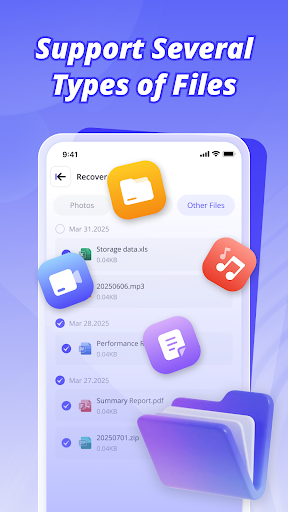
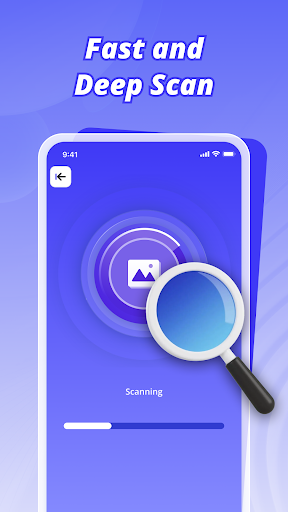
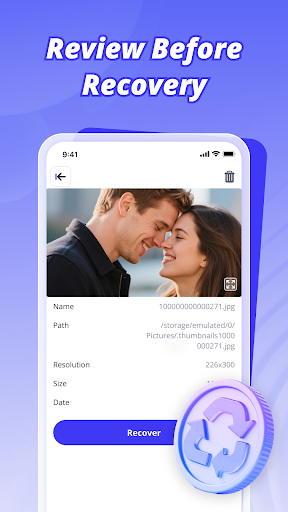
Photo Recover Plus - Restore is the kind of utility you install in a small panic. You delete a batch of photos, lose track of a video, or realize an old file is missing, and suddenly you want a recovery app that feels fast, simple, and trustworthy. After spending time with it, that is more or less where this app lands: it gives you a straightforward recovery-style experience without making things overly technical, but it never quite reaches the level of confidence or refinement that would make it an easy top recommendation. The first thing I noticed is that the app understands its audience fairly well. This is not built like a specialist forensic tool for power users. It is aimed at regular Android owners who want to open an app, run a scan, and see if anything useful appears. In that respect, Photo Recover Plus - Restore gets an important part right. The interface is generally easy to understand, and the core promise is obvious from the moment you launch it: look for deleted photos, videos, and other files, then restore what you can. There is very little learning curve, which matters in an app category that people usually approach under stress. In day-to-day use, the app feels most convincing when dealing with photos. The presentation is approachable, and being able to look through recoverable images before taking action is one of its better qualities. That preview-oriented flow helps prevent guesswork. You are not just tapping restore blindly and hoping for the best; you can at least get a clearer sense of what the app has found. That makes the photo side of the app feel more usable than many generic file tools that bury results in a cluttered list. Video and file recovery are also part of the pitch, and it is good to see the app trying to cover more than just images. In practical terms, that broader scope makes the app worth trying if your problem is not limited to your gallery. Having one tool that attempts to scan for media and common file formats is convenient, especially for casual users who do not want to juggle multiple utilities. The app also avoids the immediate intimidation factor that some recovery tools create by talking like desktop data-repair software. Here, the tone is lighter and the process is simpler. That said, simplicity only goes so far in this category. A recovery app lives or dies by the confidence it creates, and Photo Recover Plus - Restore does not fully earn that confidence. The overall experience is decent, but not especially polished. At times it feels more functional than reliable, and that distinction matters. When you are trying to recover something important, “good enough” is a weaker feeling than it would be in a casual photo editor or wallpaper app. I never got the sense that the app was careless, but I also did not get the impression of a highly mature utility with rock-solid transparency around what it can and cannot recover. Another weak spot is that the app’s broad recovery claims create expectations that the actual experience may not consistently satisfy. It sounds ambitious, covering deleted photos, videos, and many file types, but in use the value depends heavily on what exactly you are trying to recover and how recently it disappeared. That is normal for recovery apps in general, but Photo Recover Plus - Restore does not do enough to make the process feel especially informative or reassuring when results are mixed. You can scan, browse, and attempt restoration, but there is still a lingering sense that you are testing possibilities rather than using a deeply dependable rescue tool. Ads are also part of the package, and while that is understandable in a free utility, they do affect the tone of the experience. Recovery is already a tense use case. Interruptions, visual clutter, or anything that slows the path from scan to results can make the app feel less professional than it needs to be. Free is a strength here, but free with ads in a utility app is always a trade-off, and you feel that trade-off more sharply when the app is dealing with personal files rather than casual entertainment. To the app’s credit, it does succeed at being accessible. It is the sort of tool I could hand to a less technical family member without needing to explain much. The no-fuss design, broad file focus, and relatively approachable workflow are all genuine positives. There is also a certain immediacy to it: you install it, scan, look through findings, and decide what is worth recovering. For someone who just wants a simple first attempt before exploring more advanced options, that can be enough. Where I hesitate is in recommending it as the app to trust first for anything truly critical. The store rating sits in the middle for a reason, and the app’s own feel reflects that middle-ground position. It is not a disaster, and it is not unusable. In fact, some people will likely find it perfectly adequate for casual recovery jobs, especially photo hunting. But it also does not project the kind of consistency, polish, and confidence that make a recovery app feel essential. So who is it for? It is for everyday Android users who want a free, low-barrier recovery tool with an easy interface and a quick route to scanning deleted-looking photos, videos, and files. It is especially suitable if your expectations are modest and you are comfortable treating it as a first recovery attempt rather than a guaranteed solution. Who is it not for? It is not for users who need a highly polished, deeply transparent, professional-grade recovery experience, or for anyone who gets frustrated by ads and wants a cleaner utility workflow. If the missing data is extremely important, this app feels more like a convenient shot than a dependable last line of defense. In the end, Photo Recover Plus - Restore is usable, approachable, and broad enough to be worth a try, but it stops short of feeling authoritative. It can help, especially with simple photo recovery scenarios, yet it does not fully shake the sense that you are using a decent free tool rather than a truly trustworthy recovery companion.
Alternative apps