Apps Games Articles
Google Go
Google LLC
Rating 4.3star icon
Editor's summary
Editor rating
star icon star icon star icon star icon
half star icon
4.5

One-line summary Google Go is easy to recommend if you want a fast, tiny, no-fuss way to search on a budget phone, but power users may bounce off its missing extras and a few rough edges like limited display options.

  • Installs

    1B+

  • Developer

    Google LLC

  • Category

    Tools

  • Content Rating

    Everyone

  • Latest version

    VARY

  • Package

    com.google.android.apps.searchlite

Screenshots
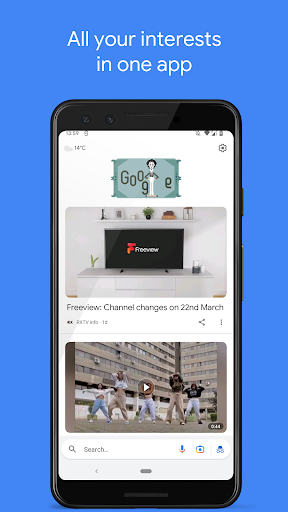
In-depth review
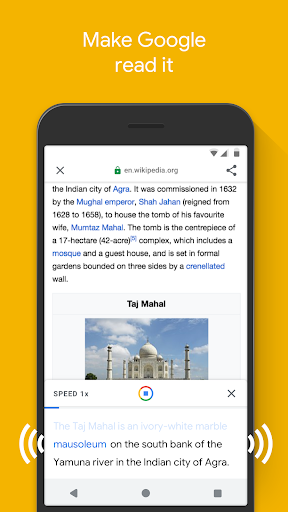
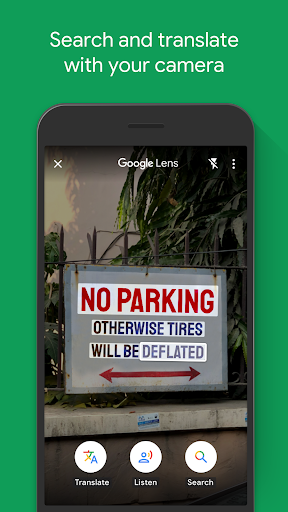
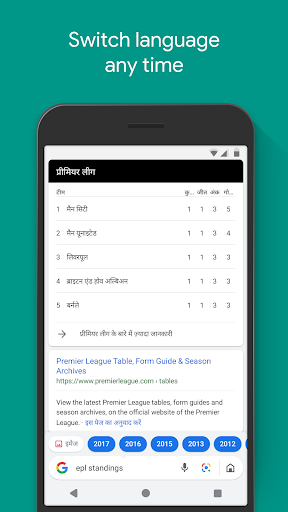
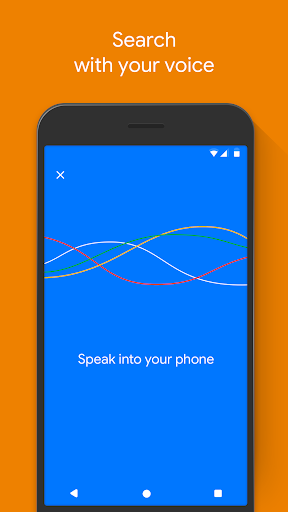
Google Go feels like one of those apps that understands exactly what it is supposed to do and, most of the time, sticks to that mission. After spending time with it as an everyday search tool, the clearest takeaway is that this is not trying to be a full desktop-class browser replacement or a feature-maxed version of the main Google app. It is trying to get you from “I need to know something” to “here’s the answer” as quickly as possible, while taking up very little room on your phone. In practice, that focus works remarkably well. The first thing that stands out is speed. On modest hardware, Google Go opens quickly and feels snappy in a way many heavier apps do not. Search starts almost immediately, the home screen is uncluttered, and basic results load with very little drama. If your phone has limited storage, limited RAM, or a slower connection, Google Go makes an unusually strong first impression. It never feels luxurious, exactly, but it feels efficient, and there is a real difference between an app that is merely small and one that is small without feeling crippled. Google Go usually lands on the right side of that line. That lightweight design is its first big strength. At around 12MB, it is the kind of app you install without having to think about what else you need to delete. On lower-end phones, that matters a lot. Even on newer devices, there is something refreshing about using a Google product that does not feel bloated. The app launches fast, presents the essentials clearly, and gets out of the way. The second strength is how approachable it is. Google Go reduces friction in small but meaningful ways. The search interface is simple, voice search is easy to access, and the app’s shortcuts to websites, images, videos, and other common destinations make it feel friendly rather than intimidating. I particularly liked using it for quick lookups: definitions, simple facts, image searches, nearby information, and casual browsing. If your typical search habit is “I need an answer now” rather than “I’m about to do 45 minutes of research,” Google Go feels excellent. Its third notable strength is that it bundles genuinely useful tools instead of gimmicks. The read-aloud function is one of the better examples. Having web content read back to you, with words highlighted as it goes, is practical for accessibility, multitasking, and language support. The camera-powered search and translation features also add real convenience when you encounter printed text, signs, labels, or unfamiliar words in the real world. These additions make Google Go feel more capable than its tiny footprint suggests. Still, the app’s minimalism does come with trade-offs, and that is where the review gets more complicated. The biggest weakness is that advanced users will quickly notice what is missing. Google Go is great at quick retrieval, but it is less satisfying when you want a richer browsing or research experience. If you routinely open lots of tabs, dig into advanced search behavior, or expect the depth and flexibility of a full browser or the full Google app, this version can feel a little thin. I found myself reaching for another browser when I wanted to go beyond quick facts, skim multiple sources at length, or manage more involved browsing sessions. A second weakness is that some interface and customization options feel undercooked. The app is pleasant enough visually, but not especially flexible. A dark mode would make a big difference during nighttime use, and its absence is noticeable because the bright interface can feel harsh. On larger screens, the experience also does not feel fully optimized. It works, but it does not always feel thoughtfully adapted for tablets or different orientations. This is still very much a phone-first utility app. The third weakness is that certain interactions can feel a bit simplified to the point of frustration. Google Go’s strength is speed, but that same streamlined design sometimes makes the app feel less configurable than it should be. If something about the experience is not working the way you want, there may not be much room to adjust it. That will not bother everyone, but users who like to fine-tune their apps may find it limiting. In daily use, though, Google Go wins more often than it loses. It is genuinely pleasant to have an app that opens quickly, handles voice and text search without fuss, and does not punish older phones. It is especially well suited to students, casual users, people with entry-level Android devices, and anyone who wants Google search without carrying the weight of a larger app. It is also a smart pick for users who rely on quick image searches, voice lookups, lightweight web reading, or the occasional camera-based translation. It is not the best fit for people who treat search as the start of deep browsing sessions, nor for those who want a polished tablet experience, advanced controls, or the richer feature set of a full browser. If your demands are heavier, Google Go will probably feel like a useful secondary tool rather than your only web companion. Even with those limitations, I came away impressed. Google Go succeeds because it knows its role: fast, light, reliable, and practical. It does not try to be everything, but for the kind of user it targets, that restraint is exactly why it works. If your phone is short on storage, your connection is inconsistent, or you simply want a cleaner and quicker way to search, Google Go is one of the easiest recommendations in its category.