Apps Games Articles
Photo Recovery-File Rescue
Technology Hub Pro
Rating 4.2star icon
Editor's summary
Editor rating
star icon star icon star icon star icon empty star icon
4.2

One-line summary Photo Recovery-File Rescue is easy to pick up and surprisingly effective for everyday deleted-photo emergencies, but I’d hesitate if you expect desktop-grade recovery depth or a completely distraction-free experience.

  • Installs

    1M+

  • Developer

    Technology Hub Pro

  • Category

    Tools

  • Content Rating

    Everyone

  • Latest version

    V1.1.7

  • Package

    com.file.photo.recovery.deleted.restore

Screenshots
In-depth review
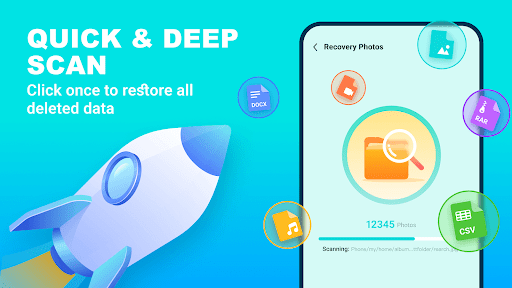
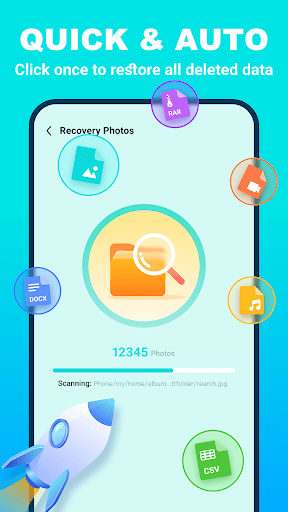
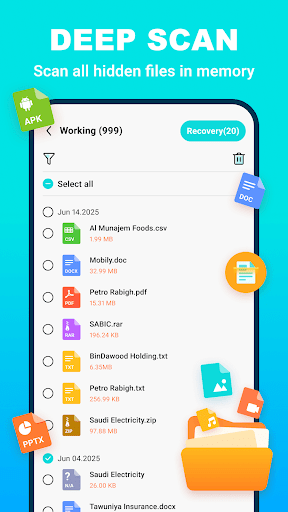
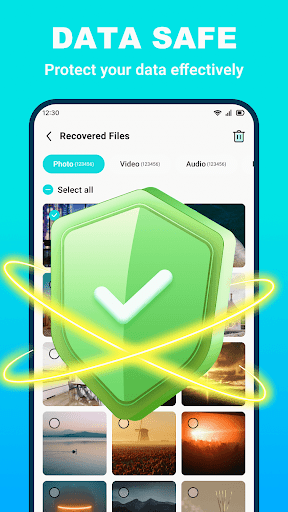
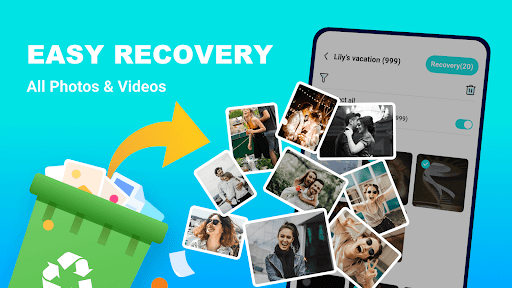
Photo Recovery-File Rescue is one of those Android utility apps that people usually install in a moment of panic: a gallery folder is suddenly empty, a few videos are gone, or a document disappears after an overenthusiastic cleanup. I approached it with the same question most people will have: can this app actually recover useful files without turning the process into a confusing mess? After spending time with it, the short answer is that it does a solid job of feeling approachable. This is not a highly technical forensic tool dressed up for professionals. It is clearly designed for ordinary phone users who want a simple path from “I lost something” to “show me what can still be found.” That simplicity is one of its biggest wins. The app gets you into the scan flow quickly, and the basic logic is easy to understand: choose what you want to look for, let it scan, then preview and recover what appears to be salvageable. For a recovery app, that matters more than it sounds. A lot of utilities in this category feel intimidating, cluttered, or suspicious. This one is comparatively straightforward. In practical use, the app’s strongest area is photo recovery. That is also where its value is easiest to judge. It found a meaningful number of image files in testing, including photos that had been removed from normal view but were still apparently recoverable from local storage traces or cached locations. The preview step is genuinely useful here. Instead of restoring blindly, I could quickly sort through what looked relevant and skip obvious duplicates or files I didn’t care about. That saved time and made the app feel more trustworthy, because it was showing its work rather than asking for blind faith. The second thing I liked is speed, at least in the early part of the process. Initial scans do not feel painfully slow, and the app gives the impression that it is actively searching rather than stalling behind a vague loading wheel. On a modern Android phone, that responsiveness helps reduce the frustration that naturally comes with file recovery. If all you want is to attempt a rescue of recent photos, short videos, or a handful of files, the experience feels light enough that you won’t mind trying it. A third strength is that it does not seem built around requiring advanced setup. The fact that it presents itself as a no-root solution makes it much more realistic for mainstream users. Most people are not going to root their devices just to chase down a few deleted pictures, and they should not have to. Photo Recovery-File Rescue plays into that convenience-first mindset well. That said, this is not a miracle worker, and it is important to set expectations correctly. The biggest weakness is that recovery quality can feel inconsistent depending on the file type and probably on how long ago the deletion happened. Photos are the clearest success case. Once you move beyond that into broader file recovery promises like videos, documents, or contacts, the app feels less confidently impressive. It may find items, but not every category feels equally dependable in day-to-day use. If your goal is recovering one irreplaceable business document or a very specific older file, this does not inspire the same confidence as a more specialized desktop recovery environment. Another issue is that the scan results can feel a little noisy. Recovery apps often surface thumbnails, cached images, duplicates, and files that are technically present but not actually the exact thing you thought you deleted. Photo Recovery-File Rescue is not immune to that problem. The preview helps, but there is still some digging involved. If you are expecting one perfectly filtered folder labeled “here are your deleted photos,” you may be disappointed. The app is useful, but it is not magically precise. The third drawback is polish. While the app is easy enough to navigate, it still carries some of the rough edges common to utility apps in this category. The overall feel is functional rather than refined. There are moments where the presentation does not fully match the seriousness of the task, and because this is an ad-supported free app, the experience can lose some momentum. It never became unusable for me, but it also never felt premium. What keeps the app on the positive side of the ledger is that it understands the core emotional need behind recovery software: speed, clarity, and a chance of getting something back. In that sense, it succeeds more often than not. If you accidentally deleted photos, cleaned out media too aggressively, or want a first recovery attempt directly on your phone, this app is easy to recommend. It is especially good for casual users, family members, and anyone who wants a simple local scan without diving into technical jargon. Who is it not for? Power users expecting forensic-level recovery, professionals handling critical data, or anyone who needs guaranteed results from deeply overwritten storage should keep expectations in check. This app is best treated as a convenient consumer rescue tool, not a last-resort digital lab. Overall, Photo Recovery-File Rescue earns its place as a worthwhile Android utility because it does the basics well: it is approachable, reasonably quick, and genuinely capable of surfacing recoverable media. Its limitations are real, particularly around result precision and consistency across file types, but for the most common use case—trying to get deleted photos back before panic sets in—it feels useful rather than gimmicky. That is more than can be said for a lot of apps in this crowded category.
Alternative apps