Apps Games Articles
Neon LED Keyboard - RGB Lighting Colors
AZ Mobile Software
Rating 4.7star icon
Editor's summary
Editor rating
star icon star icon star icon star icon empty star icon
4.3

One-line summary Neon LED Keyboard is an easy recommendation for anyone who wants a flashy, highly customizable keyboard without much setup, but the constant ads and a few missing everyday typing conveniences keep it from being a no-brainer.

  • Installs

    50M+

  • Developer

    AZ Mobile Software

  • Category

    Personalization

  • Content Rating

    Everyone

  • Latest version

    2.4.2

  • Package

    com.cutestudio.neonledkeyboard

Screenshots
In-depth review
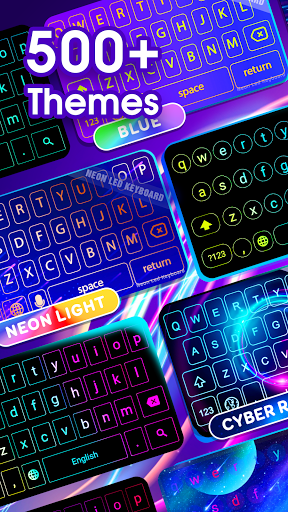
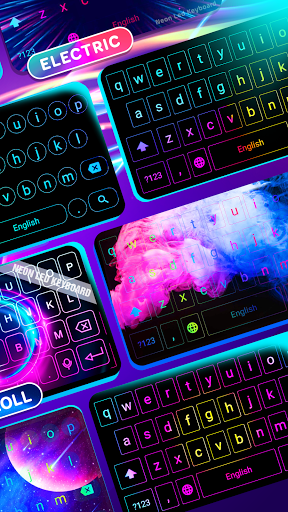
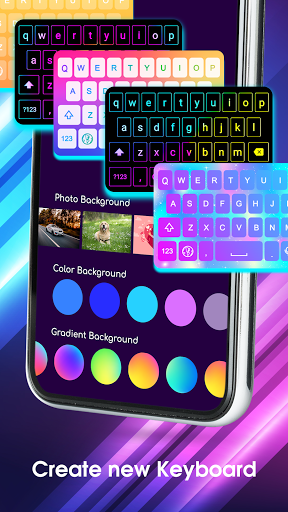
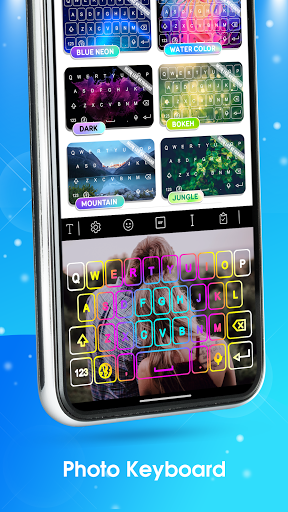
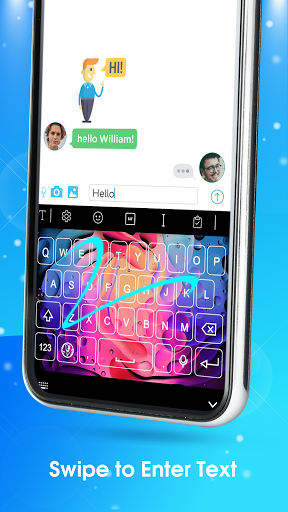
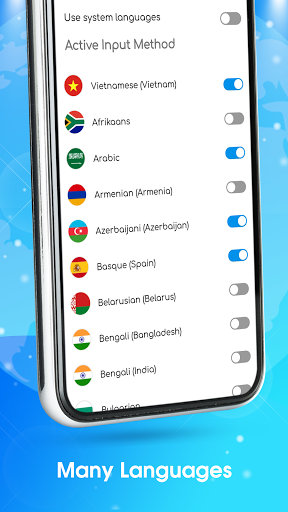
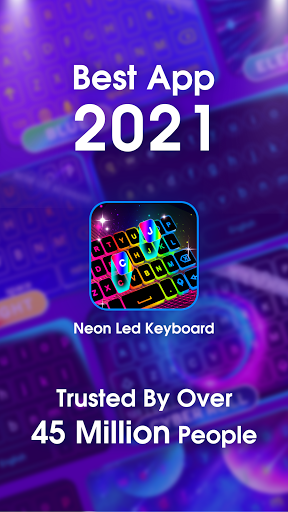
Neon LED Keyboard - RGB Lighting Colors knows exactly what it wants to be: a keyboard that turns your phone into a miniature light show. After spending time using it as a daily keyboard rather than just poking around the theme gallery, I came away impressed by how approachable and immediately satisfying it is. This is not one of those personalization apps that looks exciting on the store page and then collapses into a confusing mess once installed. It delivers the core promise quickly. You install it, enable it, pick a theme, and within minutes your plain Android keyboard is glowing, shifting colors, and looking far more playful than the default option. The first thing the app gets right is sheer visual variety. The theme library feels broad enough that most people will find something that matches their taste, whether that is full-on RGB gamer aesthetics, softer neon gradients, cutesy wallpapers, or more decorative animated looks. I especially liked how easy it was to jump between very different styles without having to relearn the interface each time. The customization tools also feel more practical than I expected. You are not just swapping wallpapers; you can tweak the overall vibe of the keyboard, and in many cases that makes it feel like your keyboard rather than a generic preset. Being able to use your own photos as a background adds to that sense of ownership. The second strength is ease of use. A lot of custom keyboard apps overload you with menus, upsells, and tiny controls. Neon LED Keyboard still has plenty of options, but it generally keeps the path from installation to actual use short. I had no trouble moving from setup into regular typing, and changing themes later was equally painless. That matters because this kind of app lives or dies on convenience. If personalization becomes work, most people will abandon it after a day. Here, the app encourages experimentation. You can try a louder theme, decide it is too much, and swap to something calmer in moments. The third pleasant surprise is that the keyboard is not just decoration. It is usable. Key sizes are comfortable, typing response felt stable, and I did not run into the kind of lag or weird input delays that often ruin novelty keyboards. It also includes the extras people now expect from a modern keyboard app, such as emoji, GIFs, fonts, and multilingual support. For casual chatting and social posting, it has a broad enough personality toolkit to make the keyboard feel fun rather than merely functional. That said, the app is not flawless, and the biggest problem appears almost immediately: ads. In the free version, ads are woven into the process of exploring themes and unlocking looks, and they show up often enough to interrupt the fun. A short ad may sound harmless, but when you are trying to compare multiple styles, make small changes, back out, and test another design, those interruptions stack up. It creates a stop-start rhythm that makes the app feel more transactional than it should. If your idea of customization is leisurely browsing until something clicks, the ad load becomes irritating fast. The second weakness is that the visual effects can sometimes get in the way of actual typing. Some of the brighter neon combinations look fantastic in screenshots but become less comfortable during real use, especially in low light or during longer messages. Certain color blends can make the keys and labels feel a little too busy, and the animated glow effects can cross the line from stylish to distracting. There are enough options to find a more balanced setup, but you do have to curate the experience. Left at its loudest settings, the keyboard can be more eye-catching than readable. The third issue is that while Neon LED Keyboard covers the basics well, it does not always feel as feature-complete as the very best utility-first keyboards. If you mainly care about productivity, prediction quality, clipboard handling, editing tools, or deeper typing controls, this app can feel more style-first than power-user-first. It works, and for many people it will work well enough, but there are moments where you notice that it is chasing delight more than efficiency. I also found that some text-entry polish, such as smoother handling of certain symbols or a stronger sense of smart writing assistance, could be better. Who is this app for? It is ideal for people who are bored by stock keyboards and want their phone to feel more personal, expressive, and fun. Teen users, heavy chatters, social media users, and anyone who loves bright themes, changing wallpapers, and decorative typing effects will get the most from it. It is also a good fit for people who want customization without a steep learning curve. Who is it not for? If you are highly sensitive to ads, need a clean and minimalist typing environment, or treat your keyboard as a serious productivity tool first and foremost, this may not be your best match. Likewise, users who prefer subtle design over animated RGB flair will probably find the app excessive. In the end, Neon LED Keyboard succeeds because it actually makes customization feel fun instead of fiddly. It is colorful, easy to set up, and surprisingly usable for everyday typing. Its problems are real: the ads are intrusive, some themes sacrifice readability for spectacle, and it could use a few more practical typing features. Even so, if your priority is giving your Android keyboard personality, this app earns its popularity. It is one of the better examples of a flashy customization app that still feels genuinely usable once the novelty wears off.
Alternative apps