Apps Games Articles
Chat Style : Font for WhatsApp
Connect Apps Lab
Rating 4.2star icon
Editor's summary
Editor rating
star icon star icon star icon
half star icon
empty star icon
3.9

One-line summary Chat Style : Font for WhatsApp is an easy way to make everyday chats look more playful, but its novelty wears thin if you want a seamless, no-fuss typing experience.

  • Installs

    1M+

  • Developer

    Connect Apps Lab

  • Category

    Personalization

  • Content Rating

    Everyone

  • Latest version

    2.0

  • Package

    keyboardforwhatsapp.fontstyle.stylishfont.chatstyle

Screenshots
In-depth review
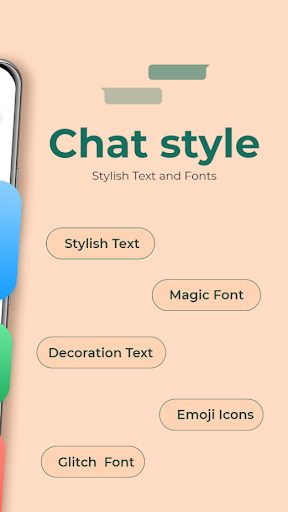
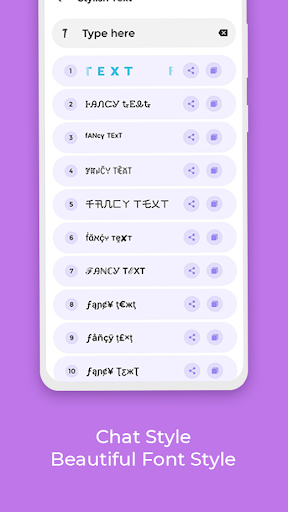
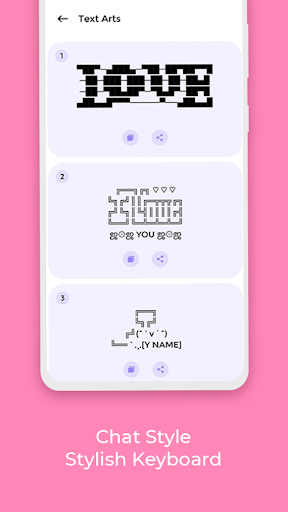
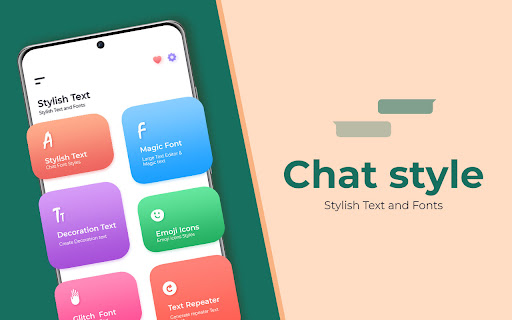
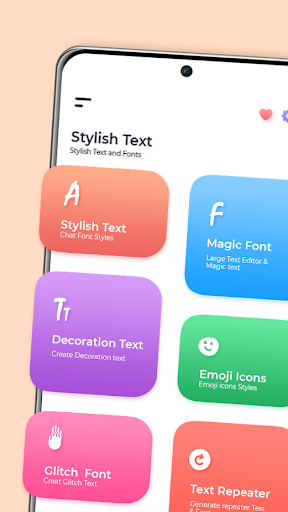
Chat Style : Font for WhatsApp sits in a very specific corner of the Android app world: it is not trying to reinvent messaging, and it is not trying to become a full productivity keyboard. Its job is much simpler. It wants to help you dress up plain text so your WhatsApp messages look more expressive, more personal, and a little less ordinary. After spending time with it in regular day-to-day chatting, that focus comes through clearly. This is an app built for people who enjoy visual flair in conversation, and when you use it with that expectation, it can be a fun addition to your phone. The first thing that stands out is the app’s straightforward appeal. You do not need a long learning curve to understand why it exists. If you like sending stylized text, decorative fonts, or messages that look different from the standard keyboard output, the core idea clicks almost instantly. In practical use, that simplicity is one of the app’s biggest strengths. It does not require the kind of commitment that a more advanced keyboard app might demand. You open it, explore the styling options, and quickly get a sense of how it fits into your chat habits. In actual use, the app works best in short, casual messaging bursts rather than all-day heavy typing. When we used it for playful chats, status text, or occasional attention-grabbing messages, it was enjoyable. It adds personality to simple greetings, jokes, reactions, and social conversations. There is a certain immediate satisfaction in seeing a basic message turned into something that looks more customized without much effort. That is the first major strength: it lowers the barrier to making chats feel more expressive. The second strength is that it understands its audience well. This is clearly aimed at users who care about appearance in messaging. Not everyone does, but those who do will appreciate that the app is centered on visible results rather than buried settings. You do not have to be especially technical to get value from it. If your idea of fun is making your texts look stylish, this app serves that purpose better than a plain utility would. A third positive is that the app feels accessible. Because it is free and positioned around a familiar app like WhatsApp, it is easy to try without overthinking it. That matters. Apps like this live or die on convenience, and there is enough immediate payoff here to justify installing it and testing whether it fits your communication style. That said, using Chat Style : Font for WhatsApp also reveals its limits fairly quickly. The biggest issue is that stylized text apps can introduce friction into something that is normally effortless. Standard typing is fast, invisible, and reliable. The moment you start routing your messages through font styling, even a little extra effort becomes noticeable. In our use, that translated into an experience that felt fun in moderation but less appealing when trying to chat quickly or continuously. If you send dozens of rapid messages a day, the novelty may not always outweigh the interruption. The second weakness is more conceptual: not every conversation benefits from decorative text. Stylish fonts are great for playful contexts, but they can feel unnecessary, distracting, or even harder to read in normal back-and-forth messaging. That is not a flaw unique to this app, but it does affect how often you will realistically use it. We found ourselves reaching for it selectively rather than permanently. It is strongest as a spice, not as the whole meal. The third drawback is that apps in this category tend to feel narrower in long-term value than their first impression suggests, and this one is no exception. Once you have tried the core styling effect and used it in a few conversations, the question becomes whether it meaningfully improves your daily messaging or simply adds occasional flair. For us, the answer was somewhere in the middle. It remained useful for certain moods and social settings, but it never felt essential. That balance is what defines the overall experience. Chat Style : Font for WhatsApp is not a must-have utility for every Android user, but it is also more than a throwaway gimmick if you genuinely enjoy customizing the way your messages look. During testing, it consistently delivered on its basic promise: helping ordinary text feel less plain. Where it struggled was in becoming something we wanted to rely on all the time. So who is this app for? It is for WhatsApp users who enjoy playful messaging, visual personalization, and little touches that make chats stand out. It is especially well suited to people who like sending stylized greetings, social updates, or decorative text in informal conversations. It is not for users who prioritize speed, minimalism, or a completely frictionless typing workflow. If your ideal keyboard experience is fast, invisible, and practical, this app may feel like extra effort for limited return. In the end, Chat Style : Font for WhatsApp earns a positive but measured recommendation. It does what it sets out to do, it makes chat styling accessible, and it can be genuinely enjoyable in the right mood. At the same time, it is best treated as a fun enhancement rather than a communication essential. If that distinction sounds right to you, there is a good chance you will have a solid time with it.
Alternative apps