Apps Games Articles
X Icon Changer - Change Icons
ASTER PLAY
Rating 4.2star icon
Editor's summary
Editor rating
star icon star icon star icon star icon empty star icon
4.4

One-line summary X Icon Changer is one of the easiest ways to give Android apps a custom look without switching launchers, but the ad-heavy setup and shortcut-based approach mean it is more clever workaround than true system-level icon replacement.

  • Installs

    10M+

  • Developer

    ASTER PLAY

  • Category

    Personalization

  • Content Rating

    Everyone

  • Latest version

    4.0.7

  • Package

    io.hexman.xiconchanger

Screenshots
In-depth review
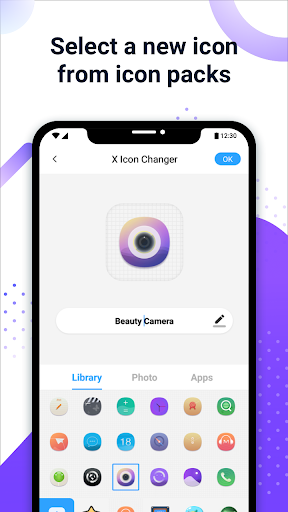
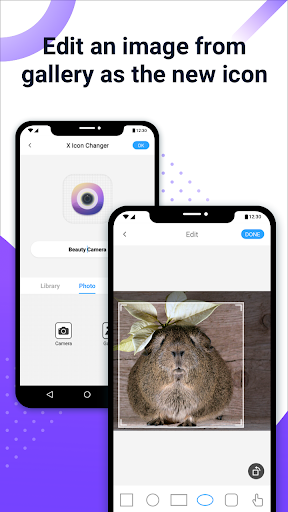
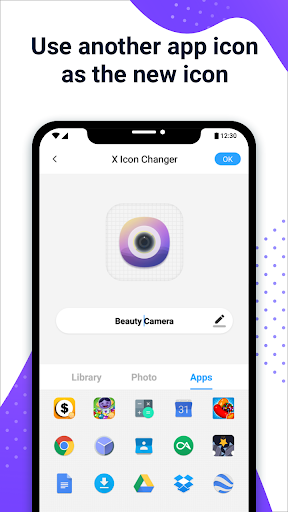
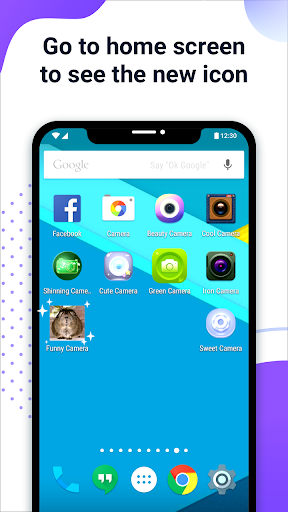
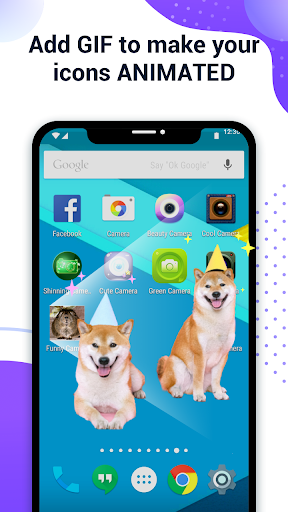
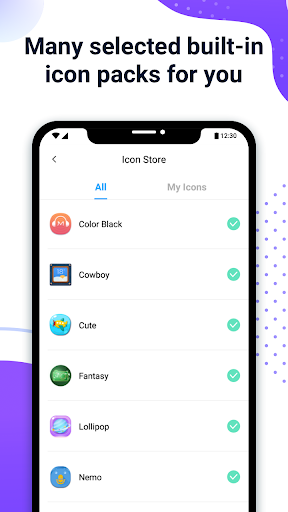
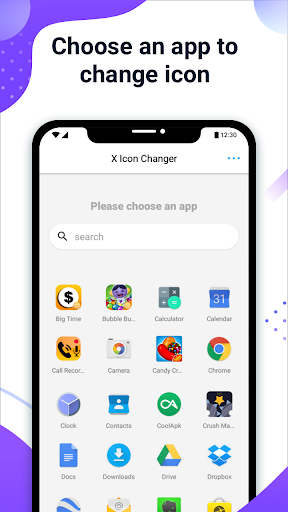
X Icon Changer - Change Icons succeeds because it understands what most people actually want from an icon customization app: a fast, low-effort way to make an Android home screen look more personal without diving into launchers, themes, or more complicated tools. After spending time with it, that simplicity is the app’s biggest strength. You open it, pick an installed app, choose a replacement image or icon style, rename it if you want, and drop the result onto your home screen. For casual customization, that workflow is refreshingly direct. The first thing that stood out in use was how approachable the app feels. Plenty of customization tools drown you in menus or expect you to understand how Android launchers handle icon packs. X Icon Changer does not. The interface is built around a very obvious step-by-step process, so even if you have never customized a home screen before, you can get from blank slate to themed icon in a minute or two. That matters more than it sounds. This is not an app for power users trying to rebuild Android from the ground up; it is an app for someone who just wants Instagram to match a pastel theme, turn an ugly app logo into something cleaner, or recreate a more curated home screen aesthetic. The second major strength is flexibility. In practice, X Icon Changer is useful because it does not lock you into one visual style. You can pull from built-in icon packs, use icons from other apps, or upload your own image from the gallery. That gallery support is where the app becomes genuinely fun. We were able to take downloaded artwork, logos, minimalist symbols, and random cropped images and turn them into working home screen shortcuts with very little fuss. There is also some room to adjust the look, including icon shapes and presentation, which helps the final result feel more intentional than just slapping a square image on the home screen. The third strength is that it works without forcing a launcher change. That makes a big difference. Many Android users like their current launcher and only want to alter a handful of icons. X Icon Changer fits that use case extremely well. It does not ask you to rebuild your whole phone setup. It simply creates a shortcut with the appearance you want. For people who only care about the home screen, that is often enough. Better still, these shortcuts launch apps directly, so the experience is not weighed down by awkward extra steps every time you tap one. That said, using X Icon Changer also makes its limits obvious. The biggest one is that this is not truly changing app icons at the system level. It is creating custom shortcuts. That distinction matters. In daily use, the customized icons look fine on the home screen, but the original app icon still exists in the app drawer and elsewhere in the system. If you want complete visual consistency across your phone, this app will not fully satisfy you. It is best understood as a home screen customization tool, not a full Android icon replacement engine. The second weakness is advertising. The app is usable for free, and that alone gives it broad appeal, but the ad load can get irritating when you are customizing multiple apps in one sitting. One icon is no big deal. Ten or twenty icons in a themed setup is where the friction starts to build. Ads interrupt the rhythm of the process, and because icon customization is repetitive by nature, those interruptions feel more noticeable than they would in a less task-focused app. There is clearly value here, but the free version sometimes tests your patience before you get to enjoy it. The third issue is reliability over time on some setups. During straightforward testing, icon creation was easy and the shortcuts worked as expected, but this kind of app depends heavily on Android behavior, widgets, shortcuts, and device settings. That means the experience may not always feel perfectly permanent. The app itself even has to work around Android’s shortcut watermark behavior on newer versions using a widget method. That workaround is clever and often effective, but it underlines the fact that X Icon Changer is operating within platform restrictions rather than owning the system deeply. If you are the kind of user who hates maintenance, dislikes re-adding shortcuts, or wants every visual change to survive every phone behavior without exception, this may feel a little fragile. There is also a small but important practical point: changing every icon on your phone takes time. X Icon Changer makes the process easy, not instant. If you are building a carefully themed layout, expect some repetitive tapping. The app does a good job keeping the process understandable, but it cannot eliminate the manual nature of the job. So who is this app for? It is for Android users who care about aesthetics, want custom app icons without replacing their launcher, and are happy to spend a little time setting up a polished home screen. It is especially good for students, casual themers, social-media-inspired home screen tinkerers, and anyone trying to hide or soften ugly app branding. It is not for users who want true system-wide icon changes, zero ads, or a fully automated theming experience. Overall, X Icon Changer is a smart, practical customization app that delivers more than many free personalization tools do. It feels accessible, flexible, and genuinely useful. Its flaws are real: too many ads, some platform-driven awkwardness, and the fact that it relies on shortcuts rather than fully replacing icons. But within those limits, it is one of the more effective and user-friendly ways to personalize an Android home screen. If your goal is to make your phone look better rather than to deeply modify Android itself, this app is easy to recommend.
Alternative apps