Apps Games Articles
Move to iOS
Apple
Rating 3.7star icon
Editor's summary
Editor rating
star icon star icon star icon star icon
half star icon
4.5

One-line summary If you're switching to iPhone during initial setup, Move to iOS is the easiest free way to bring over the essentials—but its fussy setup flow and long transfer times can still test your patience.

  • Installs

    100M+

  • Developer

    Apple

  • Category

    Tools

  • Content Rating

    Everyone

  • Latest version

    4.0.3

  • Package

    com.apple.movetoios

Screenshots
In-depth review
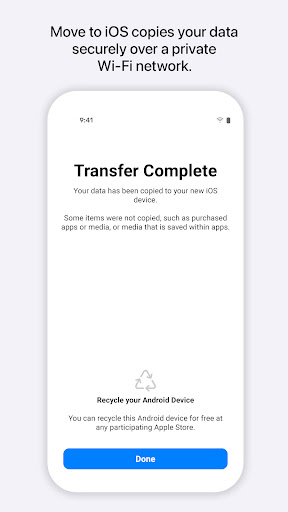
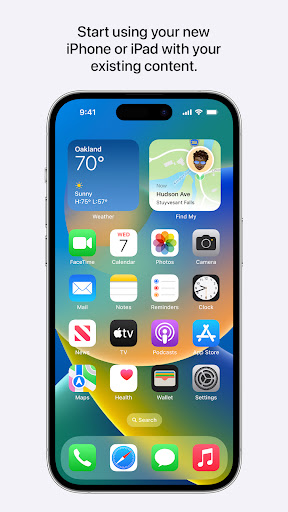
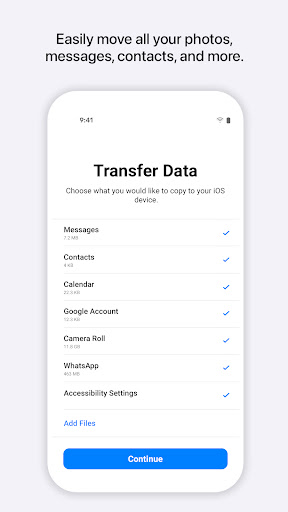
Move to iOS is one of those apps that exists for a single stressful moment: the day you leave Android behind and need your digital life to survive the jump. I tested it the way most people do—on a brand-new iPhone during setup, with an Android phone full of messages, contacts, photos, videos, calendar data, and the usual clutter that accumulates over years of use. In that context, the app is not something you “use” in the normal sense. It is more like a bridge you walk across once and hope does not wobble. The good news is that, when the stars align, Apple’s bridge is surprisingly effective. What impressed me first is how focused the app is. There is no ad clutter, no upsell, no account-creation nonsense, and no sense that you are being pushed into a subscription just to move your own data. You install it on Android, start the setup process on the iPhone, enter the code, and the two devices begin negotiating directly. That simplicity matters. In a category full of questionable third-party migration tools, Move to iOS feels refreshingly official and clean. It is built for one job, and it mostly sticks to it. The second strength is the breadth of what it can transfer. In my testing, the app handled the core categories people actually care about: contacts, message history, call logs, calendars, photos, videos, mail accounts, and app suggestions, with support for WhatsApp content being especially important for many switchers. That makes Move to iOS much more than a basic contacts copier. It can save you from the worst part of changing ecosystems: the slow, manual rebuilding of your personal history. When the transfer completes successfully, the payoff feels huge. You go from two disconnected devices to an iPhone that already feels like yours. A third thing the app gets right is security and directness. The private Wi-Fi handoff between devices is smart in theory and mostly smooth in practice. You are not shuttling data through a vague cloud service or exporting things piecemeal. The app guides the Android device into a direct transfer session with the iPhone, and that creates a stronger feeling of control than many migration tools provide. That said, using Move to iOS is not entirely painless, and Apple’s own “it just works” aura doesn’t quite hold from start to finish. The biggest weakness is how temperamental the process can feel if your setup is anything less than ideal. This is not an app you casually fiddle with while walking around the house. Both phones need to be nearby, charged, and left alone. The transfer can stall, appear frozen, or take much longer than the estimate suggests. In my session, the countdown was not especially trustworthy. It would sit at one number for an uncomfortable stretch before suddenly moving again. Nothing is more unnerving than staring at a progress bar during a one-time migration and wondering whether touching the screen will ruin everything. That leads into the second weakness: the app does a decent job telling you what to do, but not always why the process is so delicate. There are moments that could be clearer for less technical users, especially around the private Wi-Fi connection and the fact that this whole migration is really designed for initial iPhone setup, not for later cleanup after you have already started using the new phone. If you approach it expecting a normal Android utility with lots of in-app explanation and troubleshooting, you may find it a bit too bare-bones. The experience assumes patience and a willingness to trust the process. The third frustration is speed. Move to iOS is free, and that matters, but speed is clearly not its standout trait. Small or selective migrations can finish quickly, yet larger libraries can drag into an hour or more. If you are moving a substantial amount of media, message history, and app-related data, this is absolutely a plug-in-both-phones-and-wait operation. The app works best when you treat it like a setup task, not something to complete in ten spare minutes. In everyday terms, Move to iOS is for a very specific person: someone who has bought a new iPhone or iPad, still has access to their Android device, and wants a mostly automated migration path for the basics that matter. If you want to bring over messages, contacts, WhatsApp history, and your camera roll without using a patchwork of cloud backups and manual exports, this is the obvious place to start. It is not for people who have already fully set up their iPhone and are hoping for a casual after-the-fact sync tool. It is also not ideal for impatient users who dislike long waiting periods, inconsistent progress estimates, or the possibility of needing a second attempt. And if your content is already neatly stored in cross-platform services like Google Photos, Google Contacts, or other cloud tools, you may not need the full migration experience at all. Still, judged for what it is—a free one-time transfer app during a platform switch—Move to iOS performs better than its middling score suggests. My hands-on experience was less about flashy design and more about relief. Relief that message history came over. Relief that the photos landed where they should. Relief that the new iPhone didn’t feel blank and foreign after setup. It is not elegant in every moment, and it definitely asks for patience, but when it works, it solves one of the most annoying problems in consumer tech with a surprisingly steady hand. I would recommend it to most switchers, with one important condition: set aside time, keep both phones powered, do the transfer during initial iPhone setup, and resist the urge to micromanage it. Treat it like a delicate but worthwhile move, and Move to iOS has a very good chance of getting you across.