Apps Games Articles
Samsung Members
Samsung Electronics Co., Ltd.
Rating 4.6star icon
Editor's summary
Editor rating
star icon star icon star icon star icon
half star icon
4.5

One-line summary Samsung Members is one of the most genuinely useful brand companion apps on Android thanks to its excellent diagnostics and support tools, but parts of the community and customer-help flow still feel more clunky than seamless.

  • Installs

    1B+

  • Developer

    Samsung Electronics Co., Ltd.

  • Category

    Tools

  • Content Rating

    Everyone

  • Latest version

    VARY

  • Package

    com.samsung.android.voc

In-depth review
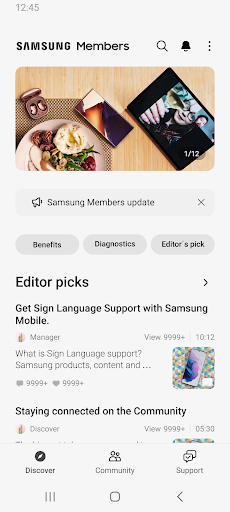
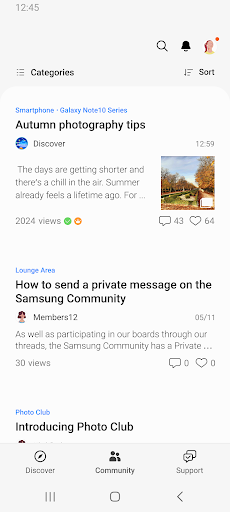
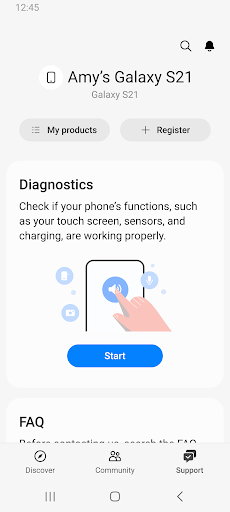
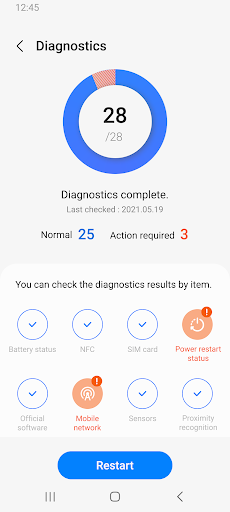
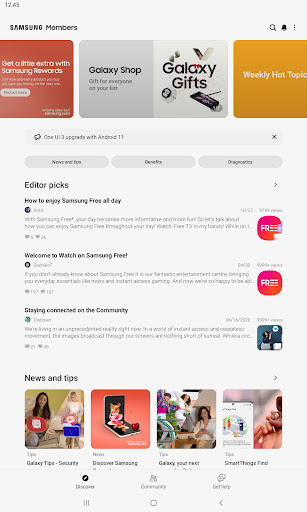
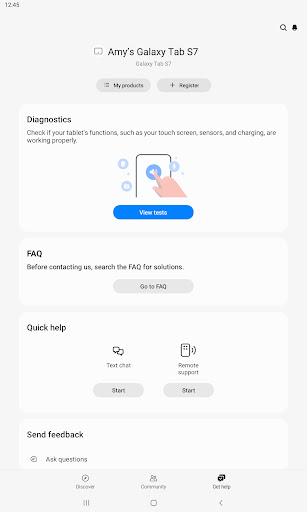
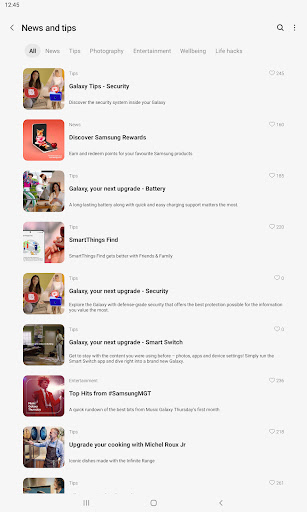
Samsung Members is the kind of preinstalled-style utility that most people ignore until something goes wrong with their phone. After spending real time with it, I think that is underselling it. This app is not just a marketing shell for Galaxy owners; at its best, it is a practical support hub that can save you time, reduce panic, and occasionally spare you from an unnecessary repair shop visit. The first thing that stood out in daily use was how easy it is to get value from the app without digging through menus. The diagnostics tools are the headline feature, and they are genuinely useful. Running a device check feels fast, clear, and reassuring rather than technical or intimidating. Samsung has done a good job making hardware tests approachable for normal people. You do not need to understand system logs or hidden menus to see whether your battery, camera, speakers, sensors, or connectivity are behaving normally. In practice, that makes Samsung Members feel less like a community app and more like a first-response toolkit for your phone. That diagnostic experience is the app’s biggest strength. We found it especially good at narrowing down where a problem might be coming from. If a feature is acting oddly, Samsung Members helps answer the most important question quickly: is this a real hardware issue, a settings problem, or just one of those temporary software hiccups that a restart might solve? That clarity is valuable. It is also surprisingly satisfying to have a guided way to test functions one by one instead of guessing. The second major strength is how well the app connects support content to the issue you are dealing with. When we moved from diagnostics into help material, the flow generally made sense. Relevant suggestions and troubleshooting steps appeared without too much hunting around. That matters because support apps often fail not by lacking information, but by burying useful information under layers of categories and generic FAQ pages. Samsung Members is not perfect here, but it is often direct enough to be effective. A third strength is breadth. This is not only about phones. The app feels like a broader Galaxy support layer, tying together support, tips, community, and device care in one place. If you are already using multiple Samsung devices, the app makes more sense over time. It becomes the obvious place to check device health, look up help, ask a question, or see what Samsung is surfacing for owners. There is real convenience in having those functions consolidated. That said, Samsung Members is not consistently elegant. One of its weaker areas is the communication flow for direct support. When you want a simple back-and-forth conversation, the interaction can feel more segmented than it should. Instead of a clean, persistent chat experience, parts of the support process can come across as submitting another prompt into a system rather than continuing a natural conversation. It works, but it does not always feel fluid. The second weakness is that diagnostics, while excellent overall, can sometimes be a little rigid. In a few tests, the app seems to expect a very specific setup or accessory to complete validation. That is fine in theory, but in real life not everyone has every cable, adapter, or peripheral lying around. In those cases, the app can feel more literal than helpful. A bit more flexibility, or at least a clearer way to manually skip or confirm certain checks, would make the experience smoother. The third weakness is that not every issue is something the app can cleanly diagnose, and that gap can be frustrating. Samsung Members is very good at confirming normal function and highlighting obvious trouble spots, but some edge cases still slip through. You may have a phone that passes the checks yet continues to behave strangely in daily use. When that happens, the app shifts from confidence booster to a slightly awkward middleman: useful, but not definitive. In terms of design and everyday usability, Samsung Members is mostly polished. Navigation is straightforward enough, and the app does a respectable job of making support feel less sterile than the usual manufacturer help portal. It also helps that there are no ads or in-app purchases muddying the experience. The tone is practical rather than pushy. You can dip in for a five-minute diagnostic session and leave, or spend longer browsing tips, support content, and community discussions. Who is this app for? Almost every Samsung phone owner should have it installed, but it is especially valuable for people who troubleshoot their own devices, worry about battery health, want quick hardware checks, or prefer trying guided fixes before contacting support. It is also a smart app to keep around for less technical family members, because it simplifies the “what exactly is wrong?” stage. Who is it not for? If you have no interest in support content, never use brand communities, and only want a minimal phone setup, Samsung Members may feel like something you open twice a year and forget. And if you expect instant, human, chat-like support in every case, parts of the experience may feel more procedural than personal. Overall, Samsung Members is far better than the average manufacturer companion app. Its diagnostics alone make it worth having, and the support integration is often genuinely helpful. It is not flawless, and some interactions still need simplification, but as a practical tool for Galaxy owners, it earns its place. For the right user, this is not bloatware. It is a safety net.