Apps Games Articles
dfndr security: antivirus
PSafe
Rating 4.4star icon
Editor's summary
Editor rating
star icon star icon star icon star icon empty star icon
4.2

One-line summary dfndr security is easy to recommend if you want an all-in-one Android safety and cleanup app that feels active and helpful every day, but its aggressive nudges, ads, and premium upsells can wear thin fast.

  • Installs

    100M+

  • Developer

    PSafe

  • Category

    Tools

  • Content Rating

    Everyone

  • Latest version

    9.1.0

  • Package

    com.psafe.msuite

In-depth review
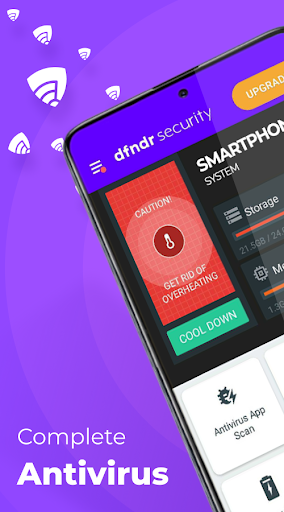
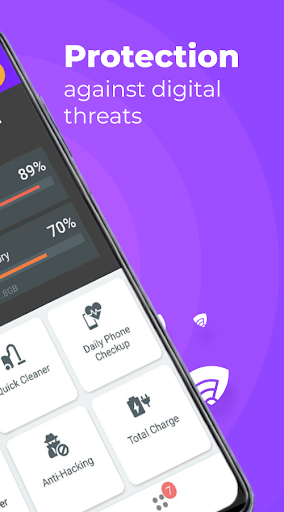
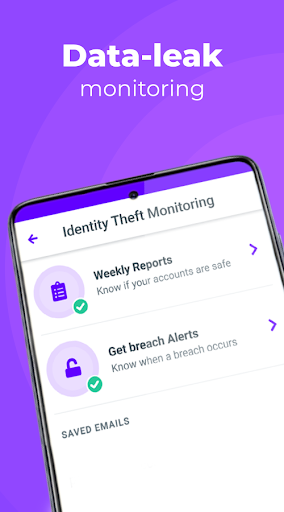
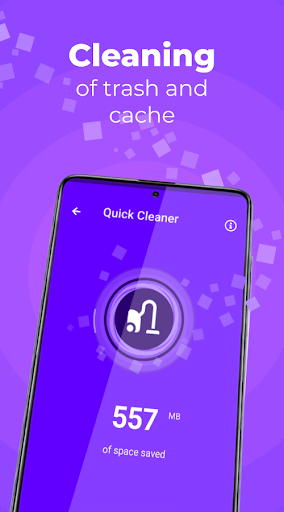
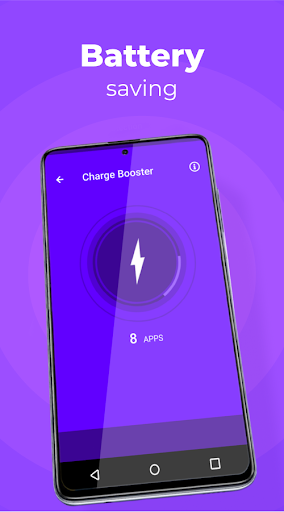
After spending real time with dfndr security: antivirus, what stood out most is that this is not a quiet, minimalist security app. It wants to be involved in your daily phone routine. It scans, reminds, suggests, cleans, warns, and generally tries to position itself as the app that keeps your Android device from drifting into chaos. Whether that feels reassuring or exhausting depends a lot on what kind of phone user you are. The onboarding makes its priorities clear. dfndr security pushes the idea of complete protection rather than a single-purpose antivirus tool. In practice, that means the app mixes malware scanning with device cleanup, battery-related prompts, privacy warnings, and account monitoring features. For less technical users, this broad approach is one of its biggest strengths. You do not need to know much about Android security to understand what the app wants you to do. Most tasks are framed in plain language, and many actions are reduced to a large button tap. That makes the app approachable in a way some more technical security tools are not. In day-to-day use, the strongest part of dfndr security is its sense of activity. It feels like it is always watching for something that needs attention. Scans are easy to run, and the app does a good job of making security checks feel routine rather than intimidating. If you install apps often, browse widely, or share a phone with family members who click on everything, that constant hand-holding can be genuinely useful. The assistant-style prompts and reminders help keep the app from becoming one of those utilities you install once and then forget. The second clear win is convenience. dfndr security is not just selling protection against malware; it is also trying to tidy up your phone. The cleanup tools are simple, and the app makes storage maintenance feel like part of security hygiene. On a cluttered phone, that can be satisfying. We found the app particularly effective at creating the impression of a healthier device overall, not just a safer one. That matters because many people do not separate security from performance. They want one app that checks the phone, clears some junk, flags problems, and moves on. dfndr security understands that audience well. A third strength is that the app rarely feels confusing at the basic level. Even when it offers several features, the core actions remain obvious: scan, clean, review alerts, act on recommendations. Some security apps bury their useful tools in menus or try too hard to look technical. dfndr security leans in the opposite direction. It tries to simplify the experience and, for the most part, succeeds. That said, there is a cost to this approach. The biggest downside is that dfndr security can feel too eager. It has the personality of an app that is always tapping you on the shoulder. Some people will read that as proactive protection; others will read it as nagging. During our use, the app occasionally crossed the line from helpful to pushy, especially when it came to repeated prompts to optimize, clean, or consider premium features. If you prefer utilities that do their job silently in the background, this is not that kind of app. The second weakness is the free experience itself. dfndr security is usable for free, but it does not let you forget that there is a paid tier. Ads and upgrade nudges are part of the package. None of that is unusual for a free Android utility, but here it is frequent enough to shape the feel of the app. You are not just evaluating security features; you are also managing the app's own attempts to sell you more. For some users, that will be a minor annoyance. For others, it will undercut trust and calm, which are exactly what a security app should provide. The third issue is that the app sometimes overreaches in how much it wants to manage your device. Features tied to phone cooling, boosting, and general optimization are appealing on paper, but they can also make the app feel a little busy. There were moments when it seemed more focused on proving its usefulness than on staying out of the way. Some recommendations feel genuinely practical, while others feel like the kind of maintenance advice Android users may not need very often. The result is a slightly uneven experience: part solid security tool, part enthusiastic phone caretaker. Still, dfndr security does several things right. It gives nervous or non-technical users a visible sense of protection. It makes common maintenance tasks easy. It wraps security and cleanup into a package that feels accessible rather than abstract. And despite the marketing-heavy tone in places, the app is not difficult to use. That matters a lot in this category, where many people install protection apps specifically because they do not feel confident making these judgments themselves. Who is it for? Android users who want a hands-on security companion, especially those who like reminders, one-tap cleanup, and an app that actively points out what to do next. It is also a good fit for people who see phone security and phone maintenance as the same job. Who is it not for? Power users who dislike interruptions, anyone skeptical of optimizer-style features, and people who want a lean, quiet security app with minimal upsell pressure. Overall, dfndr security: antivirus is a capable and approachable all-in-one Android safety app with a strong everyday usability advantage. It earns its place by being simple, active, and reassuring. It falls short when that same energy becomes intrusive. If you can tolerate a louder, more commercial free experience, it is one of the more compelling utility-style security apps in its class.