Apps Games Articles
Open Browser - Smart & Safe
AdPulse INC
Rating 4.8star icon
Editor's summary
Editor rating
star icon star icon star icon star icon
half star icon
4.5

One-line summary Open Browser is easy to recommend if you want a fast, no-cost mobile browser with useful built-in extras, but I'd hesitate if you prefer a cleaner, more minimal browsing experience over an all-in-one start page.

  • Installs

    10M+

  • Developer

    AdPulse INC

  • Category

    Tools

  • Content Rating

    Everyone

  • Latest version

    1.8.7

  • Package

    com.open.web.ai.browser

Screenshots
In-depth review
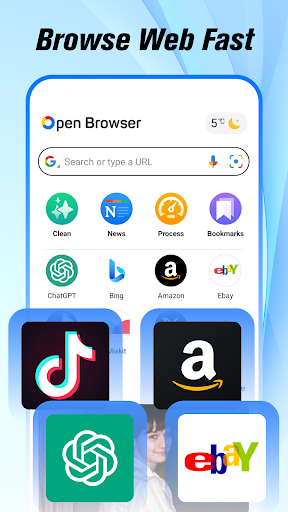
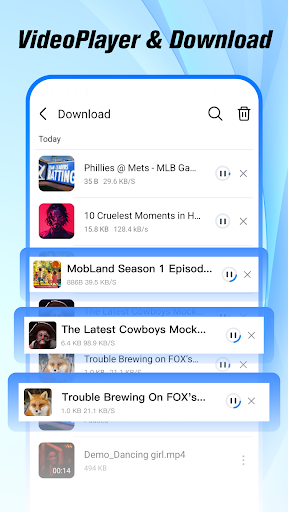
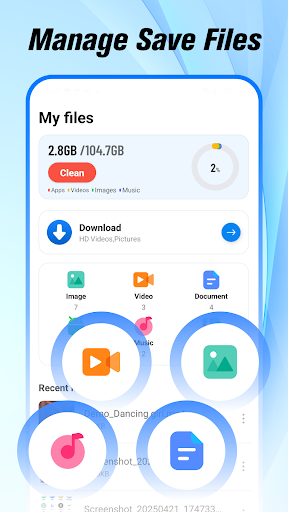
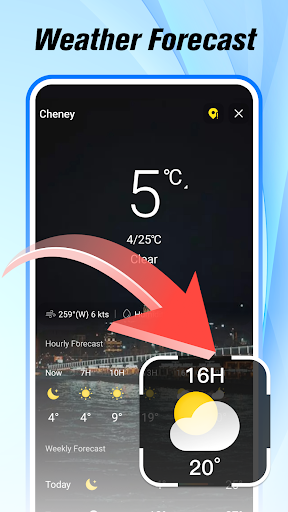
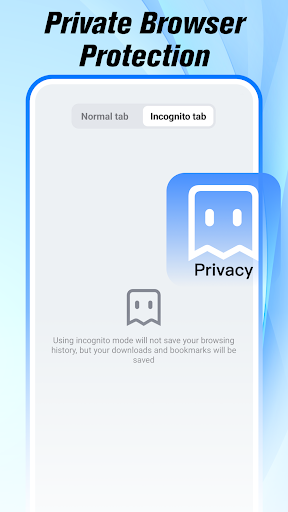
Open Browser - Smart & Safe feels like it was built for people who want a browser to do more than just open webpages. After spending time with it as a daily mobile browser, what stood out most was how quickly it gets you moving. Page loads feel snappy, navigation is straightforward, and the app does a good job of presenting itself as something approachable rather than intimidating. It is clearly trying to be a practical, all-in-one browser for everyday phone users, and in many ways it succeeds. The first thing I noticed was the overall ease of use. Open Browser does not demand much setup, and it does not feel like a browser made only for enthusiasts who want to dig through endless menus. The layout is simple enough that you can start searching, opening tabs, and moving around the web immediately. That matters more than it sounds. A lot of Android browsers either drown you in features or feel stripped down to the point of being awkward. Open Browser lands somewhere in the middle: familiar enough to learn quickly, but with enough extra tools built in that it can replace a couple of separate utility apps for some users. In regular use, speed is one of its strongest qualities. General browsing feels light and responsive, and that creates a good first impression that mostly holds up over time. News sites, search results, and everyday browsing tasks open quickly, and the app does not feel especially heavy while doing them. On a slower connection, it still gives the sense of being optimized for mobile rather than forcing a desktop-style experience onto a small screen. If your main priority is simply getting around the web without friction, this app does a lot right. The second major strength is convenience. Open Browser leans hard into bundling common mobile needs into one place: browsing, private mode, video playback and downloading, news, weather, and file access. Normally, I am skeptical of this approach because too many “everything apps” become bloated. Here, the extras are not entirely elegant, but they are genuinely useful. The built-in file handling makes downloads easier to locate, and the integrated media features are practical for users who watch a lot of video on their phones. Not having to bounce between a browser, a file manager, and another player makes the app feel efficient in day-to-day use. Its private browsing mode is another point in its favor. Incognito-style browsing is not unusual anymore, but Open Browser makes it easy to access and easy to understand. For casual users who want some privacy without having to think too hard about settings, that simplicity is welcome. I would not overstate what that means beyond private browsing basics, but as a convenience feature it works well and fits naturally into the overall experience. That said, Open Browser is not the kind of browser I would call elegant. Its biggest weakness is that the app can feel a little too busy. The home experience is packed with features and content, and while some people will appreciate having news, shortcuts, and utilities within reach, others will find it cluttered. If your ideal browser is a blank search bar and not much else, this one may feel like it is always trying to pull your attention somewhere. It is functional, but not especially serene. A second issue is that some of its identity is slightly muddled. Is it a privacy browser, a media browser, a utility hub, or a lightweight everyday browser? The answer appears to be “all of the above,” which sounds good on paper but can make the app feel less focused than the best specialist browsers. During testing, that translated into moments where the browser felt useful rather than refined. Nothing was badly broken, but there is a difference between offering many features and making them all feel equally polished. The third weakness is that some of the app's messaging around safety and smart tools sets expectations very high. In practice, the browser is most convincing when judged on its speed, accessibility, and convenience—not as a revolutionary security product. It gives a reassuring, user-friendly sense of control, but the strongest part of the experience is still the browsing itself and the handy built-in extras. Anyone expecting a deeply advanced privacy suite may come away thinking the app is solid rather than exceptional in that department. Still, there is a lot to like here. Open Browser feels particularly well suited to casual and mainstream Android users who want one app to cover everyday internet tasks. If you like having quick access to browsing, videos, news, downloads, and weather without managing a stack of separate apps, this browser makes a strong case for itself. It is also a good fit for users who value a simple learning curve. The app rarely feels confusing, and that alone gives it broad appeal. On the other hand, this is probably not the best pick for purists. If you want a browser with a very clean interface, highly advanced customization, or a narrowly focused privacy-first philosophy, Open Browser may feel too generalized. Likewise, if you dislike content-heavy browser home screens, the all-in-one approach could wear thin over time. Overall, I came away impressed. Open Browser - Smart & Safe is not perfect, and it does not redefine what a mobile browser can be, but it gets the important things right: it is fast, approachable, and packed with genuinely useful tools. The trade-off is a busier experience and a slightly unfocused identity. For many users, though, that trade-off will be worth it. This is a browser I would recommend to people who want convenience and speed first, with privacy and media features as a bonus rather than the main event.