Apps Games Articles
Kik — Messaging & Chat App
MediaLab AI - Kik
Rating 4.1star icon
Editor's summary
Editor rating
star icon star icon star icon
half star icon
empty star icon
3.8

One-line summary Kik is easy to jump into and still feels useful for casual chatting, but I’d hesitate to recommend it wholeheartedly if you want a polished, modern messaging experience without friction.

  • Installs

    100M+

  • Developer

    MediaLab AI - Kik

  • Category

    Communication

  • Content Rating

    Teen

  • Latest version

    15.49.0.27501

  • Package

    kik.android

In-depth review
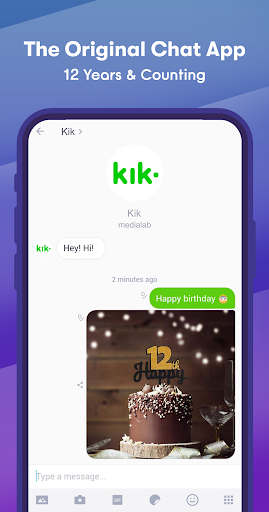
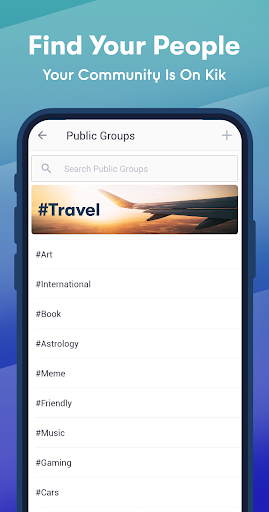
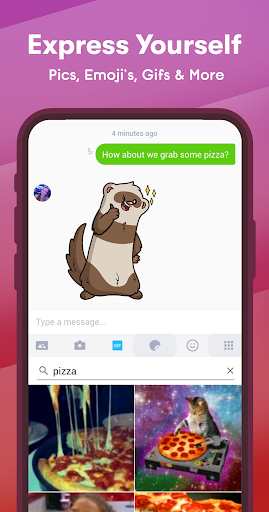
Kik — Messaging & Chat App is one of those messaging apps that feels instantly familiar the moment you open it. After spending time with it as a day-to-day chat tool, my overall impression is that it still succeeds at the core job: letting people connect quickly and keep conversations moving without much setup drama. That simple appeal is also the main reason it still has a place. At the same time, using Kik today can feel like stepping into a messaging app that is functional first, but not always as refined or confidence-inspiring as the best apps in the category. The first thing I noticed in regular use was how approachable it feels. Kik does not overwhelm you with a maze of settings or a complicated onboarding philosophy. The app gets you toward chatting quickly, and that matters. For people who just want a lightweight place to send messages, check in with friends, and keep conversations separate from other parts of their digital life, Kik’s simplicity is one of its biggest strengths. There is very little mystery about what the app is trying to be. It is a chat app, and most of the interface is built around that central purpose. In actual conversation use, the app feels fast enough and direct enough to stay out of the way. Sending messages, opening chats, and moving between conversations generally feels straightforward. That immediacy is important in a messaging app; if the basics feel clumsy, the whole experience collapses. Kik mostly avoids that problem. I never had the sense that the app was fighting me just to do ordinary tasks. For casual back-and-forth messaging, it remains accessible and easy to understand. Another thing I appreciated is that Kik still carries a slightly more relaxed, informal vibe than some messaging platforms that now feel overloaded with extra layers. Not everyone wants a messaging app to double as a workplace, a payment tool, or a social platform wrapped inside a chat shell. Kik’s appeal is stronger when you treat it as a casual communication space. If your priorities are light conversation and quick check-ins rather than building your life around one ecosystem, Kik can feel refreshingly focused. That said, the app’s age shows in places, and this is where the recommendation becomes more cautious. The overall interface is usable, but it does not consistently feel polished in the way modern chat users may expect. Some parts of the experience have a slightly dated texture, not necessarily broken, but less refined than they could be. That matters more than it sounds. Messaging apps live or die on comfort, speed, and trust. Even small rough edges stand out because chatting is such a frequent, repetitive activity. The second issue is that Kik can feel a bit too bare or too generic depending on what you want from it. Simplicity is a strength, but it also means the app may not feel especially compelling if you already use another chat platform that is more polished, more feature-complete, or more seamlessly integrated into your daily routine. I could use Kik without much trouble, but I did not always feel a strong reason to stay in Kik unless I was specifically talking to people who were already there. In other words, the app works, but it does not always create a strong sense of momentum or delight. The third weakness is more about trust and comfort than any one button or screen. With messaging apps, users want to feel that the environment is clean, dependable, and current. Kik sometimes gives off a slightly uneven impression in that regard. Not enough to make it unusable, but enough that I found myself wishing for more consistency and more visible signs of polish. If you are the kind of user who is very sensitive to interface quality or who expects a premium-feeling chat experience, Kik may feel serviceable rather than satisfying. Even with those complaints, I do not think Kik is a bad app. In fact, it remains fairly good at what many people actually need: simple messaging without too much ceremony. That is its clearest strength. It is easy to get into, easy to understand, and easy to use for everyday conversations. Those are not small wins. Plenty of apps add so much clutter that they forget the basic value of just making communication frictionless. So who is Kik for? It is best for casual users who want a straightforward messaging app, people who prefer something lightweight, and anyone connecting with friends who already use Kik. It also makes sense for users who value a less complicated chat environment and do not need an app packed with advanced extras. If your goal is simple conversation and you are willing to accept a little roughness around the edges, Kik is still a reasonable pick. Who is it not for? It is not ideal for users who want the most polished messaging experience available, those who care a lot about a modern interface feel, or anyone who expects a chat app to feel especially premium and current. If you are deeply invested in slick design, broad ecosystem convenience, or a sense that every detail has been recently refined, Kik may leave you wanting more. After using it with that lens, my verdict is fairly balanced: Kik is still easy to use and genuinely practical, and that keeps it relevant. But it also feels like an app that succeeds more through basic utility than through excellence. I can recommend it to the right person, especially someone who values simplicity and already has contacts on the platform. I just would not call it the first messaging app I’d point to for everyone.