Apps Games Articles
CallApp: Caller ID & Block
CallApp Caller ID, Call Recorder & Spam Blocker
Rating 4.3star icon
Editor's summary
Editor rating
star icon star icon star icon star icon
half star icon
4.5

One-line summary CallApp is one of the most convincing caller ID and spam-blocking apps on Android because it actually makes daily calling calmer and smarter, but its ad-heavy free experience and occasional identification misses keep it from being an automatic recommendation for everyone.

  • Installs

    100M+

  • Developer

    CallApp Caller ID, Call Recorder & Spam Blocker

  • Category

    Communication

  • Content Rating

    Everyone

  • Latest version

    VARY

  • Package

    com.callapp.contacts

In-depth review
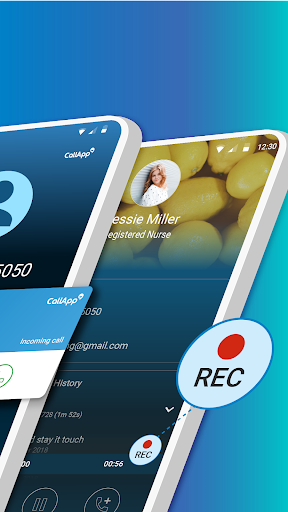
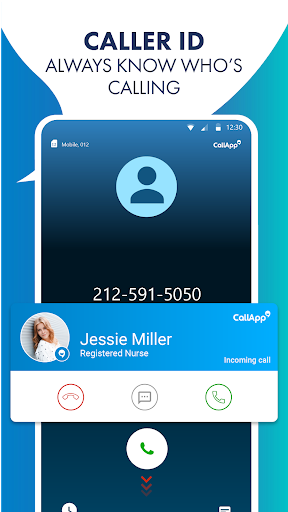
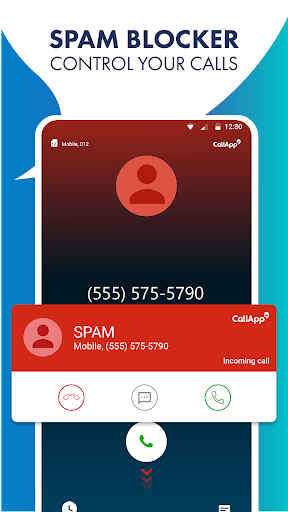
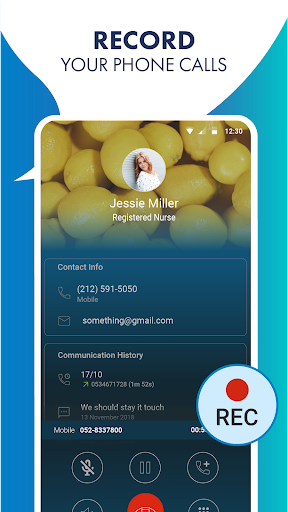
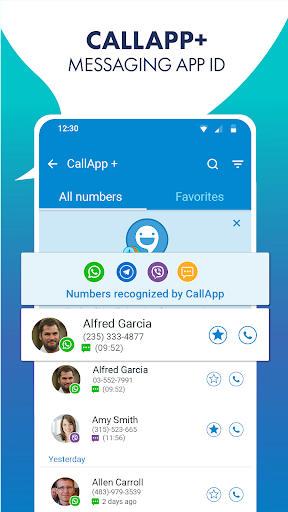
CallApp: Caller ID & Block is the kind of app you install for one practical reason—stop unwanted calls—and then gradually realize it is trying to become your entire calling and messaging layer. After spending real time with it as a daily phone companion, my takeaway is simple: this is one of the more useful and more complete call-management apps on Android, and in the areas that matter most, it generally works. The best part of the experience is how quickly CallApp proves its value. Once it is set up and granted the permissions it needs, the app starts doing the job most people came for: identifying unknown callers and screening out obvious nuisance calls. In day-to-day use, that changes the emotional texture of your phone. Unknown calls feel less intrusive when a name or business label appears, and spam calls become less disruptive when they are caught before they can hijack your attention. That practical relief is the app’s biggest strength. It is not just a feature checklist item; it genuinely reduces friction in everyday life. The second thing that stood out during use is that CallApp feels more ambitious than a simple caller ID overlay. It wants to be a full communication hub, with calling tools, SMS handling, blocking controls, and even call recording on supported setups. The app’s broad scope can be a real advantage if you like having everything in one place. There is a clear effort to make the phone experience richer rather than just safer. I found the interface mostly easy to navigate after a short adjustment period. Core actions such as blocking a number, looking up a caller, or checking recent activity are straightforward. Once you settle into its layout, it becomes a very functional utility. Call recording is also one of the app’s most notable draws. On Android, that feature is often unreliable or inconsistently implemented across devices, so when an app handles it well, it matters. In testing, this is one of the areas where CallApp feels more serious than many casual utility apps. If call recording is important to you for personal organization, verbal confirmations, or keeping track of important conversations, CallApp has a stronger case than most apps in this category. That said, the app is not without its tradeoffs, and the biggest one is obvious almost immediately: the free version can feel busy. Ads are present, and depending on your tolerance, they can be a real irritation. This is not unusual for free communication tools, but when you are using an app tied so closely to everyday phone habits, visual interruptions stand out more than they would in a game or shopping app. There is a capable product underneath, but the ad load does chip away at the premium feel. The second weakness is that, while caller identification is good, it is not magical. Most of the time it is helpful, occasionally impressive, but not flawless. Some numbers are identified accurately and instantly, while others are less clear, less complete, or simply not recognized as well as you might hope. That does not make the app ineffective—it remains very useful—but anyone expecting perfect accuracy on every incoming call will need to keep expectations realistic. This is a tool for improving your odds and reducing uncertainty, not eliminating it altogether. A third issue is that CallApp can sometimes feel like it is doing a lot at once. For users who only want a clean spam blocker and nothing more, the app’s broader design may feel a little crowded. There are enough features and interface elements here that some parts of the experience can seem overstuffed, especially early on. It is not hard to use, but it is not minimalist either. If you prefer ultra-simple apps that stay almost invisible, CallApp may feel more involved than necessary. Still, in actual use, those complaints do not erase the core value. The app succeeds where many similar tools fail: it makes itself useful enough to keep installed. That is a meaningful compliment in this category. Caller ID apps often promise a lot and then end up either unreliable, too invasive, or too annoying to live with. CallApp comes closer than most to balancing utility with everyday usability. It is especially strong for people who receive frequent unknown calls, deal with recurring spam, want better screening tools, or need extras like call recording and SMS filtering in one package. Who is it for? It is for Android users who are tired of robocalls, telemarketers, scam attempts, and mystery numbers interrupting the day. It is also for users who like feature-rich communication apps and do not mind spending a few minutes setting things up properly. If you want more control over your call flow, more context about who is contacting you, and stronger blocking tools than your stock dialer provides, CallApp is easy to recommend. Who is it not for? If you hate ads, dislike giving communication apps broad permissions, or only want a bare-bones, lightweight dialer replacement, you may find it too busy or too demanding. Likewise, if your only standard is perfect identification with zero mistakes, this app will not completely satisfy you. Overall, CallApp feels like a mature, practical tool built around real phone annoyances. Its strongest qualities are effective spam blocking, genuinely useful caller identification, and a feature set that can replace multiple separate utilities. Its main drawbacks are ad friction, occasional misses in identification, and a somewhat crowded all-in-one design. Even with those caveats, it remains one of the better options in its class, and for many people, it will make their phone noticeably easier to live with.