Apps Games Articles
Truecaller: Spam Call Blocker
Truecaller
Rating 4.4star icon
Editor's summary
Editor rating
star icon star icon star icon star icon
half star icon
4.5

One-line summary Truecaller is one of the most effective spam-call defenses you can put on an Android phone, but the free version’s ads, some feature friction, and unavoidable privacy trade-offs keep it from being an automatic yes for everyone.

  • Installs

    1B+

  • Developer

    Truecaller

  • Category

    Communication

  • Content Rating

    Everyone

  • Latest version

    VARY

  • Package

    com.truecaller

Screenshots
In-depth review
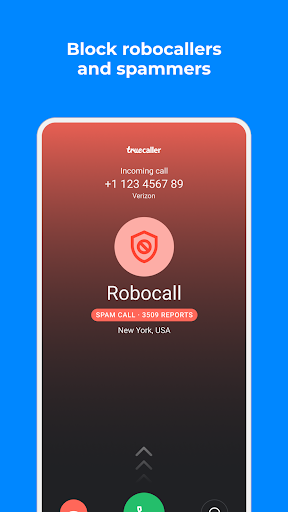
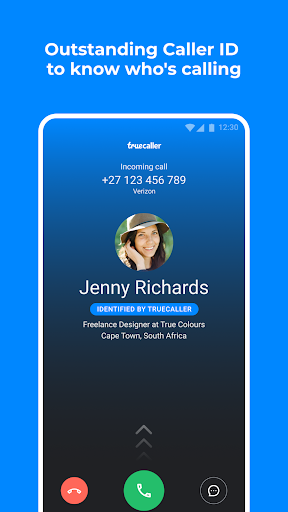
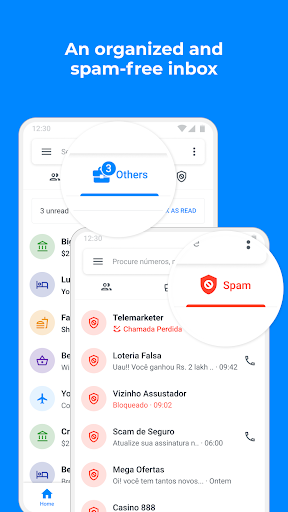
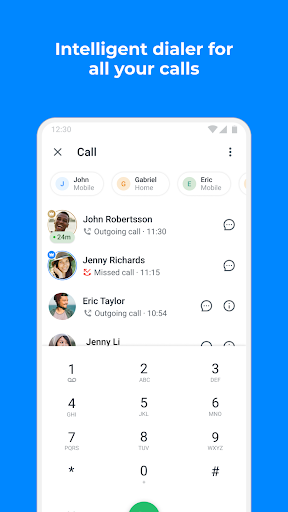
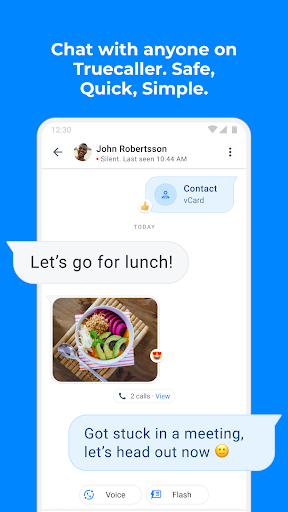
After spending real time with Truecaller as an everyday calling companion rather than just a one-off test app, I came away understanding exactly why it has become a default install for so many Android users. This is one of those utilities that can quietly change how you use your phone. If you deal with unknown numbers, telemarketers, scam attempts, robocalls, or endless junk texts, Truecaller can make your phone feel useful again instead of reactive and noisy. The core experience is straightforward: install it, grant the necessary permissions, and let it sit between you and the chaos of modern calling. In daily use, the biggest win is still the same one Truecaller built its reputation on: caller identification. When an unfamiliar number comes in, the app often puts a name or at least a strong label on it quickly enough to influence whether you answer. That sounds simple, but in practice it changes behavior. I found myself making faster, more confident decisions about unknown calls instead of doing the usual “let it ring and Google the number later” routine. That confidence is the app’s first major strength. Truecaller feels genuinely useful most when the phone rings unexpectedly. Spam and scam labeling is prominent, easy to understand, and usually arrives in a way that feels integrated into the call flow rather than bolted on. The app’s spam-blocking tools are also where it starts earning its keep. Once configured, it cuts down interruptions in a meaningful way. It is especially satisfying when the app quietly deals with obvious nuisance calls before you even have to think about them. The second strength is that Truecaller generally feels polished in the parts you touch most. The interface is busy in places, but the main functions are easy enough to grasp: identify callers, block unwanted numbers, search numbers, and manage messages if you choose to use it more deeply. I never felt like I was fighting the app to do basic things. Search is quick, caller information is easy to read, and the app gives off the sense that it has been shaped by years of high-volume real-world use rather than by a design team chasing novelty. Its third big strength is that it has grown beyond simple caller ID into a broader call-protection toolset. Features like spam SMS filtering, reverse lookup, and AI-assisted call screening make it feel less like a single-purpose utility and more like a communications control center. The AI-heavy additions are the kind of thing that could easily be gimmicky, but in practice they fit the larger mission: helping you avoid wasting time on calls that should never have reached you in the first place. If your phone is constantly interrupted by dubious calls, these extras are not just flashy checkboxes. They can be genuinely practical. That said, Truecaller is not friction-free, and the biggest downside appears almost immediately if you stick to the free version. Ads are noticeable. They do not completely ruin the app, but they do make the experience feel more transactional than elegant. For something that works best as a trusted background utility, ad interruptions and premium nudges can be annoying. If you want the cleanest version of the experience, the app clearly wants you to pay for it. The second weakness is that Truecaller can feel overextended. There is a lot here: calling, messaging, spam filtering, AI assistant features, recording options, family safety tools, profile elements, and more. Some users will appreciate having everything in one place, but others may find that it pushes past “helpful utility” into “too much app.” I especially felt this when exploring features beyond basic call protection. The core value remains strong, but the farther you move from caller ID and blocking, the more the experience starts to depend on whether you actually want Truecaller to become central to your phone workflow. The third issue is one that follows apps in this category no matter how polished they are: privacy comfort level. Even though Truecaller explicitly says it does not upload your phonebook to make it public or searchable, this is still an app that asks for meaningful access to calls, messages, and contact-related behavior in order to do its job well. In use, that trade-off feels worth it for anyone drowning in spam. But if you are deeply uncomfortable with communication apps that rely on broad permissions and large identity databases, Truecaller will probably never feel fully relaxing, no matter how well it performs. There are also a few practical annoyances that keep popping up around the edges. Messaging is useful, but not everyone will want to switch default SMS apps just to gain spam filtering, and that part of the experience can be less universally smooth than the calling side. Some feature preferences are oddly specific and may leave certain users wishing for more control, whether that is call-screen customization, search-history management, or subtler handling of blocked calls. None of this breaks the app, but it does stop it from feeling perfectly tailored. Who is Truecaller for? It is best for Android users who regularly receive unknown calls, deal with spam texts, or want stronger screening tools without micromanaging every nuisance number manually. It is especially good for people who value convenience over purity: if you want your phone to identify, filter, and suppress interruptions automatically, Truecaller delivers. Who is it not for? It is not ideal for minimalists who hate ads, people who do not want a third-party app deeply involved in calls and messages, or anyone who only gets occasional spam and would rather keep the default phone experience untouched. In the end, Truecaller succeeds because its core promise still works. It makes your phone feel less vulnerable to randomness. Even when some premium pushes, extra features, and privacy questions get in the way, the app remains one of the most practical tools available for reclaiming control over calls. If spam protection is your priority, it is easy to recommend. If privacy simplicity is your priority, it is harder to embrace wholeheartedly.