Apps Games Articles
Google Messages
Google LLC
Rating 4.5star icon
Editor's summary
Editor rating
star icon star icon star icon star icon
half star icon
4.5

One-line summary Google Messages is the texting app I’d recommend to almost any Android user for its clean, reliable RCS experience, but I’d hesitate if you care deeply about heavy chat customization or can’t tolerate the occasional post-update hiccup.

  • Installs

    5B+

  • Developer

    Google LLC

  • Category

    Communication

  • Content Rating

    Everyone

  • Latest version

    VARY

  • Package

    com.google.android.apps.messaging

In-depth review
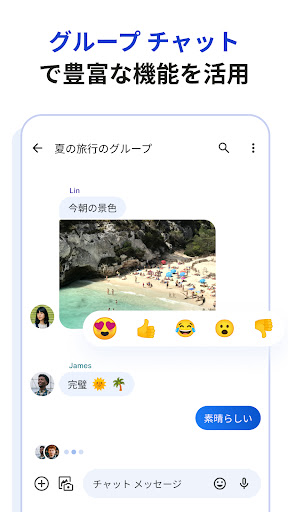
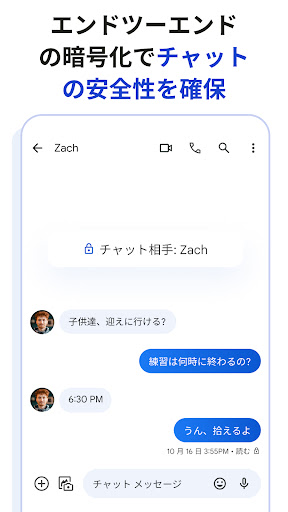
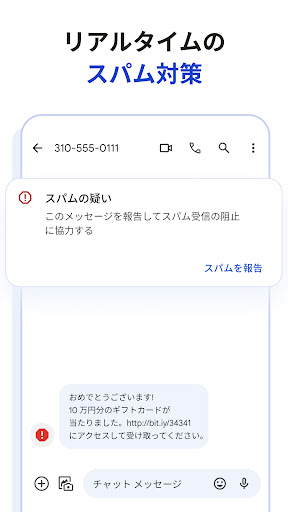
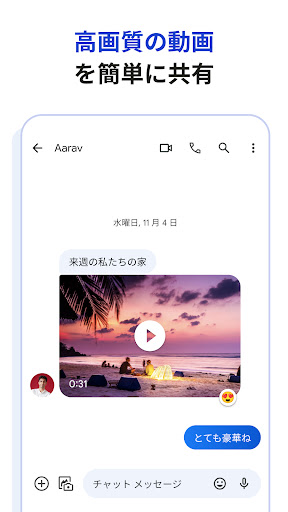
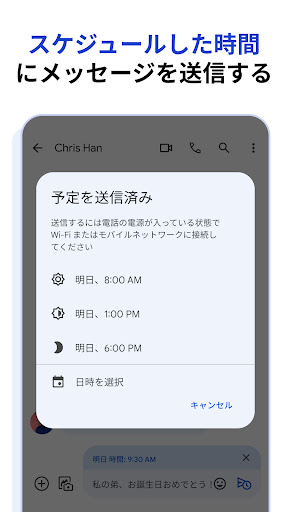
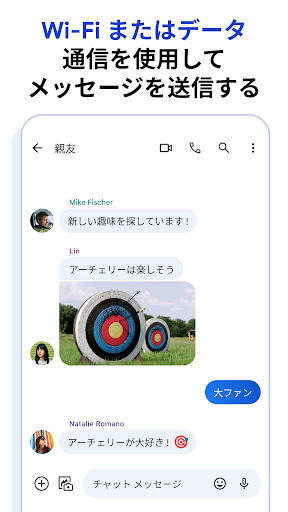
Google Messages succeeds in the way the best default communication apps do: it quietly becomes the app you stop thinking about. After spending real time with it as an everyday messaging hub, that is ultimately its biggest compliment. It is not trying to be a social network, a theme playground, or a feature-stuffed messaging experiment. It is trying to handle the constant stream of daily communication—quick texts, media sharing, group threads, verification codes, desktop continuation, spam filtering—and in most of those areas, it feels mature, fast, and refreshingly uncluttered. The first thing that stands out in regular use is how approachable the interface is. Google Messages opens quickly, lays out conversations in a familiar way, and rarely makes basic actions feel hidden behind extra taps. Starting a new chat, searching old threads, attaching a photo, and moving between active conversations all feel natural. This is one of those apps where even if you never touch a setting, you can be productive in seconds. That simplicity matters because messaging is not an app category where people want to learn a system; they want to communicate and move on. That clean design is also one of its strongest assets over long-term use. A lot of messaging apps become noisy over time, either visually or with upsells, nags, or crowded menus. Google Messages feels comparatively restrained. There are no ads, no obvious pressure tactics, and very little visual clutter. In daily use, that gives the app a dependable, almost appliance-like quality. It stays out of the way, and for a communication tool, that is exactly what many people want. Its second major strength is that core messaging generally works very well. Standard text sending is straightforward, and when RCS is active and working properly, the experience becomes noticeably richer. Higher-quality media sharing, typing indicators, more modern group conversations, and a more fluid feel overall make a difference. Used in a mixed modern messaging environment, Google Messages finally makes texting feel less like an old carrier utility and more like a contemporary chat app. The app also earns points for feeling well integrated across devices, especially if you bounce between phone and computer during the day. Being able to continue conversations beyond the handset adds practical value, not just a bullet point on a feature list. A third strength is privacy and safety. End-to-end encryption between compatible chats helps bring peace of mind, and the app’s spam filtering is genuinely useful in real life. Messaging apps often live or die by whether they protect your attention as much as your data, and Google Messages does a solid job cutting down obvious junk. That alone improves the daily experience more than flashy effects ever could. Still, this is not a flawless app, and its weaknesses become obvious once you move beyond the basics. The first is customization. Google Messages offers some personal touches, but if you are the kind of user who wants deep control over how each conversation looks and behaves, it can feel limited. It handles the essentials, and there are fun visual touches, but it does not always satisfy users who want detailed visual customization for individual chats, better time labeling at a glance, or more control over chat appearance. If your ideal messaging app doubles as a heavily personalized inbox, this one may feel a little too restrained. The second frustration is inconsistency around media and attachments. In general, sending photos and videos is easy, but the experience is not always as elegant as it should be. Image presentation can be awkward, and there are moments where media handling feels less polished than the rest of the app. On the phone, things are mostly straightforward, but some edge cases around file support and how attachments appear or are accessed can create friction. For an app that wants to be the center of modern messaging, media should feel seamless every time, not just most of the time. The third weakness is reliability during rough patches, especially after updates or when RCS setup goes sideways. In normal conditions, Google Messages feels stable and polished. But when it misbehaves, the problems are disruptive in exactly the wrong ways: conversations not loading correctly, sync weirdness, connection states that get stuck, or sending issues that are difficult to diagnose from inside the app. Because messaging is such a mission-critical tool, even temporary instability feels larger here than it would in a casual app. Most of the time, it fades into the background. When it breaks, it instantly becomes one of the most annoying apps on your phone. What I appreciate most after extended use is that Google Messages knows its lane. It is for people who want a straightforward, modern Android messaging app that handles everyday texting with minimal fuss. It is especially good for users who want a clean interface, useful anti-spam tools, decent cross-device continuity, and the benefits of RCS without needing to think too hard about setup once it is working. If you are already living in the Android ecosystem and just want your text messaging app to feel current, this is an easy recommendation. It is less ideal for users who want extensive visual customization, those who are highly sensitive to occasional RCS quirks, or anyone expecting every attachment and media workflow to feel perfectly uniform across phone and web. It also may not satisfy power users who want advanced per-chat controls and more granular visual organization. Even with those caveats, Google Messages remains one of the strongest communication apps available on Android simply because it gets the fundamentals right so often. It is clean, practical, fast, and modern where it counts. It does not always wow, and it does not always avoid annoying technical bumps, but in everyday use it earns trust more often than it loses it. For most Android users, that makes it the default messaging app to beat.