Apps Games Articles
WhatsApp Messenger
WhatsApp LLC
Rating 4.7star icon
Editor's summary
Editor rating
star icon star icon star icon star icon
half star icon
4.5

One-line summary WhatsApp is still one of the easiest and most reliable ways to keep in touch across phones and desktops, but its increasingly crowded interface and a few nagging account and call annoyances keep it just shy of essential perfection.

  • Installs

    10B+

  • Developer

    WhatsApp LLC

  • Category

    Communication

  • Content Rating

    Everyone

  • Latest version

    VARY

  • Package

    com.whatsapp

In-depth review
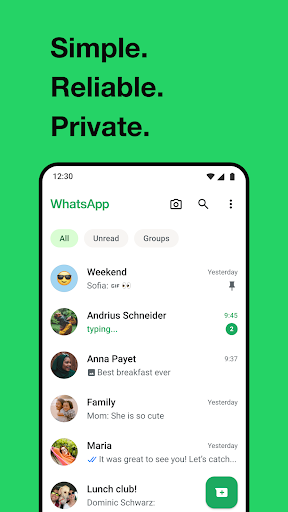
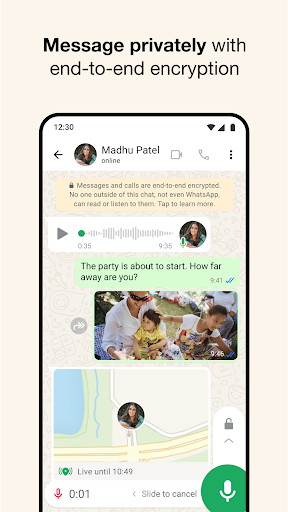
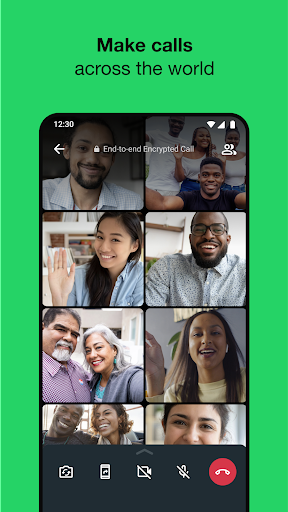
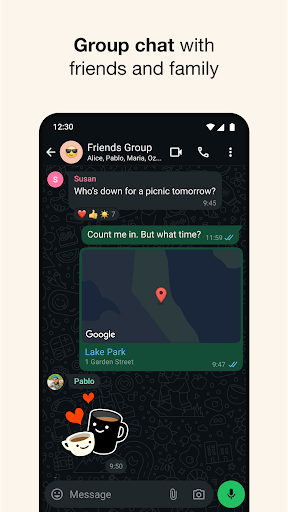
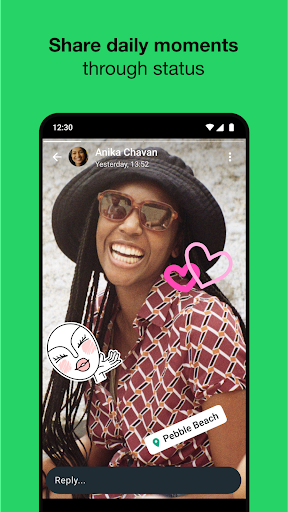
After spending real time with WhatsApp Messenger as a daily communication app rather than just a test install, the biggest thing that stands out is how natural it feels once it becomes part of your routine. You open it to answer one message, and before long it is handling family chats, quick work coordination, voice notes, photo sharing, status updates, and the occasional late-night video call. That breadth is not unusual for a messaging app anymore, but WhatsApp still does a better job than most at making all of that feel fast, familiar, and low-friction. The setup is refreshingly simple. Because it is tied to your phone number, getting started is straightforward, and finding people already on the service is usually effortless. That convenience matters more than feature checklists in an app like this. A communication tool only works if the people you need are actually there, and WhatsApp has the practical advantage of feeling like a universal default for a huge number of contacts. In everyday use, that means less convincing, less onboarding, and fewer dead ends. The core messaging experience is excellent. Text messages send quickly, even on weaker connections, and chats load without much drama. The interface is clean enough that most people can use it immediately, even if they are not particularly tech-savvy. Voice notes are especially well implemented: fast to record, easy to play back, and often more convenient than typing. Group chats are another strong point. They are simple to manage, and the app handles the mix of text, media, reactions, and shared documents without feeling chaotic most of the time. For families, friend groups, classmates, and casual work coordination, it is a remarkably practical hub. Calls are another reason WhatsApp remains so useful. Voice calling is generally clear, and video calls are good enough that they feel dependable rather than merely available. I would not describe the experience as flashy, but that is part of the appeal. It usually just works. If you are communicating across countries or in places where regular carrier service is unreliable, WhatsApp feels less like an optional app and more like basic infrastructure. The fact that it also stretches across desktop and linked devices makes it even more useful when you are moving between screens during the day. Privacy is also one of the app's strongest selling points in day-to-day use. End-to-end encryption is not something you actively feel while chatting, but it changes the tone of the product. WhatsApp presents itself as a more private place for personal conversation, and that matters when you are sharing family photos, documents, voice messages, or sensitive details. It does not turn the app into a fortress against every possible concern, but it does make it feel more trustworthy than a barebones messenger with no serious privacy framing. That said, WhatsApp is not without frustrations, and some of them become obvious only after extended use. The first is interface creep. The app used to feel more focused, and while added features like status updates and channels may be useful to some people, they also make the app feel busier than it once did. If your main goal is simple messaging, the extra layers can make navigation less direct. It is not a disaster, but it is a real shift in feel: a communication tool that was once almost invisible now occasionally reminds you that it wants to be more than that. The second annoyance is account and device management. Linked-device support is genuinely helpful, but it can be finicky. If your main phone is unavailable or something changes unexpectedly, reconnecting devices can be more annoying than it should be. For users who rely on WhatsApp across a laptop, tablet, and phone, that friction stands out because the app otherwise feels so seamless. The third weakness is that WhatsApp still puts too much burden on the user in a few small but important areas. Storage management can get messy if you share a lot of media. Unknown contacts can reach you if they have your number, which means the occasional random call or message is part of the package until you block it. And while the app has grown steadily, there are still quality-of-life gaps that become noticeable over time. Some people will wish for more customization, better message scheduling, or more flexible temporary chat options without creating permanent groups. None of these omissions ruin the app, but they are the sort of missing refinements you notice in a product this mature. Who is WhatsApp for? Almost anyone who wants a dependable, low-cost way to message and call friends, family, classmates, or small groups. It is especially strong for people with international contacts, people who use voice notes heavily, and people who need a messaging app that works across mobile and desktop without much setup. It is also a very comfortable choice for less technical users because the basics are so easy to grasp. Who is it not for? If you strongly prefer minimalist apps with no social extras, WhatsApp may feel more cluttered than ideal. If you want deep personalization, highly advanced workflow tools, or a communication system that is less tied to your phone number, you may find it limiting. And if random inbound contact is a major concern, you may wish the app gave you tighter control by default. Even with those complaints, WhatsApp remains one of the best communication apps you can install. It succeeds in the ways that matter most: speed, reliability, familiarity, and ease of use. It is not the most elegant it has ever been, and a few rough edges persist, but when you actually live with it day after day, it is hard to deny how useful and dependable it is. For most people, that matters more than anything else.
Alternative apps