Apps Games Articles
Glassdoor | Jobs & Community
Glassdoor LLC.
Rating 4.6star icon
Editor's summary
Editor rating
star icon star icon star icon star icon
half star icon
4.5

One-line summary Glassdoor is one of the smartest job-search apps you can carry because it blends listings, salary data, and company reality checks in one place, but its occasional web-app awkwardness and account-heavy friction keep it from being a flawless recommendation.

  • Installs

    10M+

  • Developer

    Glassdoor LLC.

  • Category

    Business

  • Content Rating

    Everyone

  • Latest version

    11.21.0

  • Package

    com.glassdoor.app

In-depth review
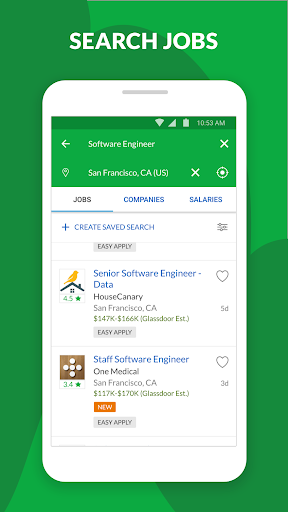
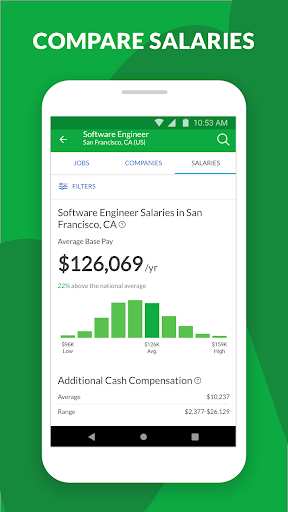
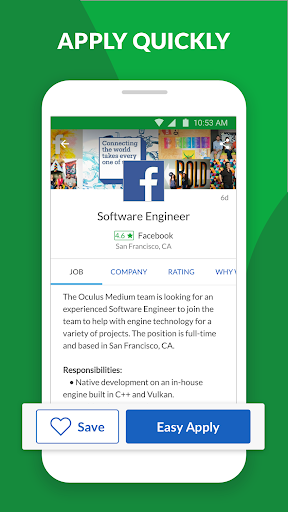
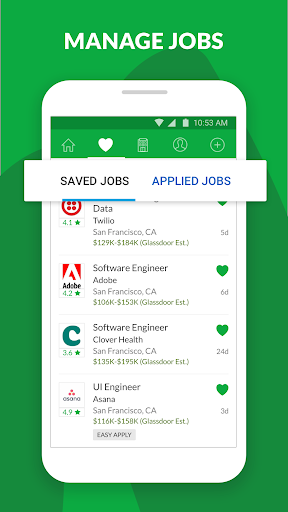
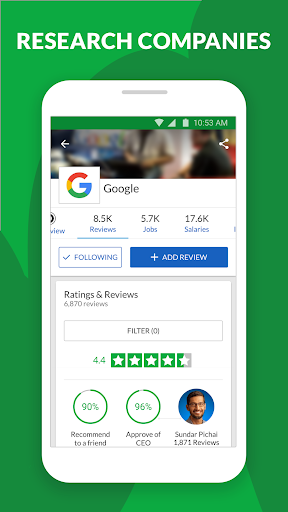
Glassdoor | Jobs & Community feels less like a plain job board and more like a career research tool that happens to let you apply for jobs. After spending time with it as a day-to-day job search companion, that is the biggest reason I’d recommend it. It is not just about firing off applications. It is about understanding what you are walking into before you commit your time, your resume, and your hopes. The app makes a strong first impression because it gets to the point quickly. Searching for jobs is straightforward, saved jobs are easy to manage, and the overall flow is cleaner than many employment apps that drown you in clutter, pop-ups, or unnecessary detours. I especially liked how easy it was to keep track of interesting roles. Saving jobs is simple, and the organization tools make it practical to build a shortlist instead of losing everything in one giant pile of listings. For active job seekers, that matters more than it sounds. Once you are comparing ten or twenty openings at a time, little workflow conveniences become a big deal. Where Glassdoor separates itself is the context around the job listing. On many apps, you see a title, maybe a salary estimate, maybe a vague company page, and then you apply half-blind. Here, I consistently felt like I had more to work with. Company reviews, salary information, workplace impressions, and interview-related insights create a fuller picture. If you are the kind of person who wants to know what a company feels like before you walk into an interview, Glassdoor is genuinely useful. I found this especially valuable when looking at roles that sounded good on paper but raised questions about culture, pay expectations, or long-term fit. The app helps answer those questions faster than most rivals. That salary visibility is another major strength. Even when pay information is not perfect or universally available, having compensation signals in the same app as the job search changes the tone of the experience. You stop browsing passively and start evaluating opportunities with more confidence. It is also one of the few mobile job apps that encourages a more informed, less desperate style of searching. Instead of just asking, “Can I apply?” it pushes you to ask, “Should I?” The app also deserves credit for feeling welcoming to different types of job hunters. It works for entry-level applicants who want something easy and approachable, and it also works for more experienced professionals who care about role fit, company culture, and negotiation prep. If you are exploring remote roles, switching industries, or quietly monitoring the market while staying employed, Glassdoor has enough depth to stay useful over time. It is not only for urgent job seekers; it is also good for cautious career planners. That said, the experience is not perfectly polished. The biggest irritation I ran into was the occasional split personality between the app and the website. Some tasks feel more complete on the web, while the mobile app nudges you to stay inside it. That can create a mildly annoying loop where you want to edit or manage something in a more detailed way, but the handoff is not always graceful. It is not a dealbreaker, but it does make the app feel less self-contained than it should in 2025. Another weakness is that not every part of the app feels equally strong. The core job search and company research features are the stars. Some of the broader community or conversational elements feel more secondary, like useful extras rather than essential reasons to install the app. They do add personality, but if you come in expecting every section to be equally polished and central to the experience, you may notice that the main value still comes from listings, salary data, and workplace insights. I also wanted better filtering in certain searches. For broad job hunting, the app works well. But once you start searching within niche industries, specialized titles, or custom geographic combinations, the experience can feel a bit rigid. Power users who want extremely precise search controls may occasionally feel boxed in. Glassdoor is strongest when you let it guide a fairly standard search; it is less impressive when you demand highly tailored combinations and edge-case filtering. There is also a small but noticeable issue with interaction sensitivity. At times, browsing can feel a little jumpy, as if a slight gesture moves you into a different panel or related listing faster than expected. It is not enough to make the app frustrating, but it does interrupt the otherwise smooth rhythm of scrolling through openings and company pages. So who is this app for? It is for job seekers who want more than listings. It is for people who want to compare salaries, check company reputation, get a feel for interview expectations, and keep their search organized in one place. It is especially good for early-career users, career switchers, and professionals who do not want to apply blind. Who is it not for? If you only want the fastest possible bare-bones application engine and do not care about company research, Glassdoor may feel heavier than necessary. It is also not ideal for users who expect every account setting and profile action to be fully optimized inside the app without occasionally needing the web. Overall, Glassdoor | Jobs & Community is one of the most useful employment apps on Android because it treats job hunting like decision-making, not just lead generation. It saves time, adds perspective, and makes the process feel more informed. I would absolutely recommend it, with the caveat that its app-versus-web rough edges and a few search limitations keep it just short of elite perfection.