Apps Games Articles
Paylocity Mobile
Paylocity
Rating 3.5star icon
Editor's summary
Editor rating
star icon star icon star icon star icon empty star icon
4.2

One-line summary Paylocity Mobile is easy to recommend if your employer runs on Paylocity because it puts payroll, time tracking, schedules, and HR tasks in one secure place, but its usefulness rises and falls with how your company has it configured and how much patience you have for session timeouts.

  • Installs

    1M+

  • Developer

    Paylocity

  • Category

    Business

  • Content Rating

    Everyone

  • Latest version

    23.1.523

  • Package

    com.paylocity.paylocitymobile

In-depth review
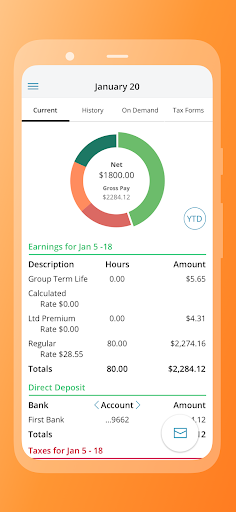
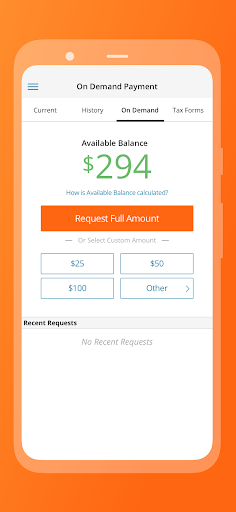
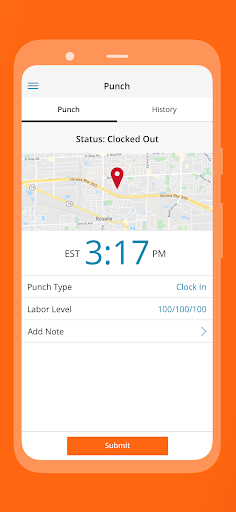
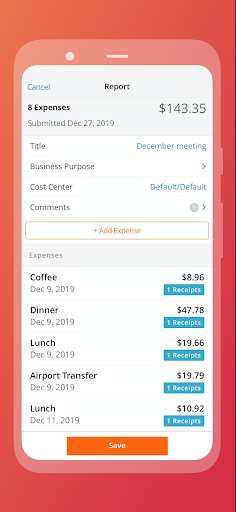
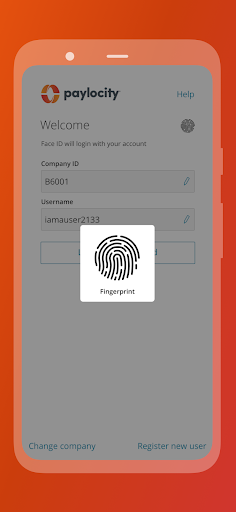
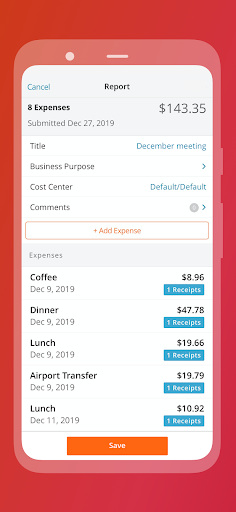
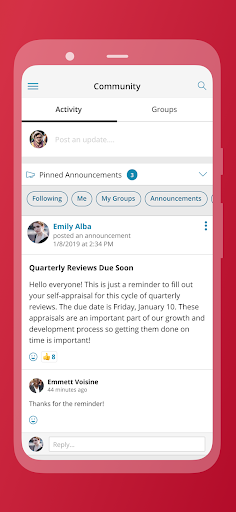
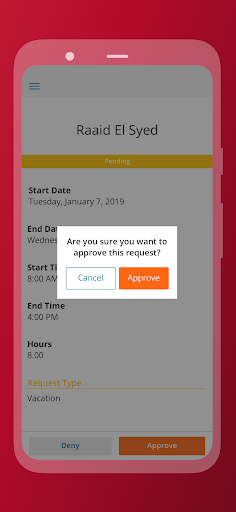
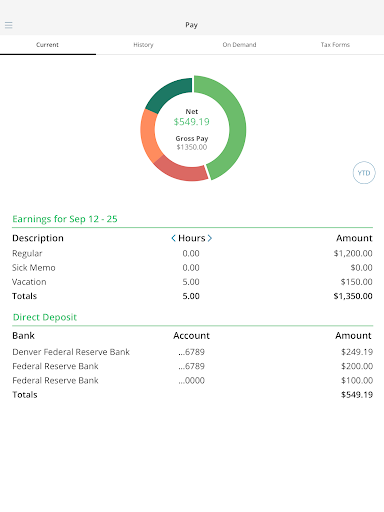
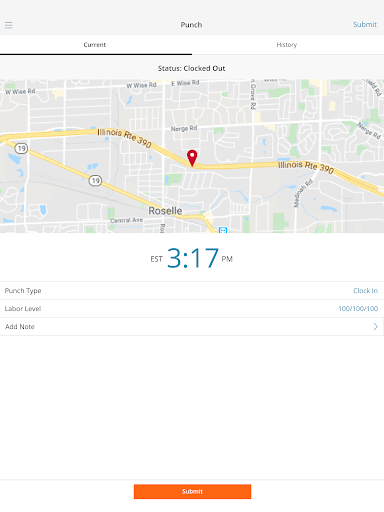
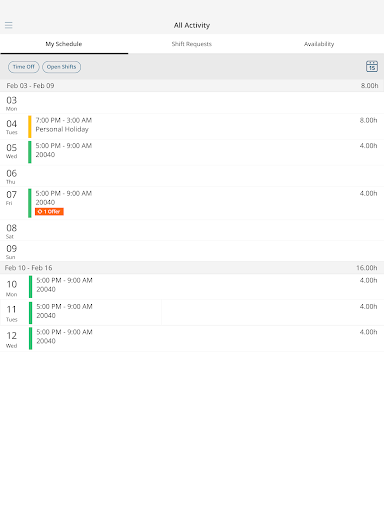
Paylocity Mobile is one of those work apps that lives or dies by a simple question: when you need it quickly, does it actually save time? After spending real time with it as an employee-facing HR and payroll companion, my answer is mostly yes. This is a practical, everyday utility app, not something designed to delight you with flashy visuals or clever interaction design. But in the category it occupies, competence matters more than charm, and Paylocity Mobile generally feels like it understands that. The best thing about the app is that it centralizes the pieces of work admin that people usually dread. Instead of bouncing between payroll, time clock, schedules, messages, and profile updates, you get a single mobile hub that brings those tasks together. In daily use, that matters. Checking a paycheck, looking at past pay information, confirming a schedule, clocking in or out, and responding to a task can all happen from the same app without it feeling like a maze. The home screen, while not especially stylish, does a decent job of surfacing the functions you are most likely to need. It feels designed for quick check-ins rather than deep exploration, which is exactly what this type of app should prioritize. Another clear strength is security. Because this app contains highly sensitive information, I paid attention to how it handles access. Biometric login support is a meaningful convenience, and once it is set up, getting into the app is fast enough that security does not feel like punishment. The app also behaves like a financial tool in the way it protects sessions, and that is reassuring. There is a slight tradeoff here, though: if you step away too long, you may find yourself needing to sign back in sooner than you would like. From a security perspective, that is understandable. From a usability perspective, it can still be annoying when you just want to glance at a pay stub or finish a small task. The navigation is mostly straightforward. I never felt completely lost, and that is more important than it sounds in HR software, which often buries basic actions behind layers of enterprise clutter. Paylocity Mobile keeps the core actions accessible enough that even less tech-comfortable employees should be able to handle the basics without much friction. Personal information, pay history, schedules, time-off items, and communication tools are logically grouped. The app gives off the impression of being built by people who know employees are often opening it in the middle of a shift, while commuting, or between meetings. That said, the experience is not uniformly polished. One of the app’s biggest weaknesses is that the quality of the experience depends heavily on what your employer has enabled and how your organization uses Paylocity. On paper, the app covers a lot: payroll, timekeeping, schedules, expenses, company communication, even organizational visibility. In practice, your version of Paylocity Mobile may feel robust or fairly bare depending on company setup and permissions. That is not exactly the app’s fault, but it absolutely affects the user experience. If someone downloads it expecting every feature shown in the listing to be available, they may be disappointed. The second weakness is that some workflows still feel more functional than elegant. Basic tasks are easy enough, but the app occasionally gives the impression that it is trying to fit a desktop HR system into a phone-sized container. You can do a lot here, but not every part of the interface feels equally optimized for mobile. The result is an app that is efficient in bursts but not always pleasant to linger in. It works best when you know exactly what you came to do. The third recurring drawback is session behavior and general interruption friction. There is a fine line between secure and inconvenient, and Paylocity Mobile sometimes edges toward the latter. If you are the kind of person who opens an app, gets distracted, and comes back later, the timeout behavior can feel a little overprotective. Again, I would rather have that than loose security around payroll and personal data, but it is still one of those little irritations that adds up over time. Where Paylocity Mobile works especially well is for employees who want self-service access to routine work information without emailing HR or logging into a full website. It is also a solid fit for supervisors who need to approve requests, review timecards, or handle lightweight administrative tasks away from a desk. For those users, the app genuinely reduces friction. If your workplace actively uses scheduling, timekeeping, and communication tools inside Paylocity, the app becomes even more valuable because it can function as a real day-to-day control panel. Who is it not for? Anyone expecting a broadly useful payroll app they can use independently will hit a wall immediately, because the app only makes sense if your employer is a Paylocity client and has granted access. It is also not ideal for people who are especially sensitive to login friction or who want a highly refined consumer-grade mobile experience. This is enterprise software made usable, not enterprise software transformed into something beautiful. Overall, I came away with a positive impression. Paylocity Mobile succeeds because it handles the core employee tasks well enough to become part of a real routine. It gives fast access to important information, keeps security front and center, and avoids making common actions more complicated than they need to be. Its rougher edges are real: variable feature availability, occasional clunkiness, and timeouts that can test your patience. But if your employer is in the Paylocity ecosystem, this app does a solid job turning HR and payroll admin into something you can manage from your phone without too much hassle. For a business app, that is a meaningful win.
Alternative apps