Apps Games Articles
eBay online shopping & selling
eBay Mobile
Rating 4.6star icon
Editor's summary
Editor rating
star icon star icon star icon star icon
half star icon
4.5

One-line summary eBay remains one of the best mobile marketplaces for sheer variety, strong search, and easy selling, but a few missing controls—especially around filtering and seller management—keep it from feeling truly perfect.

  • Installs

    100M+

  • Developer

    eBay Mobile

  • Category

    Shopping

  • Content Rating

    Teen

  • Latest version

    VARY

  • Package

    com.ebay.mobile

In-depth review
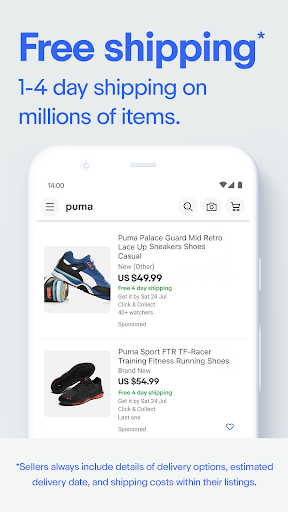
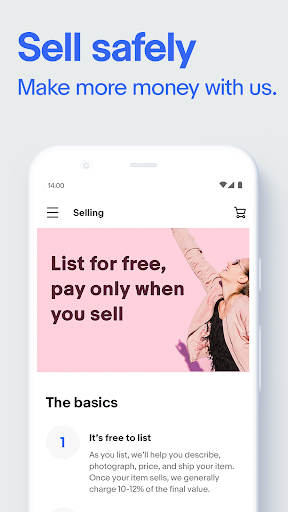
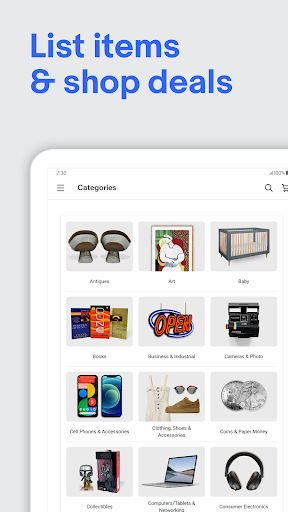
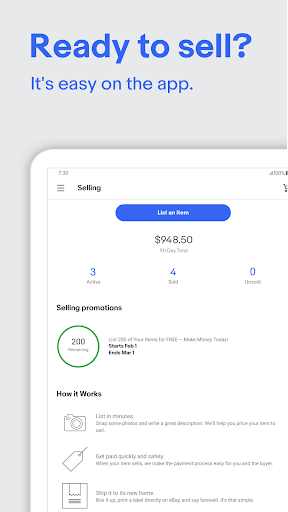
After spending real time with eBay’s Android app, the biggest takeaway is simple: this is one of those rare marketplace apps that actually feels built for frequent use, not just occasional browsing. Whether you’re hunting for a hard-to-find collectible, comparing prices on used tech, buying car parts, or trying to clear out a closet by listing a few items, the app is genuinely practical. It doesn’t just mirror the website; in a lot of everyday situations, it’s the faster and more convenient way to use eBay. The first thing that stands out is how well the app handles discovery. Search is strong, and that matters more on eBay than on almost any other shopping platform because the catalog is huge, messy, and constantly changing. In my testing, the app did a good job surfacing relevant items without burying me in nonsense. Filtering by condition is especially useful here. Being able to quickly move between new, used, refurbished, and pre-loved listings makes eBay feel less chaotic than it could have been. If you’re the kind of shopper who cares about value and doesn’t mind buying secondhand, the app makes that process feel normal rather than risky or cumbersome. That broad inventory is easily one of eBay’s best qualities. Few apps can match the sense that almost anything might be available if you search the right way. I found the experience particularly strong for niche categories and one-off finds where mainstream retail apps often come up empty. If you enjoy treasure-hunt shopping, or if you regularly buy products that are discontinued, collectible, vintage, or oddly specific, eBay still has a clear edge. The buying flow is also polished. Watching items, saving favorites, checking seller details, sending messages, and completing purchases all feel straightforward. The app does a good job of keeping you updated with alerts about offers, auctions, and order status, and in daily use that convenience adds up. It’s easy to dip in for a minute, check an item, place a bid, and get back out. That quick, low-friction interaction is one of the reasons the app works so well on mobile. Selling, meanwhile, is better than many casual sellers will expect. Listing an item from your phone is fast, and the app’s photo-first workflow makes sense. The newer AI-assisted listing flow, which helps generate descriptions and fill in details from a photo, is the kind of feature that could have felt gimmicky but is actually useful in a practical way. It lowers the barrier to getting a listing live, especially if you are selling ordinary items and don’t want to write every detail manually. For casual decluttering or side selling, the app makes the process feel accessible. That said, eBay on mobile is not flawless, and the cracks show most clearly once you move beyond the basics. One recurring frustration is filtering precision. The app is good at broad narrowing, but not always great at giving you the exact control you want. In some categories, especially vehicles and parts, I wanted tighter options for things like year and mileage ranges instead of having to work around the system. In general shopping too, I occasionally had the sense that finding the absolute best listing required a couple of extra searches rather than one perfect result page. A second issue is that eBay still doesn’t feel as customizable as power users would like. If you repeatedly run into sellers you don’t want to buy from, there really should be a cleaner way to hide or block them from your shopping experience. On a marketplace this large, search quality is not just about relevance; it’s also about reducing clutter. When the same high-volume sellers dominate results, the app can feel less like a marketplace and more like an endless wall of near-duplicate listings. For collectors and careful buyers, that gets old fast. The third weakness is support flow when something goes wrong. Most of the time, transactions are smooth, and the built-in buyer protections are reassuring. But in the app itself, resolving a dispute can still feel more procedural than personal. Messaging sellers is easy, but reaching eBay directly at the right moment is not always as immediate as it should be. If you are the kind of shopper who wants instant human intervention the second a package is delayed or a seller becomes unresponsive, the experience may test your patience. There are also a few smaller polish issues that can crop up, the kind of update-related glitches or odd interface moments that don’t ruin the app but remind you this is a very large, frequently evolving platform. None of these outweighed the app’s usefulness for me, but they do keep it from being truly frictionless. Who is this app for? It’s ideal for bargain hunters, collectors, secondhand shoppers, hobbyists, and casual sellers who want a marketplace with more personality and range than a standard retail app. It’s also great for people who like checking listings throughout the day rather than sitting at a desktop. If you buy used goods comfortably and know how to compare sellers, you’ll probably get a lot out of it. Who is it not for? If you want a tightly controlled retail experience, ultra-simple returns with no seller variation, or highly refined filters in every category, eBay can still feel a little messy. Serious business sellers may also find the app excellent for maintenance and quick actions, but not always sufficient as their only tool. Overall, eBay’s mobile app succeeds because it understands what people come to eBay for: variety, value, and speed. It makes browsing addictive in the best way, buying easy, and selling surprisingly painless. It still has room to improve in search control, seller filtering, and dispute handling, but as a day-to-day marketplace app, it remains one of the strongest and most useful options on Android.
Alternative apps