Apps Games Articles
Piano Game: Classic Music Song
Dream Tiles Piano Game Studio
Rating 4.3star icon
Editor's summary
Editor rating
star icon star icon star icon star icon
half star icon
4.5

One-line summary Choose it for its surprisingly responsive, musical take on the piano-tile formula; hesitate only if you want cloud saves, richer customization, or a tougher long-term challenge.

  • Installs

    10M+

  • Developer

    Dream Tiles Piano Game Studio

  • Category

    Music

  • Content Rating

    Everyone

  • Latest version

    2.7.20

  • Package

    game.piano.music.tiles.challenge

In-depth review
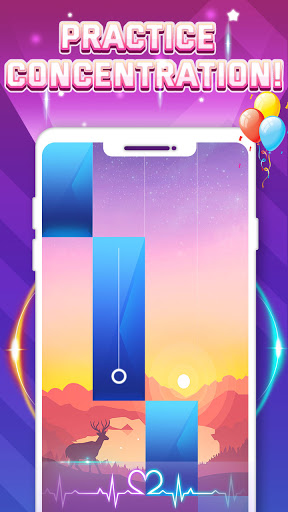
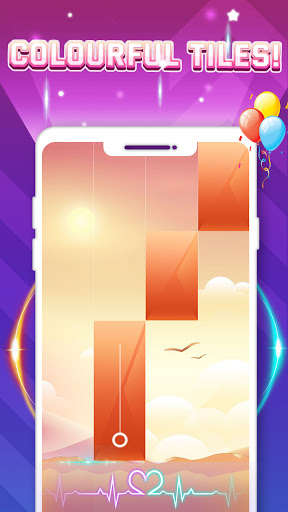
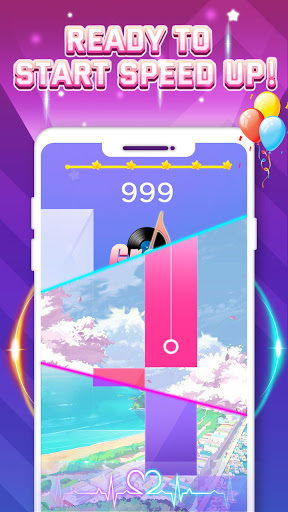
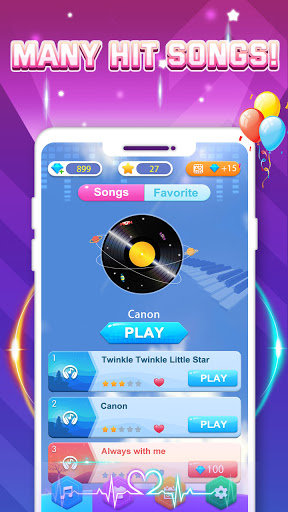
Piano Game: Classic Music Song is one of those mobile games that looks disposable at first glance and then quietly keeps you playing longer than you intended. After spending real time with it, what stands out is not novelty so much as execution. This is a familiar falling-tile rhythm game, but it feels better tuned than many of the copycat piano apps cluttering the Play Store. It understands that this kind of game lives or dies on feel: touch response, song flow, menu simplicity, and whether tapping tiles actually feels connected to the music rather than pasted on top of it. That connection is the app’s biggest strength. In a lot of piano-tile games, the music feels like a backing track and your taps are little more than permission checks. Here, the act of tapping feels more closely tied to the song itself. There is a satisfying sense that your timing matters and that the melody is advancing with you, not merely around you. That makes even simple tracks more engaging than they should be. The game is easy to understand within seconds, and it is accessible enough for casual players, but it still delivers that small surge of concentration and hand-eye coordination that keeps rhythm games compelling. The second thing I liked is how clean and lightweight the overall experience feels. Navigation is straightforward, songs are easy to browse, and the app does not bury the core gameplay under layers of nonsense. You get in, pick a track, and start tapping. For a free app, it also gives the impression of being made with a bit more care than average. The song library is broad enough to keep the early experience fresh, moving between recognizable classical pieces and more contemporary material. The inclusion of anime and pop-adjacent selections helps widen the appeal beyond players who only want Mozart and Canon in D on loop. A third strength is that the game generally understands session length. Songs do not drag on forever, which makes the app well suited to short bursts. It is easy to squeeze in a couple of rounds while waiting in line or winding down at night. The star-based progression gives you a clear, low-pressure goal, and replaying for a better score is naturally motivating. There is also enough visual polish in the backgrounds and presentation to keep the game from feeling sterile, even if it is not a visual showcase. Still, the app is not without friction. The biggest practical disappointment is progression management. During use, it becomes clear that this is the kind of game you may want to chip away at over time, unlocking songs and collecting stars as a long-term routine. That makes the lack of any reliable account or save-transfer system feel especially dated. If you uninstall the app or switch phones, the possibility of losing progress hangs over the whole experience. For a game built around gradual unlocking and completion, that is a meaningful weakness, not a minor nitpick. The second issue is inconsistency in challenge. Piano Game: Classic Music Song is enjoyable whether you are a beginner or reasonably experienced with rhythm games, but its difficulty curve can feel oddly flat or uneven. Some tracks are thrillingly busy, while others feel too simple once you have settled into the mechanics. After a while, I wanted either a clearer difficulty rating system or more deliberate escalation. The game can absolutely be relaxing, but players who are chasing a serious skill test may hit a ceiling sooner than expected. My third complaint is the set of small quality-of-life gaps that become more noticeable the longer you play. Ads are not unbearable, but they do break the flow often enough to remind you that this is a free-to-play mobile game. Song discovery could be smoother too; a search function would make the growing library easier to navigate. And while the visual design is pleasant overall, certain tile and background color combinations are not ideal for readability. In a game where precision matters, style should never make notes harder to parse. Who is this app for? It is a strong pick for casual rhythm-game fans, players who want a relaxing but interactive music app, and anyone nostalgic for the classic piano-tile formula but tired of low-effort imitations. It is also a good fit for younger players or newcomers because the controls are intuitive and the structure is immediately understandable. If you enjoy chasing five-star runs, unlocking songs, and dipping in for a few minutes at a time, this app fits that routine extremely well. Who is it not for? If you want a deep competitive ecosystem, advanced charting, extensive personalization, or robust account syncing, this will feel limited. Likewise, players looking for a relentlessly hard rhythm game may enjoy it at first but eventually outgrow its challenge unless the song selection happens to line up with their tastes. Overall, Piano Game: Classic Music Song succeeds because it gets the fundamentals right. It is responsive, musical, easy to return to, and more immersive than many games in its category. Its shortcomings are real, especially around saves, long-term difficulty, and a few convenience features, but none of them erase the fact that this is a polished and genuinely enjoyable rhythm game. In a crowded genre full of noisy clones, this one actually feels worth keeping installed.