Apps Games Articles
Zangi Private Messenger
Secret Phone, Inc
Rating 4.3star icon
Editor's summary
Editor rating
star icon star icon star icon star icon empty star icon
4.3

One-line summary Zangi is easy to recommend if you want a privacy-first messenger that still works on weak connections, but its rough edges around contact control, call behavior, and missing convenience features keep it from feeling truly top-tier.

  • Installs

    10M+

  • Developer

    Secret Phone, Inc

  • Category

    Communication

  • Content Rating

    Everyone

  • Latest version

    6.3.7

  • Package

    com.beint.zangi

Screenshots
In-depth review
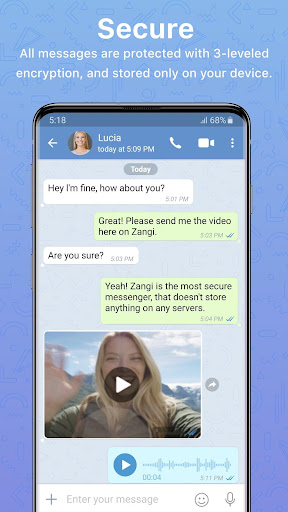
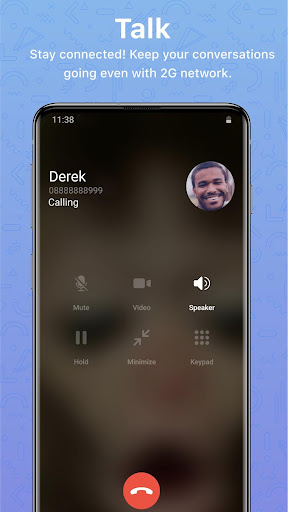
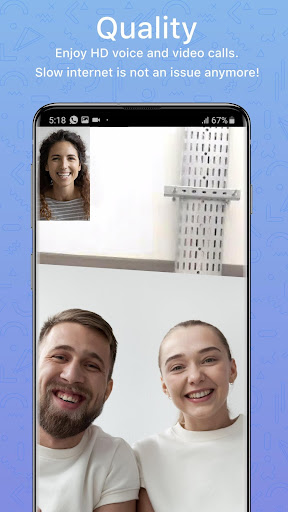
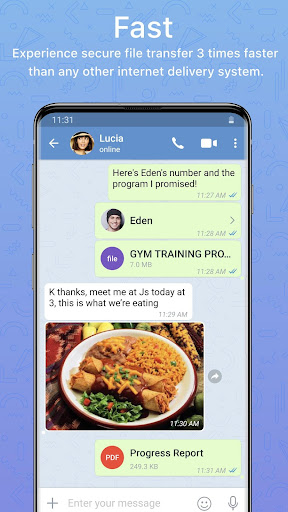
Zangi Private Messenger feels like an app built around a very specific promise: private communication without the usual baggage. After spending time with it as a day-to-day chat and calling app, what stands out most is that it does not try to overwhelm you with social features, public discovery, or constant noise. It feels more contained than many mainstream messengers, and that alone gives it a distinct personality. If your ideal communication app is something closer to a private utility than a social platform, Zangi makes a strong first impression. The setup experience is one of the app’s biggest advantages. The appeal of signing up without tying everything to a traditional phone-number-first identity is obvious the moment you start using it. Zangi presents itself as a more discreet, less exposed kind of messenger, and in practice that changes the feel of the app. It does not feel like a giant open plaza where anyone can stumble across you. That makes it especially appealing for people who are tired of giving every service access to their personal contacts or who simply want a cleaner separation between private conversations and the rest of their digital life. In actual use, Zangi’s core messaging experience is better than its plain appearance might suggest. Text chat is straightforward, sending media is simple, and voice notes, replies, and basic conversation tools are all where you expect them to be. The interface is not flashy, but it is readable and easy to learn. I never felt like I had to fight the app to complete basic tasks, and that matters more than visual flair in a communication tool. There is also a nice sense of focus here: it opens quickly, gets you into your chats quickly, and does not bury essentials under layers of design experimentation. The second major strength is call quality, especially under less-than-ideal network conditions. This is where Zangi earns real credibility. Voice calls remain surprisingly usable when the connection is unstable or just plain weak. That low-bandwidth resilience gives the app practical value beyond its privacy pitch. It is one thing for an app to advertise security; it is another thing for it to remain dependable when you are dealing with spotty internet. In my time with it, that reliability made Zangi feel useful rather than merely niche. If you communicate across regions where network quality is inconsistent, this is one of the app’s strongest selling points. Its third big strength is the overall sense of restraint. Zangi does not feel cluttered with entertainment layers or algorithmic distractions. For families, close friends, or small trusted circles, that minimalism can be refreshing. It keeps the app centered on messaging, voice calls, video calls, and file sharing rather than trying to become an everything-platform. For some users, especially those who want a safer-feeling communication space for children or relatives who are not very tech-savvy, that simplicity will be a genuine benefit. That said, Zangi is not without frustrations, and some of them show up quickly. The biggest one is that its privacy-first framing does not automatically eliminate unwanted interactions. If someone gets your Zangi number, managing that contact does not always feel as controlled or foolproof as it should. Blocking and account protection features need to feel airtight in an app like this, and here the experience can feel shakier than the branding implies. When a privacy-oriented messenger leaves you wanting more nuanced control over who can reach you, that is a meaningful weakness. The second issue is inconsistency in calling behavior. While voice quality can be excellent on weak networks, the actual process of placing or escalating calls is not always smooth. There are moments where calls take a few seconds to connect, and the flow around video calling can feel less seamless than it should. In a category where instant communication is the whole point, even small delays or awkward call transitions stand out. It is not a deal-breaker, but it does chip away at the polished, dependable image the app otherwise tries to project. The third weakness is the sense that some quality-of-life features are still missing or undercooked. Depending on how you use messaging apps, you may notice the absence of certain conveniences fairly quickly. Desktop support, richer media extras, screen sharing, broader customization, and some group communication tools would all help the app feel more complete. Zangi covers the essentials well, but power users may reach the edge of what it offers sooner than they expect. Visually, the app is competent rather than exciting. It is clean enough, but there is room for more polish and flexibility. I would not call the design outdated, but I also would not call it especially modern or delightful. It gets out of the way, which is good, yet it rarely feels elegant. That is consistent with the rest of Zangi: functional, focused, and occasionally rough around the edges. So who is this app for? Zangi is a strong fit for people who care about privacy, want to communicate without exposing a phone number in the usual way, and need a messenger that keeps working on poor internet connections. It also makes sense for users who prefer a quieter, less socially exposed messaging environment. On the other hand, it is not the best choice for those who want a highly polished ecosystem across all devices, deep feature richness, or the most frictionless calling and contact-management experience available. My overall impression is positive. Zangi does something valuable and fairly uncommon: it makes privacy feel practical, not just promotional. When it works at its best, it is fast, discreet, and dependable in the ways that matter most. But it also feels like an app that still needs refinement in the areas users notice every day, particularly around unwanted contacts, call flow, and modern convenience features. I would recommend it to the right person with confidence, just not without a few reservations.