Apps Games Articles
Shopify - Your Ecommerce Store
Shopify Inc.
Rating 4.0star icon
Editor's summary
Editor rating
star icon star icon star icon star icon
half star icon
4.5

One-line summary Shopify is one of the best mobile-first ecommerce control centers I’ve used, but while it’s excellent for running a store on the go, occasional bugs and a steeper learning curve on phone than desktop keep it from being an automatic recommendation for everyone.

  • Installs

    5M+

  • Developer

    Shopify Inc.

  • Category

    Business

  • Content Rating

    Everyone

  • Latest version

    9.96.0

  • Package

    com.shopify.mobile

Screenshots

In-depth review
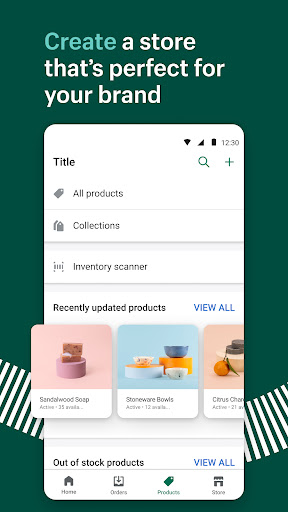
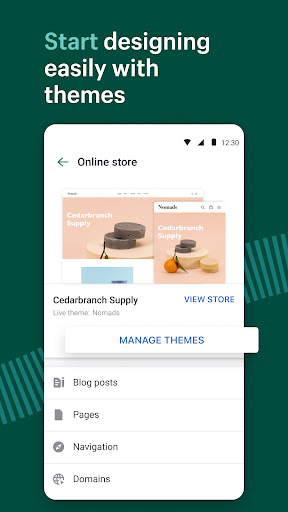
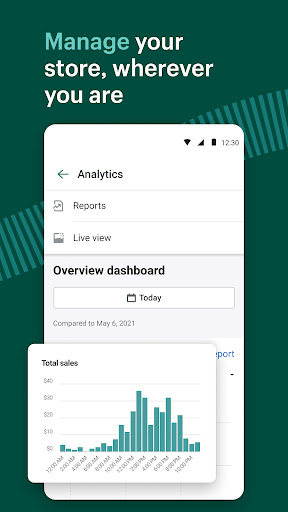
After spending real time with Shopify’s Android app, my biggest takeaway is this: it doesn’t feel like a stripped-down companion app nearly as often as you’d expect. It feels like a serious store management tool that happens to live on your phone. That matters, because a lot of business apps promise “run everything from anywhere” and then quietly force you back to a laptop the moment you need to do anything beyond checking notifications. Shopify gets much closer than most to making mobile administration genuinely practical. The first thing I noticed is how approachable the app feels once you’re inside. The interface is busy, but not chaotic. There’s a lot going on—orders, products, customers, analytics, marketing, store customization—but Shopify generally does a good job of organizing that complexity into clear sections. I was able to move from checking incoming orders to editing product details to scanning performance at a glance without feeling like I was trapped in an enterprise dashboard designed by and for accountants. For a platform with this many moving parts, that’s an achievement. Product management is one of the app’s strongest areas. Adding items, updating pricing, editing descriptions, and swapping photos all feel fast enough that I’d actually use the phone app for it instead of telling myself I’ll “fix it later” on desktop. That speed matters in day-to-day store work. If you need to correct a typo, change a variant, adjust inventory, or push out a quick product refresh while you’re away from your desk, the app makes that realistic. I especially liked that it keeps the experience practical rather than flashy. It’s built around getting tasks done quickly. Order handling is also a high point. Shopify makes routine actions feel compact and efficient: reviewing orders, fulfilling them, refunding when needed, archiving completed jobs, and moving through that workflow without too many taps. New order alerts are genuinely useful rather than just noisy, and the app gives you a strong sense of being connected to your store in real time. If your day involves responding quickly to sales activity, this is where the app earns its place. Another thing Shopify does well is visibility. The analytics and live business snapshots are not so deep that they become intimidating on a small screen, but they are informative enough to be useful during a busy day. You can check traffic, sales trends, and general store activity in seconds. I wouldn’t treat the phone app as the ultimate place for deep analysis, but for “what’s happening right now?” it works very well. That balance makes the app especially good for solo operators and small teams who need constant awareness more than full-scale reporting. That said, the mobile experience is not flawless. My biggest frustration was that the app occasionally stumbles right where reliability matters most. There were moments where pages failed to load properly or certain parts of the app felt temperamental after updates. In an app tied to orders and fulfillment, that’s not a minor annoyance. If you’re trying to process an order or print a label and the app decides to throw a technical error, the convenience argument collapses fast. In my testing, these issues were not constant, but they were noticeable enough to remember. The second drawback is navigation on a phone. Shopify is powerful, but power comes with density. On desktop, that complexity feels manageable; on mobile, some parts of the app can feel a little cramped or less intuitive than they should. You can absolutely learn it, and after some use it becomes second nature, but I would not describe the app as instantly effortless for every beginner. If you are totally new to ecommerce tools, there is a learning curve, especially once you move beyond basic products and orders. The third weakness is that some customization and editing tasks still feel better elsewhere. Shopify lets you do a lot on mobile, which is impressive, but not every task is equally elegant on a small screen. More visual editing, finer layout control, and certain store tweaks can feel constrained compared with using a desktop browser. I never got the sense that the app was incapable, but I did often get the sense that it was best used as a high-quality control center rather than the ideal place for every single creative decision. Where the app shines most is in its flexibility. It works well for merchants who need to stay operational while moving around: small business owners, independent sellers, creators, and shop managers who can’t afford to be tethered to a desk. If your day includes packing orders, checking stock, updating listings, and reacting quickly to store activity, Shopify on Android is genuinely useful. It also suits people who want a polished platform without needing coding skills just to get started. Who is it not for? If you want a purely simple, minimal app with almost no learning curve, Shopify may feel heavier than you want. And if your workflow depends on pixel-level storefront editing or highly detailed back-office control from your phone alone, you may still find yourself returning to desktop for the last 10 to 20 percent of the job. Overall, I came away impressed. Shopify’s app feels mature, practical, and far more capable than many business apps in its category. Its best quality is that it respects the fact that mobile work needs to be real work, not just monitoring. Its worst quality is that when bugs or loading issues appear, they hit critical workflows rather than cosmetic corners. Even so, if you want one of the strongest mobile ecommerce management experiences available on Android, Shopify is very easy to recommend.